Introduction
In Microsoft Defender for Endpoint there are two types of antivirus policies for macOS endpoints where one of them is legacy and the other one is newer as it allows us to configure features such as cloud protection, scheduled scanning, archive bomb, and potentially unwanted applications.
Whenever I tried to create the modern antivirus policy for macOS endpoints the “Next” button was grayed out and wouldn’t let me proceed with creating the antivirus policy. In this article I’ll go through solving the issue where the “Next” button is grayed out in macOS and provide security configuration.
Solution
In this section I’ll go through implementing modern Microsoft Defender Antivirus policy for macOS endpoints.
-
Go to Microsoft Intune
-
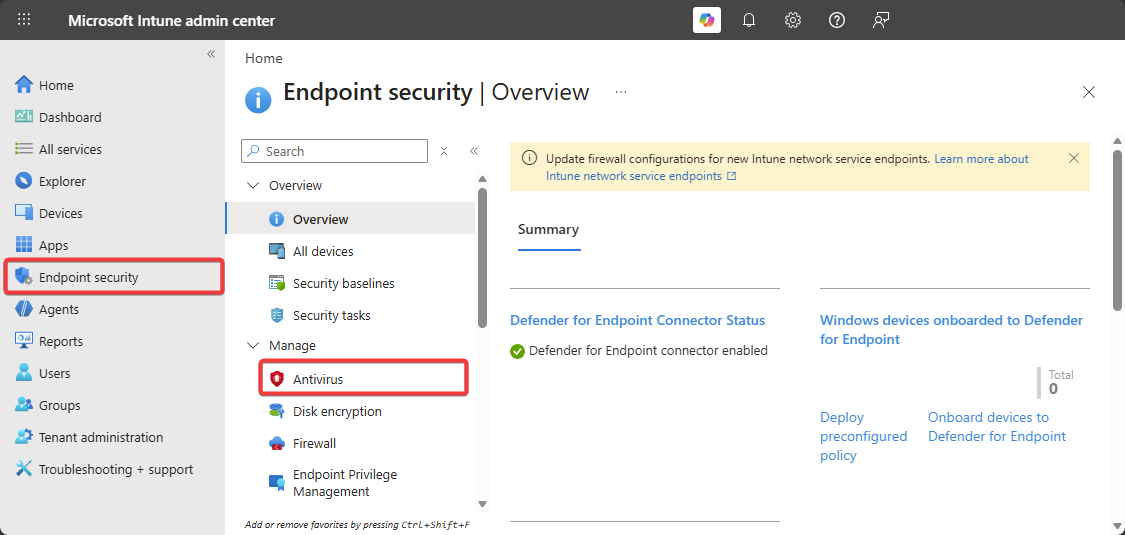
Click on Endpoint Security → Antivirus.
-
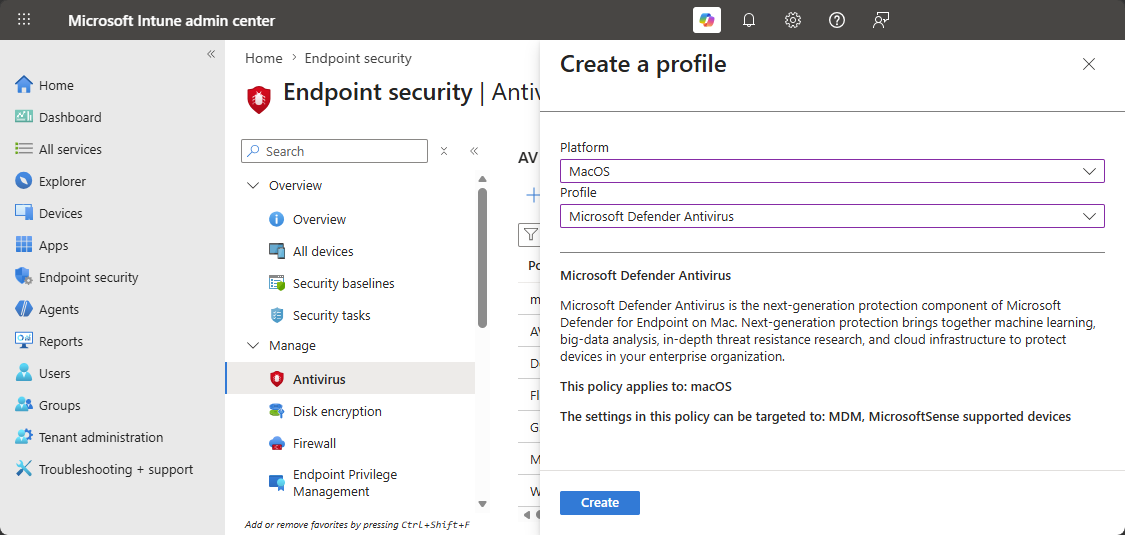
Click on Create then select macOS → Microsoft Defender Antivirus.
-
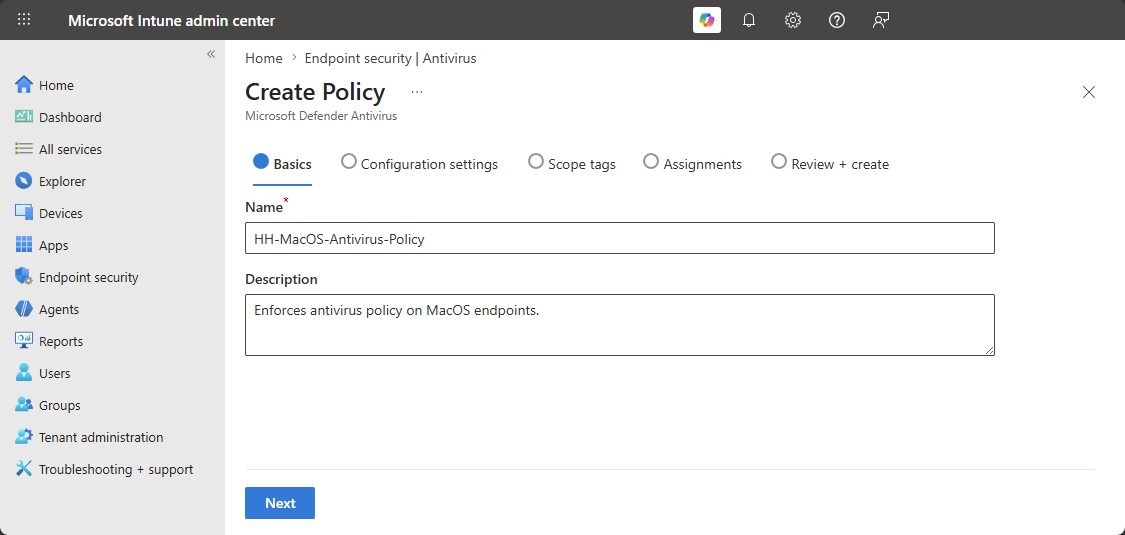
Enter the Name and Description.
-
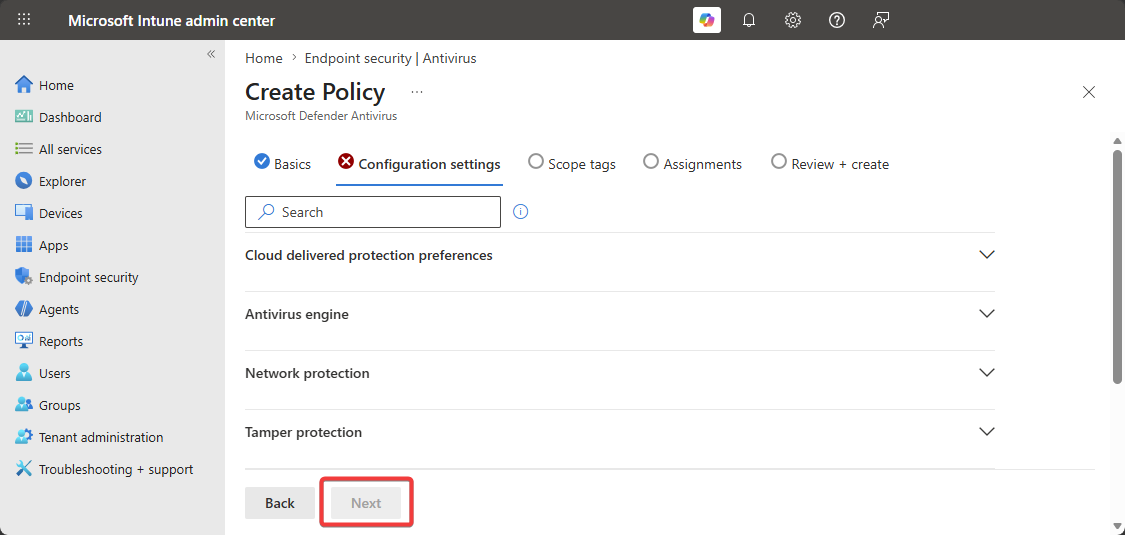
After configuring the Antivirus Engine section the “Next” button is disabled.
-
The “Next” button will be disabled until the “Allow Threats” is configured with a single entry.
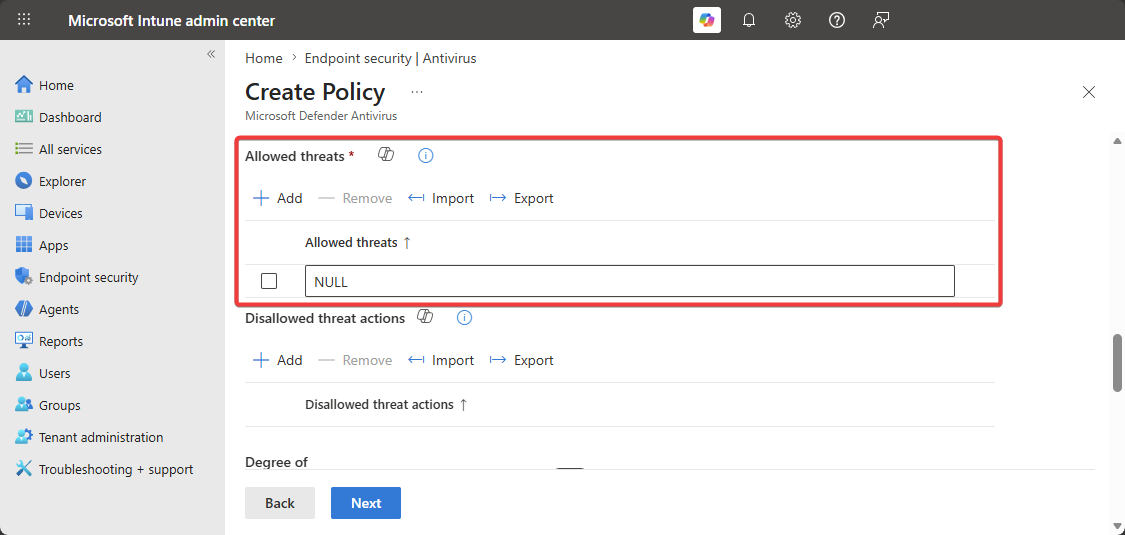
So basically the “Next” button will be disabled until someone configures the “Allow Threats” with a minimum of a single entry otherwise it will not allow us to create the Microsoft Defender Antivirus Policy for macOS. Unfortunately, I don’t know the reasoning why Microsoft demands minimum a single entry…
Recommendations
I would recommend configuring Microsoft Defender Antivirus Policy for macOS endpoints with the following configurations to secure them.
| Section | Setting | Value | Description |
|---|---|---|---|
| Cloud delivered protection | |||
| Cloud delivered protection | Enabled | Connects the endpoint to Microsoft antivirus engine in the cloud which provides near real-time threat intelligence. | |
| Automatic sample submission | Enabled | Automatically submits suspicious samples to Microsoft to further secure endpoint. | |
| Automatic sample submission consent | All | - | |
| Diagnostic collection level | Required | Collects diagnosis data such as the health status of the endpoint. | |
| Automatic security intelligence updates | Enabled | Automatically updates the security definition whenever it’s available. | |
| Tamper protection | |||
| Enforcement level | Block | Provides extra capabilities to secure the endpoint from threats that try to disable the EDR system. | |
| Other Features | |||
| Behavior monitoring | Enabled | Analyzes the telemetry data of the endpoint and all the operations a process performs to detect suspicious/maliicous behaviors. | |
| Scheduled scan | |||
| Scheduled scan | Enabled | A quick scan is recommended on day-to-day basis to ensure the endpoint is secure from latest threats. | |
| ↳ Time of day | 12 | ||
| ↳ Start time | 0 | ||
| Check for definitions update | Enabled | Updates the local database with hashes with the latest threats to provide better real-time protection. | |
| Low priority scheduled scan | Enabled | Whenever a quick scan runs the process will be low priority so the productivity of the employee isn’t affected. | |
| Ignore exclusions | Enabled | The quick scan will ignore the excluded files and folders. | |
| Network protection | |||
| Enforcement level | Block | Blocks uses from accessing known malicious sites, phishing sites, and allows the administrators to block specific websites. | |
| Antivirus engine | |||
| Real-time protection (deprecated) | Enabled | Provides real-time capabilities where it will quarantine the malicious file. | |
| Passive mode (deprecated) | Disabled | - | |
| Exclusions merge | Admin_only | Prevents users and local administrators from excluding specific file, folders, and process from being excluded. (A configuration profile must be created to whitelist the file, folder, or process.) | |
| Threat type settings merge | Admin_only | Prevents users and local administrators from modifying threat settings. (A configuration profile must be created to whitelist a specific threat.) | |
| File hash computation | False | Computes hashes to identify malicious files which is effective for detecting malicious files but resource intensive and can slow users endpoint down. | |
| Run scan after definitions update | Enabled | Performs a quick scan whenever a security update is performed on the endpoint. | |
| Scan inside archive files | True | Performs scans inside of archive files such as ZIP, RAR, and etc… | |
| Enforcement level | Real-time | Protects the endpoint in a real-time where it will quarantine and isolate specific file. | |
| Fallback to Microsoft cloud updates | Enabled | - | |
| Threat Type | |||
| Potentially Unwanted Application | Block | Uses Microsoft reputation to allow or disallow the application from being installed on the system. | |
| Archive Bomb | Block | Blocks archive files which will consume all the disk space on the computer. |
Once the configurations are applied successfully to macOS endpoints without any issues I would enable randomized scheduled scanning as it will help with detecting threats that are more complex.
Conclusion
The modern version of Microsoft Defender Antivirus policy comes with more configurations which allows us to secure our macOS endpoints. However, to create the configuration the “Allow Threats” feature must have at minimum have a single entry otherwise the “Next” button will be grayed out and it won’t let us create the policy.