Introduction
I recently received a complaint from a user in the organization that they are not able to communicate with the vendor through email. I investigated the issue and found out the issue was related to the vendor’s DMARC configuration therefore I decided to whitelist the vendor temporarily. In this article I’ll go through whitelisting a domain from DMARC on ProofPoint.
What is DMARC?
The DMARC is a email authentication protocol that helps with organizations with protecting their domain from unauthorized use (email spoofing). It’s built ontop of SPF and DKIM which provides a incredible defense against email spoofing. If a client misconfigured their DMARC settings ProofPoint will start quarantining the emails therefore we will need to whitelist the domain while the client works on resolving the issue.
Policy Routes
A polciy route allows us to create a group of a domans that should be routed differently from others. You can build a policy routes with the following steps:
-
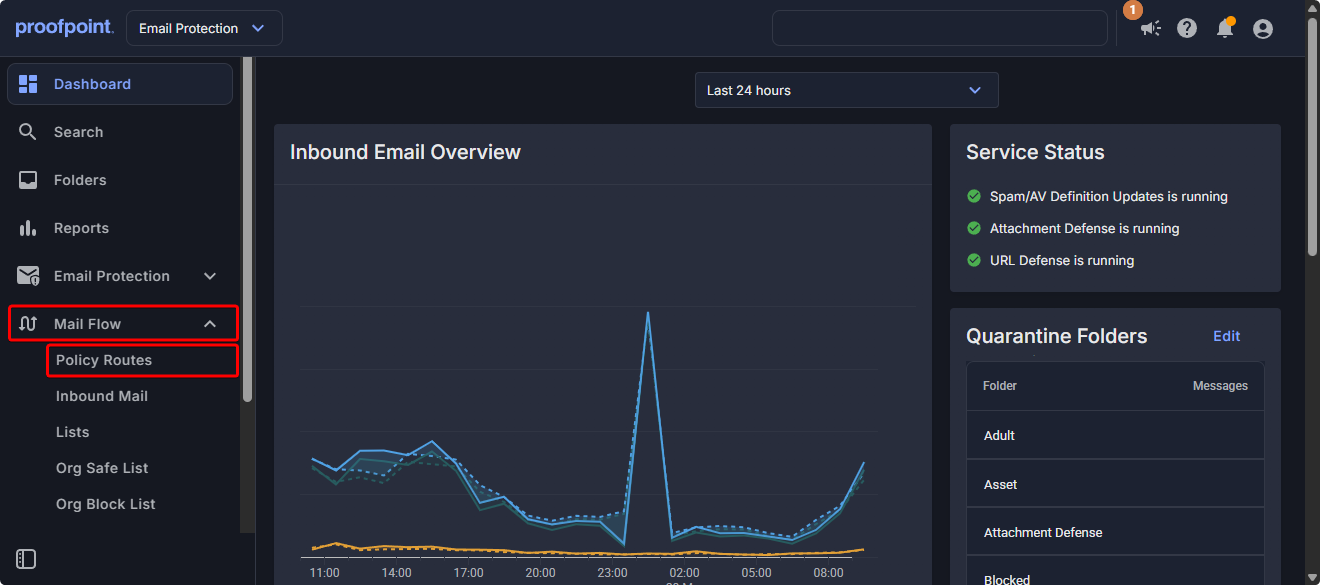
Open Mail Flow and click on Policy Routes.
-
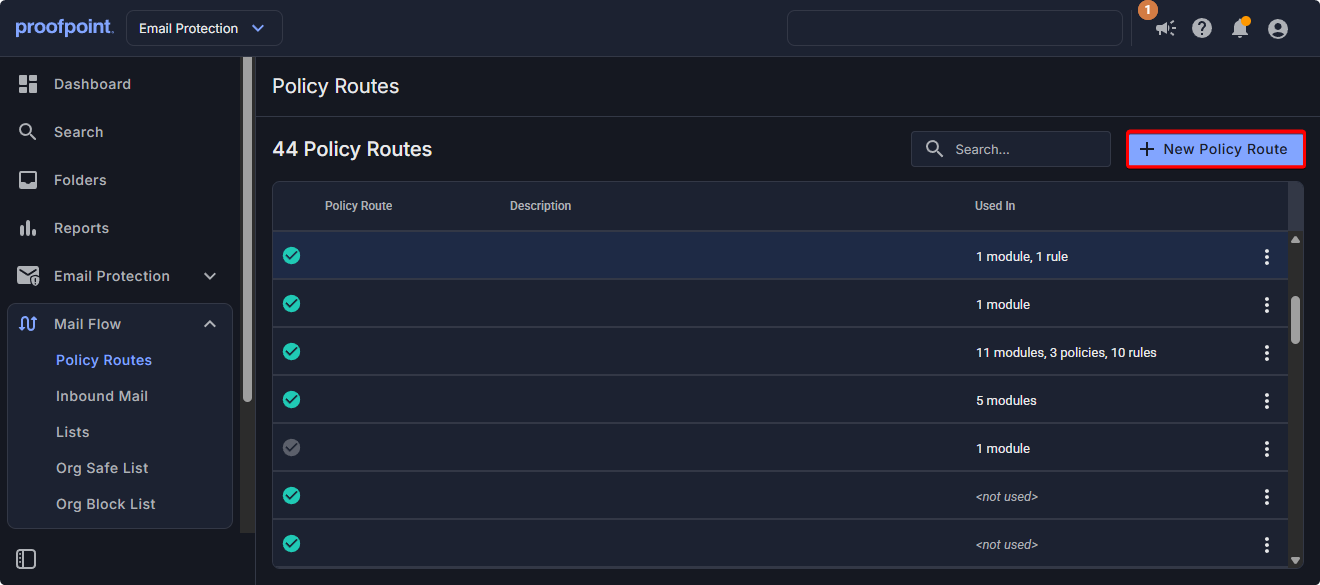
Click on New Policy.
-
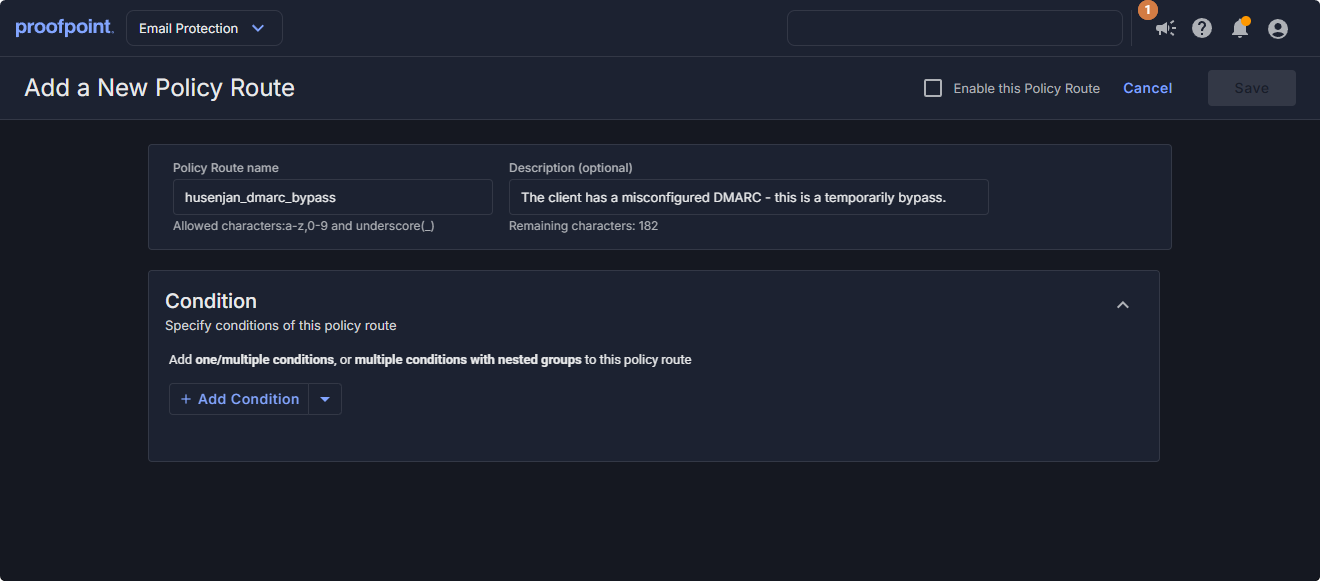
Enter Policy Route Name and Description.
-
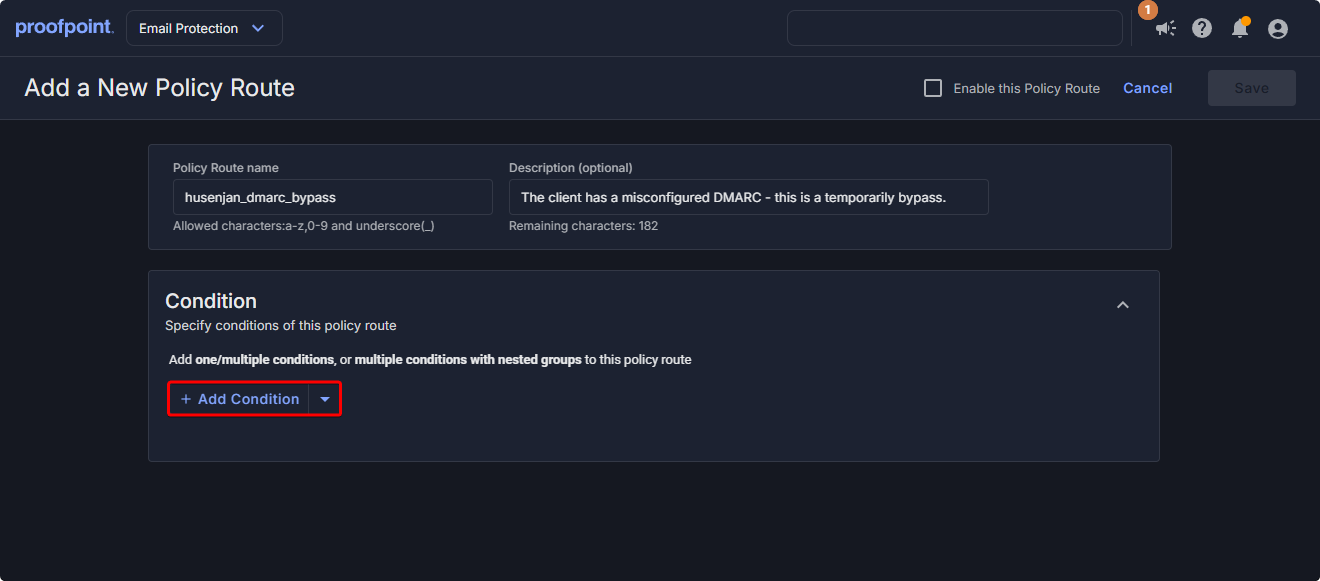
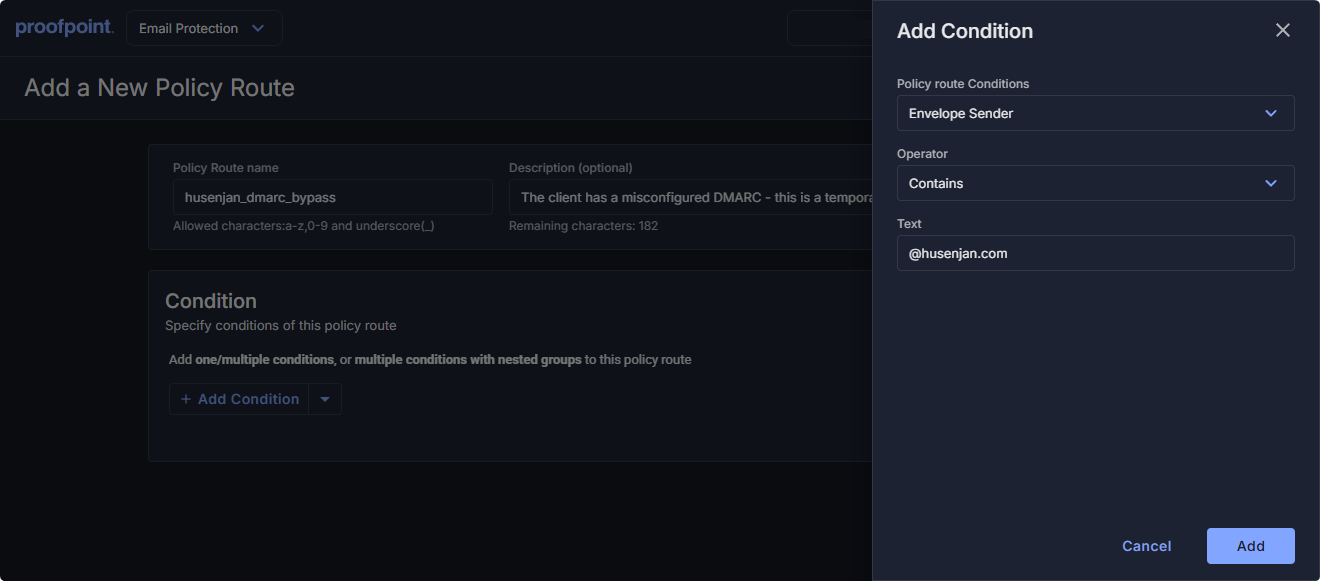
Click on Add Condition.
-
Use the following configuration on the condition.
- Policy Route Condition: Envelope Sender
- Operator: Contains
- Text: @husenjan.com
-
Click on Enable this Policy Route and Save.
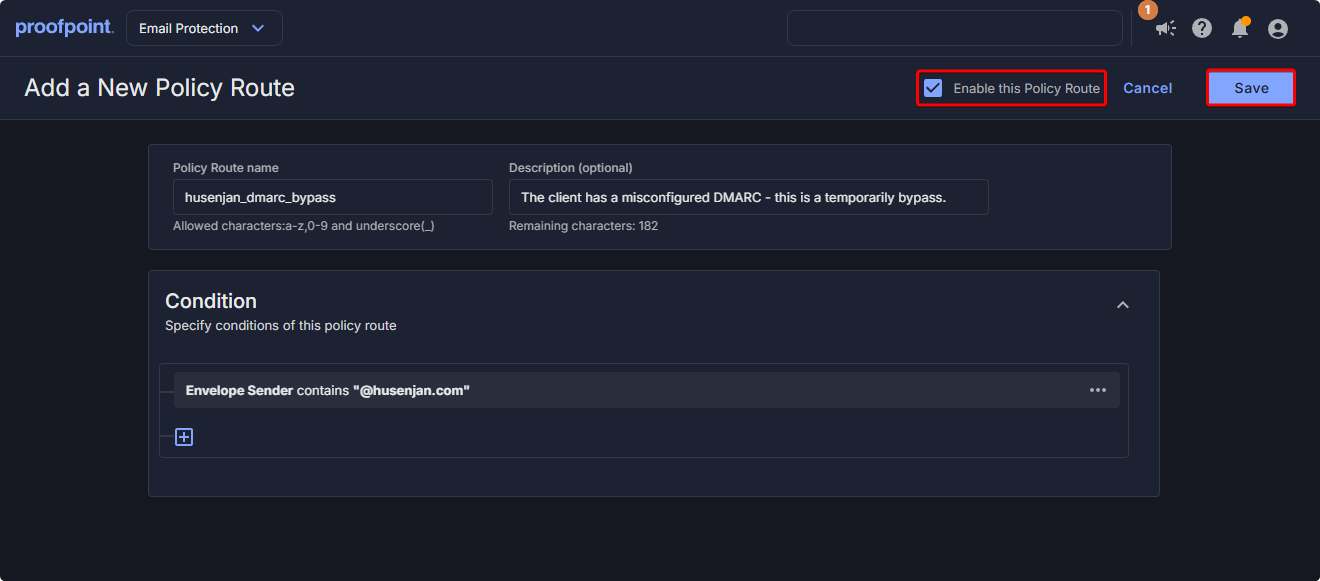
I would recommend building a policy route for each domain that needs to be whitelisted since that allows us to do a quarterly audit and remove policy routes for vendors that resolved their issues.
DMARC Exclusion
Usually, DMARC is configured to check all incoming emails. However, we can whitelist specific policy routes from being processed by DMARC.
-
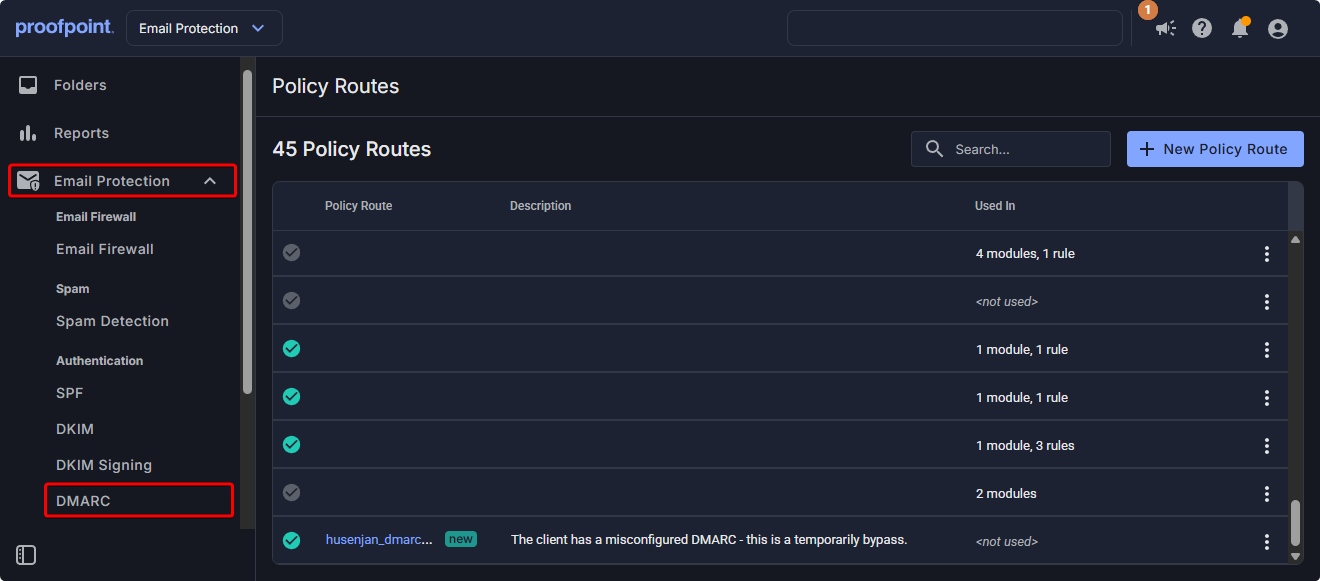
Open Email Protection and click on DMARC.
-
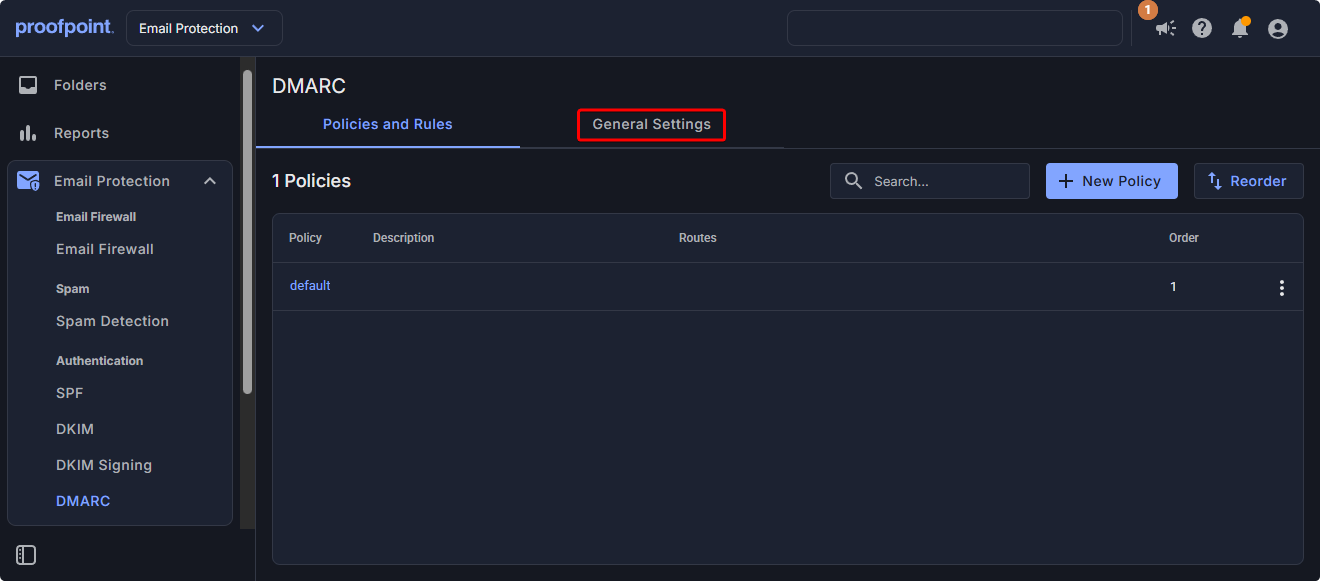
Click on General Settings.
-
Click on Edit.
-
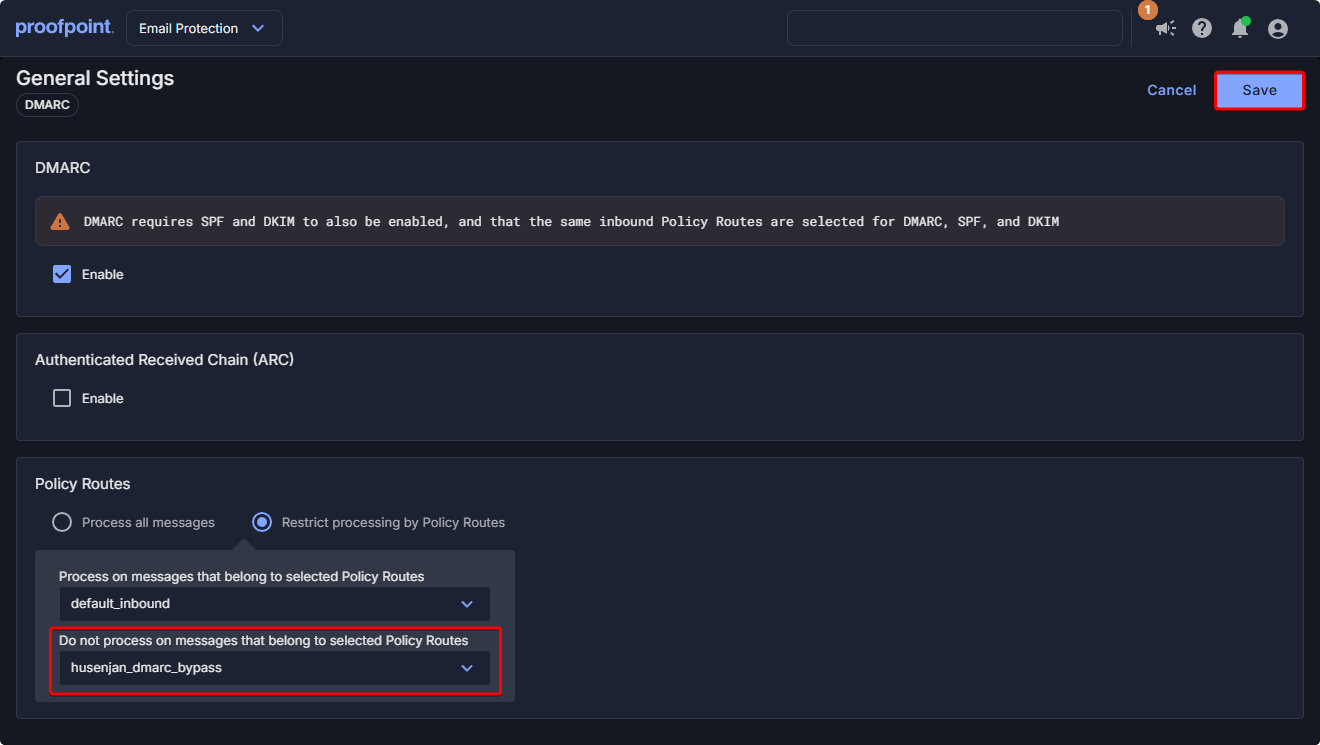
Scroll down to Do not process on messages that belong to selected Policy Routes and select the Policy and click Save.
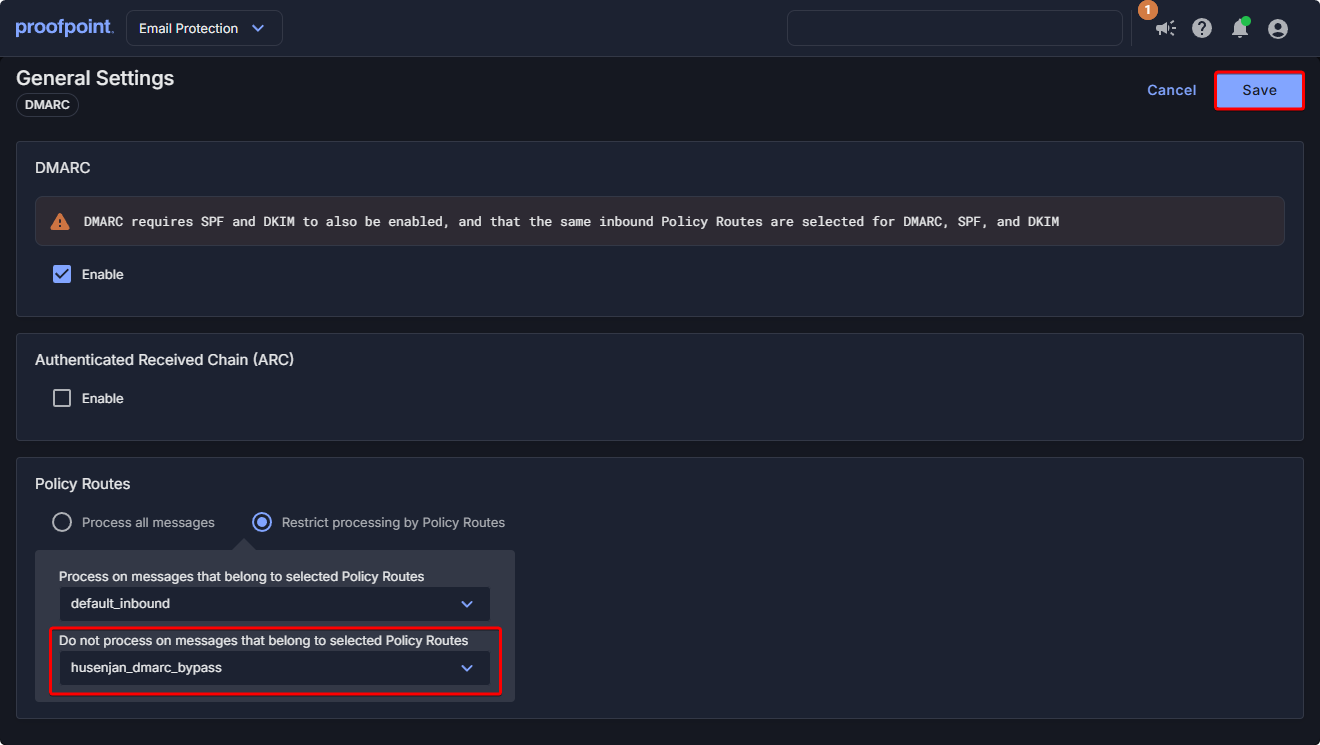
Once the policy is applied it might take anywhere from 15 minutes to a hour before the client/vendor is able to send us emails without DMARC error occurring.
Conclusion
DMARC is a great security mechanism to stop email spoofing from entering our environment. In some situation unfortunately a domain might need to be whitelisted because they are working on implementing a new mail system or there is a issue with their current mail system. Instead of letting that affect the business the domain can be temporarily whitelisted so it doesn’t affect employees productivity.