Introduction
In our organization we have many internal web applications which uses the certificate provided by our Active Directory Certificate Services (AD CS). The information about internal certificates where lost because the colleague who was responsible for these requests resigned from the organization.
None of my colleagues took the ticket for a long time therefore I decided to take it and resolve it. I issued multiple of certificates but received the following error message ERR_CERT_COMMON_NAME_INVALID but after many failures I found out the solution and decided to share it here.
What was the issue?
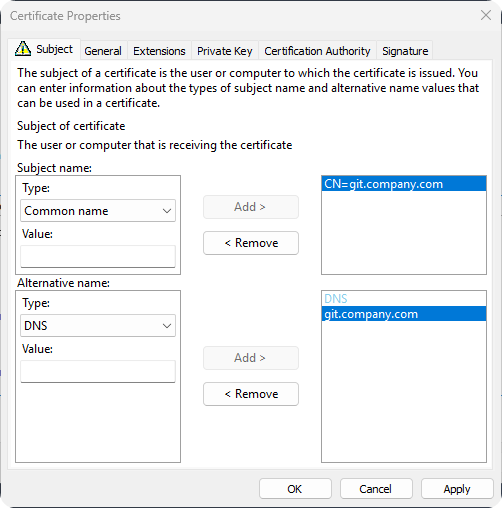
The reason the internal certificate was throwing the error message ERR_CERT_COMMON_NAME_INVALID is because the Common Name and DNS had to contain the domain name. And I had only applied the domain name to DNS and not Common Name…
Issuing SSL Certificate
-
Connect to AD CS Server.
-
Open the
certlm.mscapplication.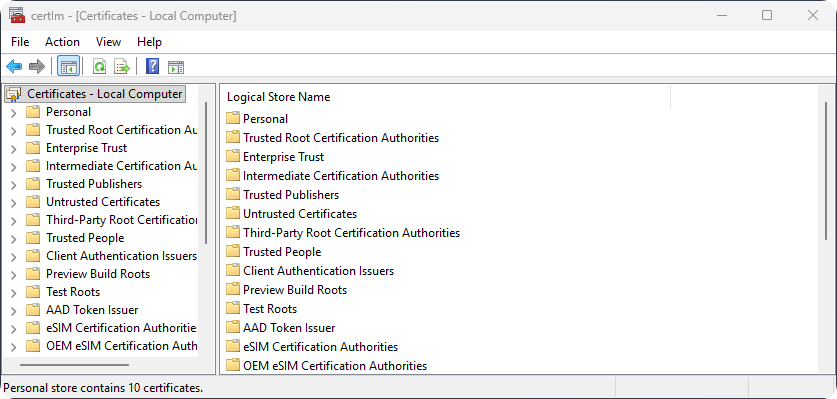
-
Inside
certlm.mscopen the folders Certificates (Local Computer) → Personal → Certificates and click on All Tasks → Request New Certificate.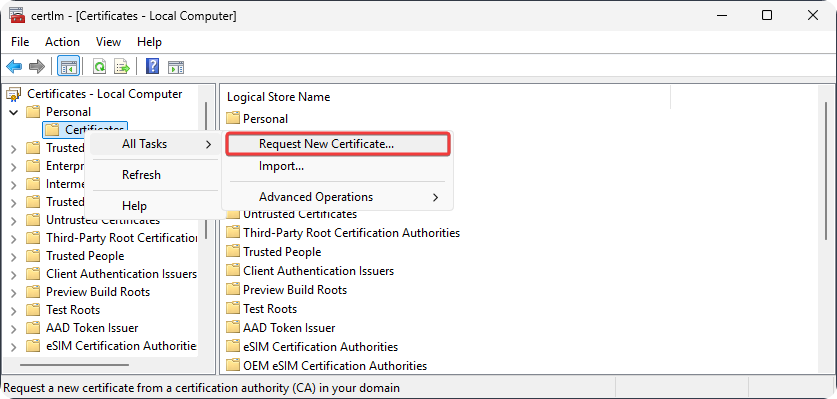
-
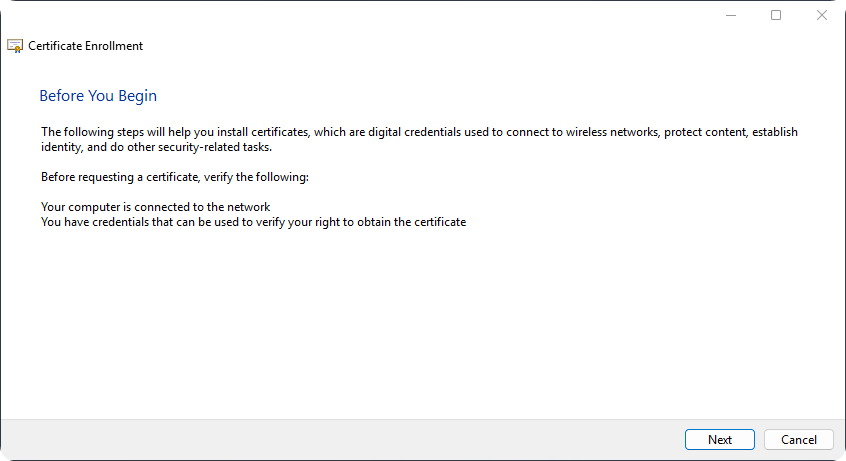
On Certificate Enrollment Window click on Next.
-
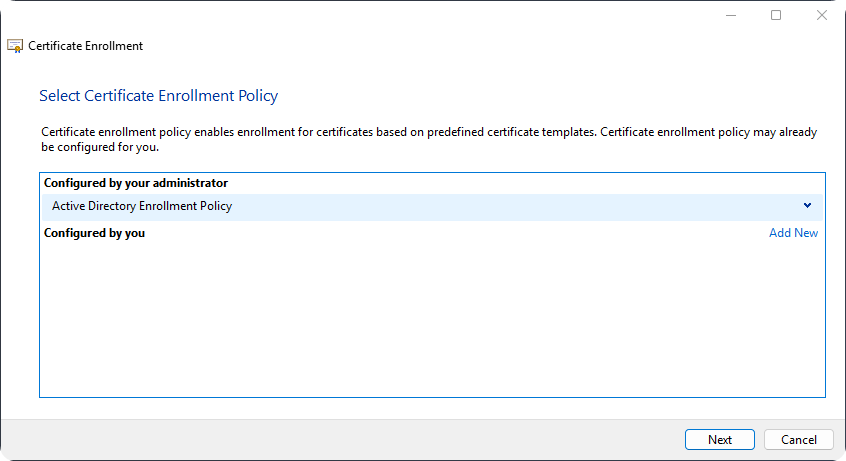
Click on Next again.
-
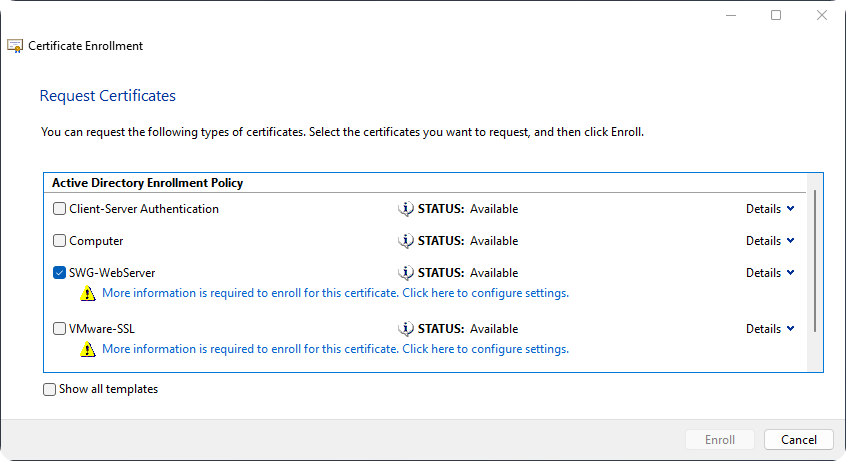
Select the Active Directory Enrollment Policy.
-
Inside the Certificate Properties configure the Common Name and DNS to be internal domain.
-
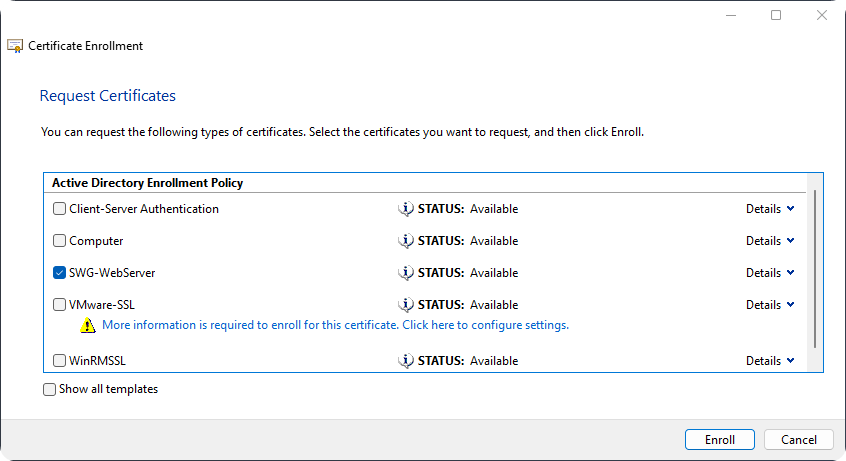
Click on Enroll.
Exporting SSL Certificate
-
Open
certlm.mscapplication. -
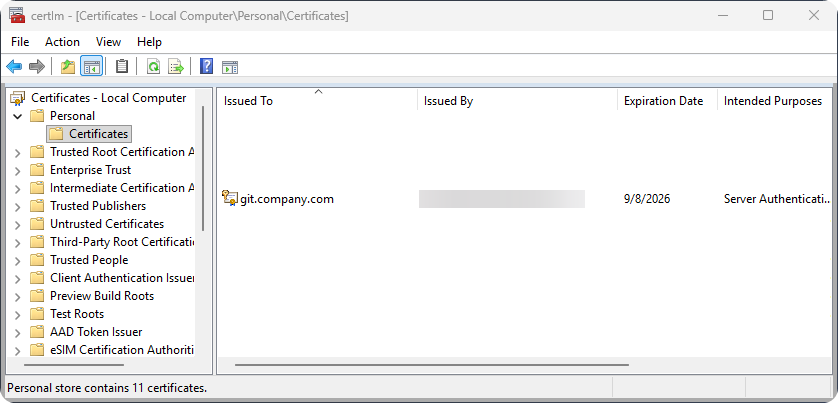
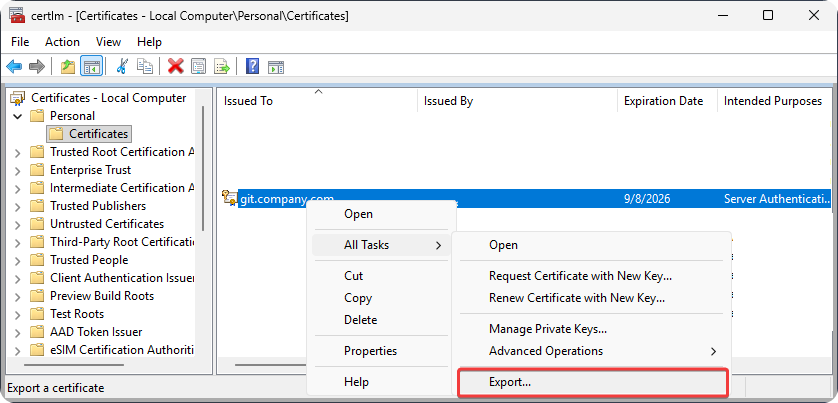
Go to Certificates - Local Computer → Personal → Certificates.
-
Click on All Tasks → Export.
-
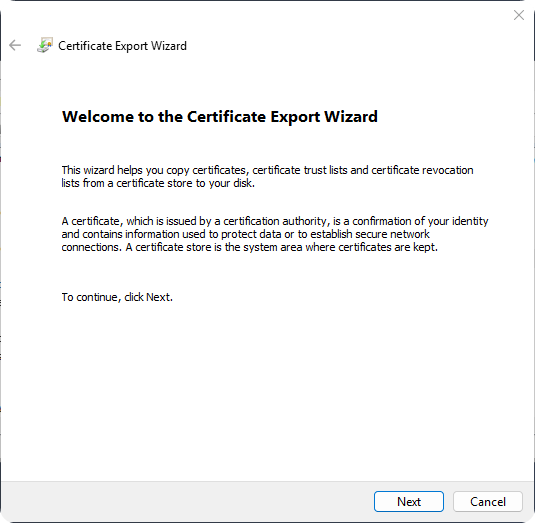
On Certificate Export Wizard click on Next.
-
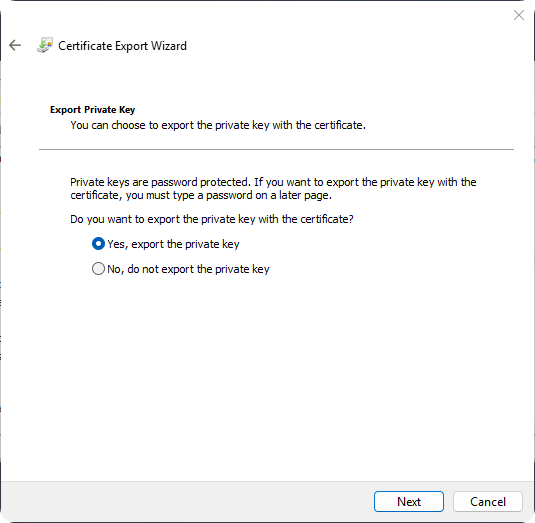
On Export Private Key select Yes, export the private key.
-
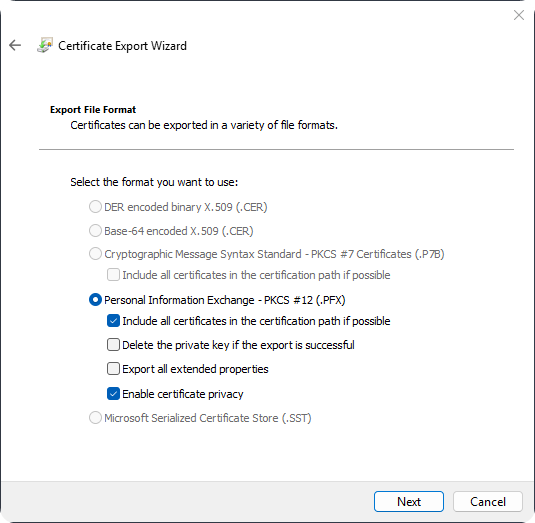
Use default export settings and click on Next.
-
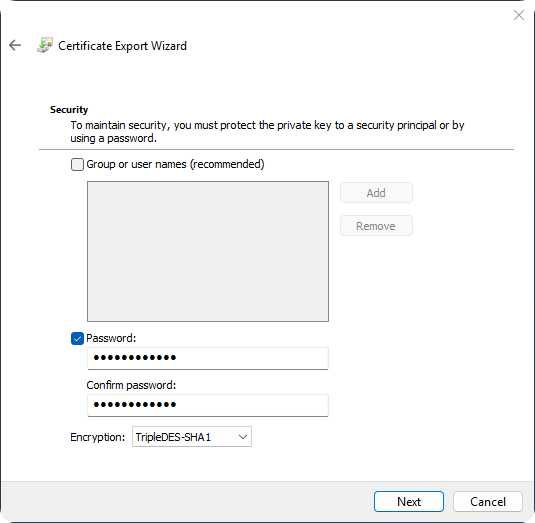
Click on Password and enter a secure password and click on Next.
-
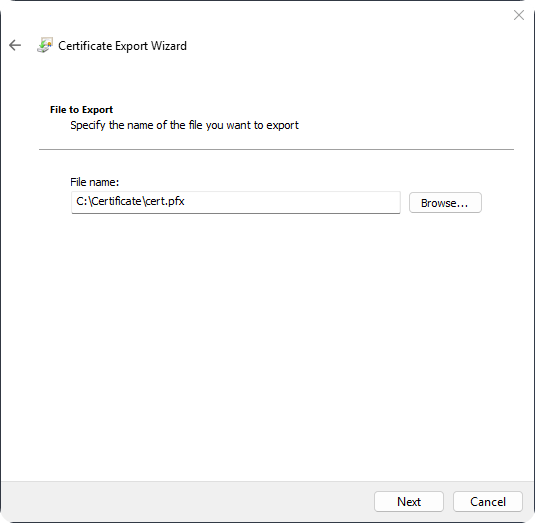
Choose a filename and export location.
-
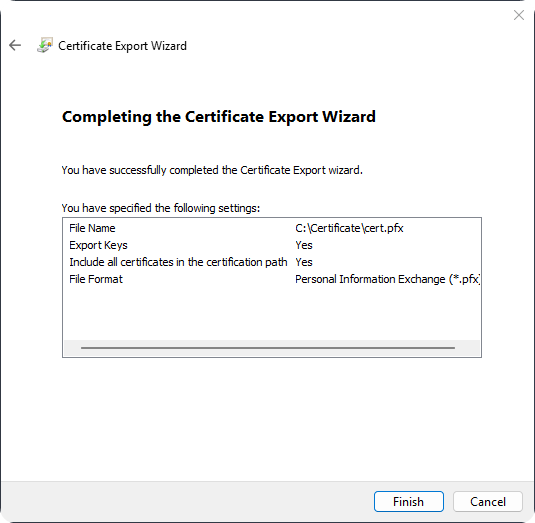
Click on Finish.
Conclusion
While generating a certificate the most important part is to ensure the Common Name and DNS is the internal domain name otherwise the ERR_CERT_COMMON_NAME_INVALID error message will be thrown. Hopefully, someone with similar issue will solve their issues with this article.