Introduction
Currently, I’m working on onboarding the Microsoft Defender for Identity sensors to the domain controllers in my organization. While onboarding them to identity sensor, Microsoft sent an alert where it said the “Identity Sensor v3.x PRC Audit Misconfigured”. In this article I’ll go through resolving the alert and also provide information about RPC which might help you with understanding the purpose of collecitng RPC telemetry data.
What is RPC?
Remote Procedure Call (RPC) is a communication protocl which uses TCP or UDP to communicate with an program running in a different system. RPC uses the client-server model where the client communicates with the server for the services. As an example the client invokes a function and the server executes the function and returns the data to the client.
Microsoft uses RPC protocol for many of its components such as AD Replication, Print Spooler, Account and Policy Lookup and so forth. This is why threat actors are interested in targeting the RPC protocol.
Solution
This section of the document goes through resolving the alert.
-
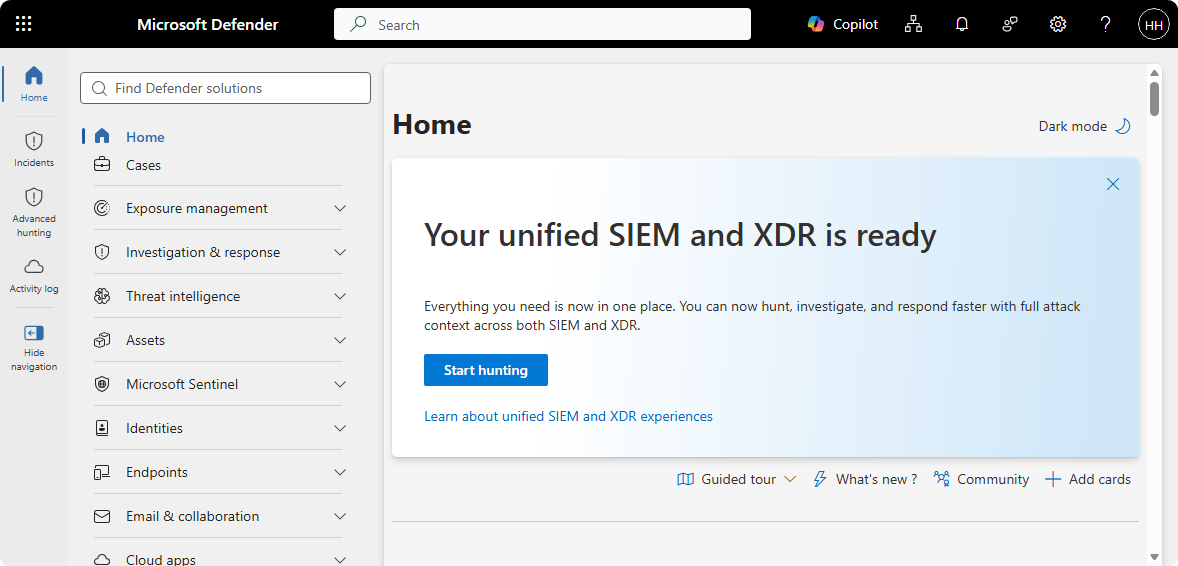
Go to Microsoft Security.
-
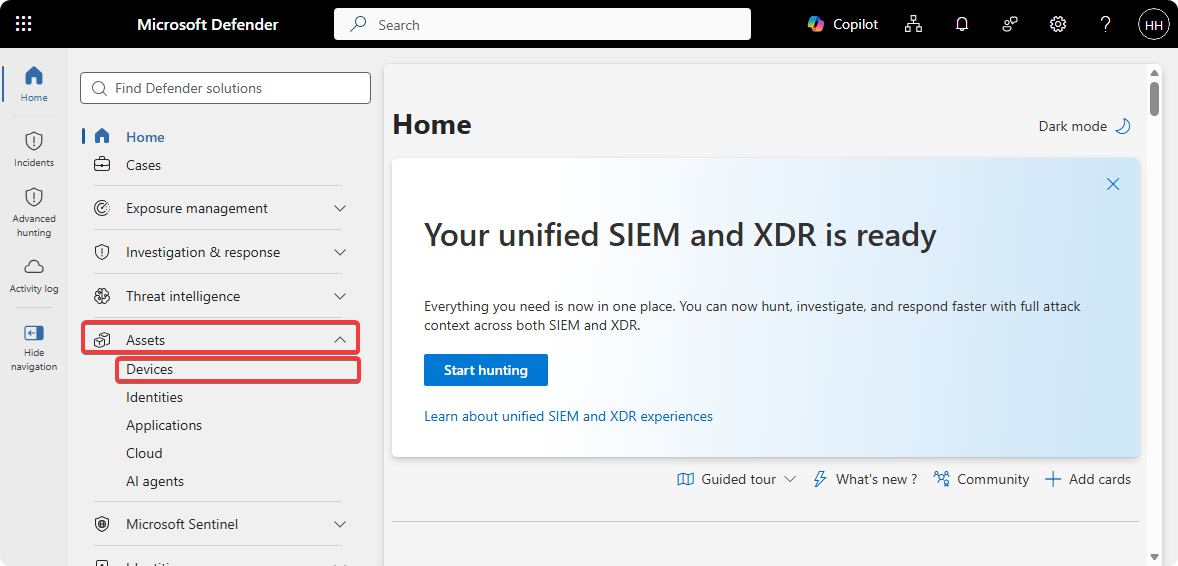
Click on Assets → Devices.
-
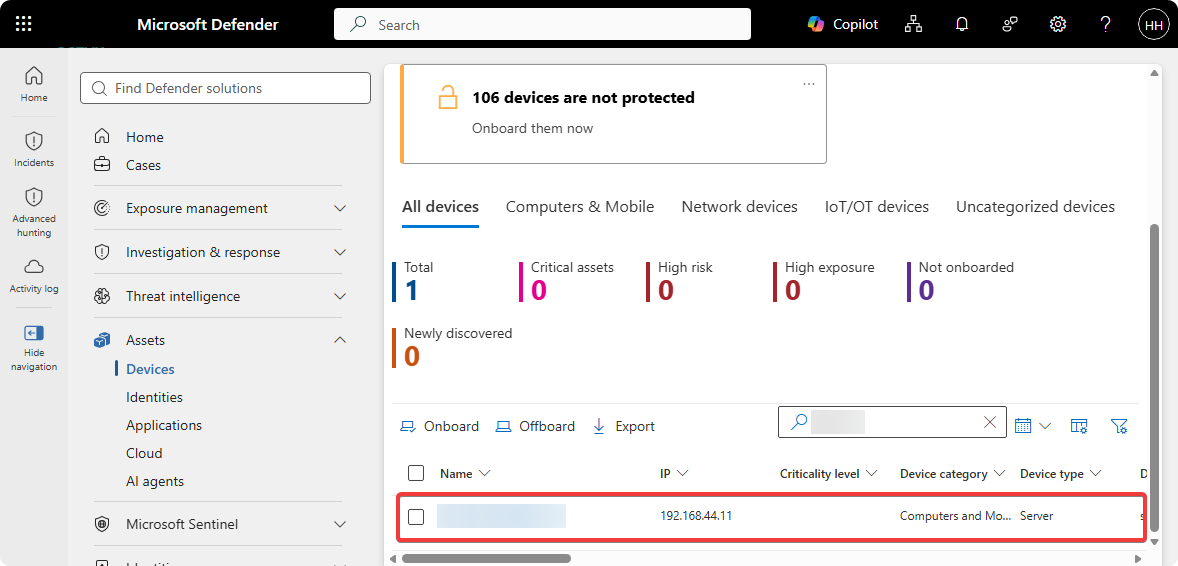
Find your domain controller.
-
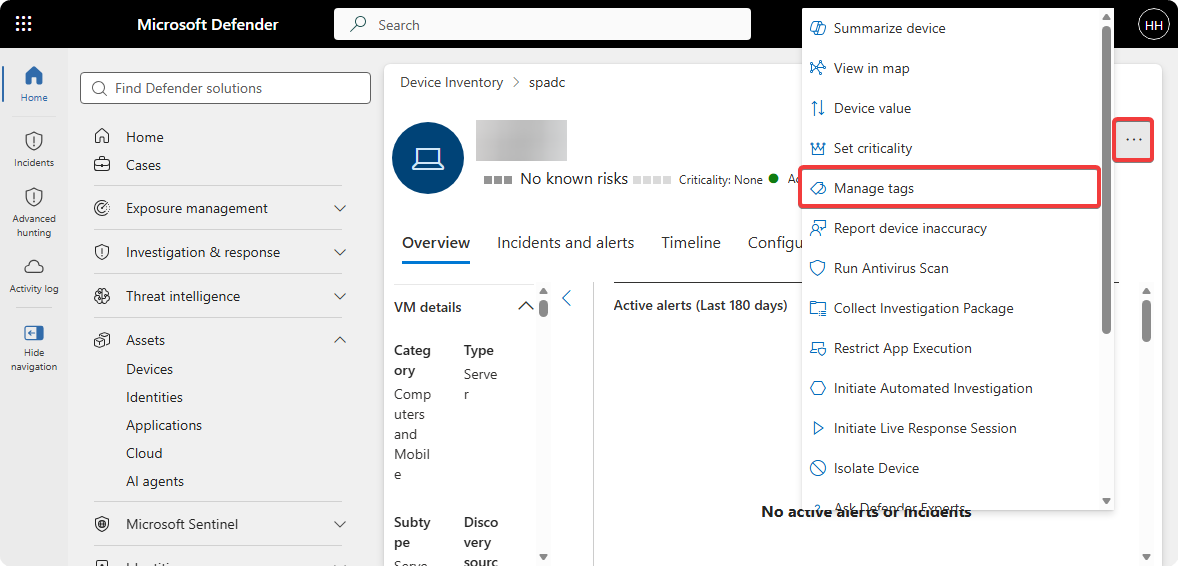
Click on ”…” → Manage Tags.
-
Add “Unified Sensor RPC Audit” tag.
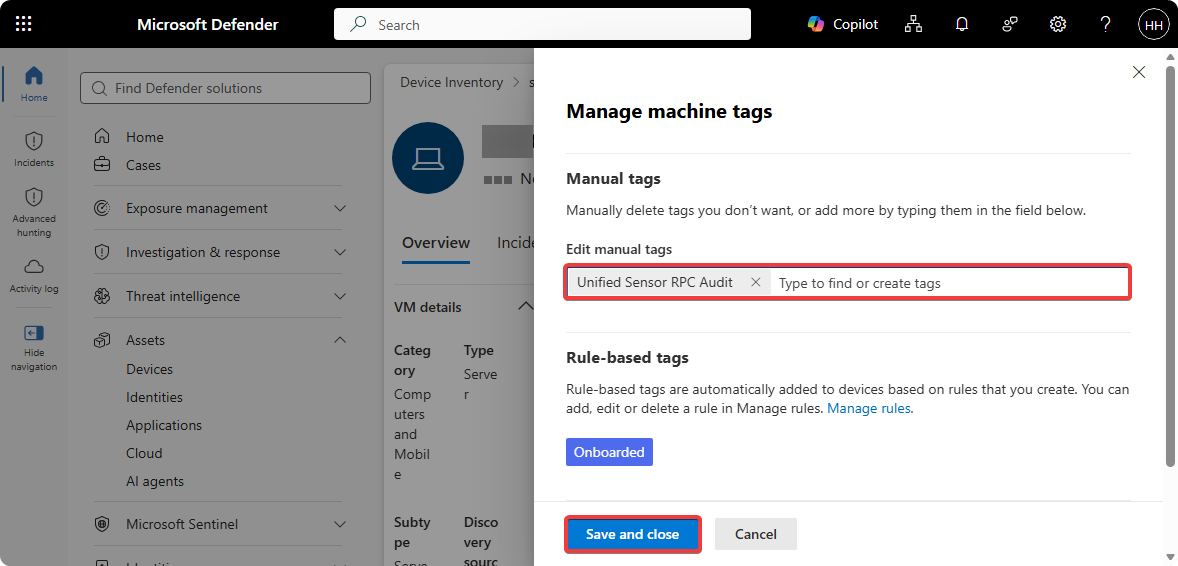
The tag synchronization should take around 15 minutes and from there on you can close the alert from Microsoft. If an new alert is generated make sure that there are no whitepsaces on right or left side of the tag.
Conclusion
Microsoft recommends us to add the Unified Sensor RPC Audit tag since that will allow the identity sensor to monitor RPC traffics. It’s crucial for us to monitor the RPC traffics happening in our environment since many of the Windows and Active Directory components uses it. Additionally, the upcomming newer identity sensor will start monitoring RPC traffics by default without the tag. Hopefully this article was useful for you in some way!