Introduction
I recently migrated all our devices into Microsoft Defender XDR and some of our users have been experiencing performance issues when the weekly scheduled scan is running on their system. In this article I decided to go through the configurations I applied to resolve the performance issue.
AvgCPULoadFactor & Low CPU Priority
What is AvgCPULoadFactor in Microsoft Defender XDR? The AvgCPULoadFactor is a configuration that can be set through a Microsoft Defender Antivirus Policy. It’s used to specify the maximum precentage of the CPU usage for scanning engine but the AvgCPULoadFactor is not a hard limit but a guidance to the scanning engine. It’s important to note that AvgCPULoadFactor is also known as ScanAvgCPULoadFactor in Windows.
What is Enable Low CPU Priority in Microsoft Defender XDR? The Low CPU Priority is also a configuration that can be set through Microsoft Defender Antivirus Policy. It will ensure that Microsoft Defender scheduled scans are threated as low priority to ensure that it doesn’t conflict with more important applications such as browsers, business applications, and etc…
We can configure AvgCPULoadFactor and Enable Low CPU Priority through the following steps.
-
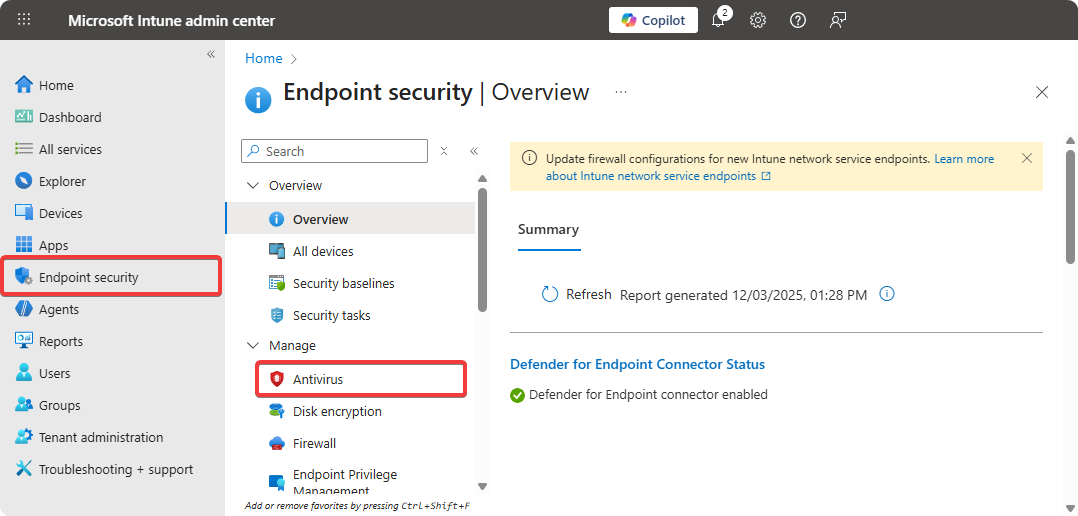
Go to Microsoft Intune → Endpoint Security → Antivirus.
-
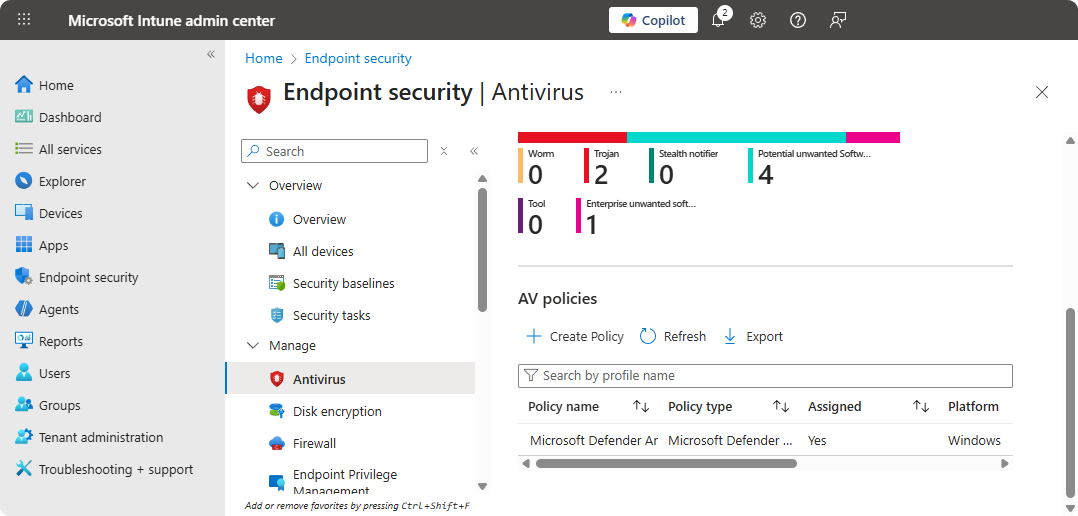
Create a new policy or configure the current policy.
-
Create a new policy and configure the
AvgCPULoadFactorto15.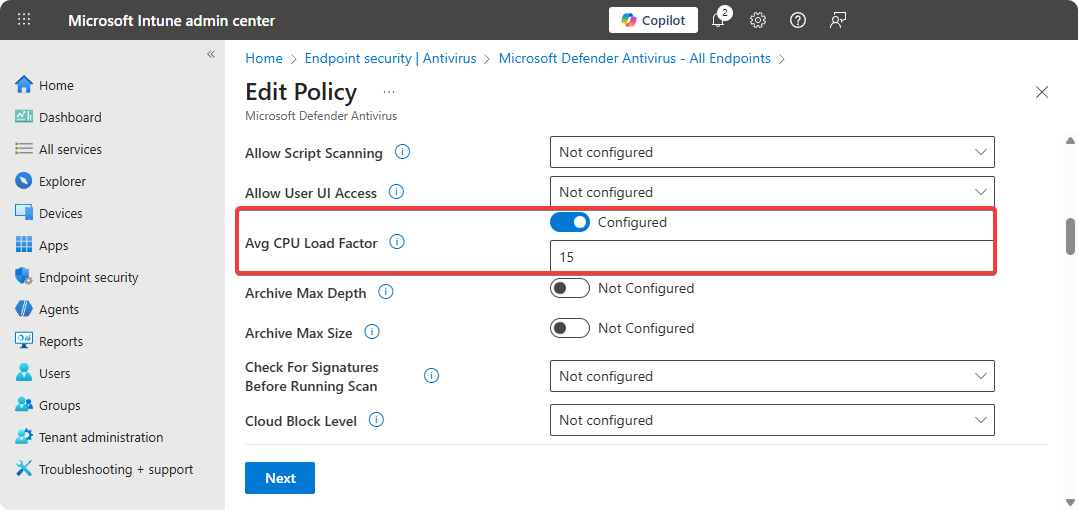
-
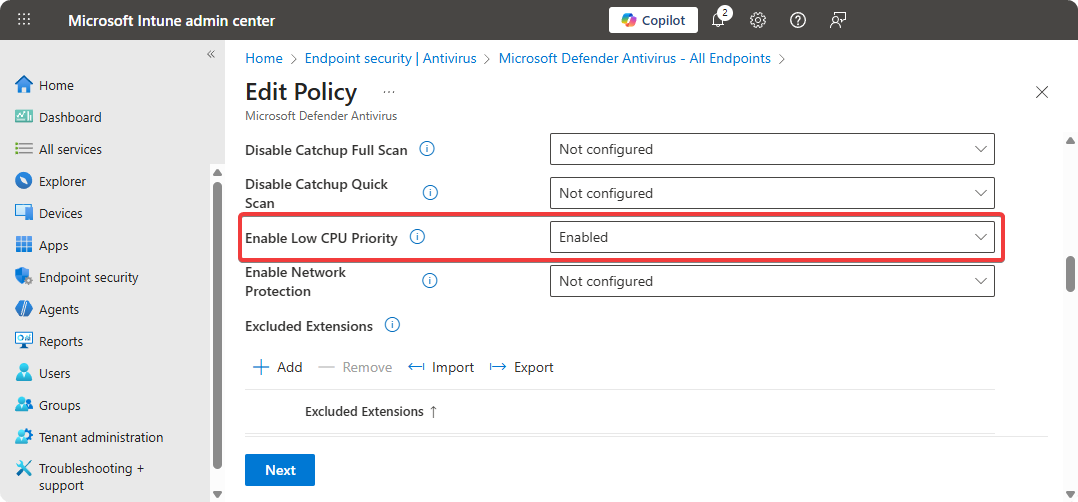
Enable the configuration Enable Low CPU Priority mode.
-
Save these configurations.
Once the Microsoft Defender Antivirus Policy is applied to our machines we can use the following command to view the AvgCPULoadFactor and that value should be set to 15.
Get-MpPreference | Select ScanAvgCPULoadFactorIf your users are experiencing performance issues after these configurations are applied to their machine, I recommend reading through the next section as it goes through fixing it.
Performance Issues
When ScanOnlyIfIdleEnabled and DisableCpuThrottleOnIdleScans options are set to true on Windows machine the AvgCPULoadFactor value set by our Microsoft Antivirus Policy is ignored which can lead to performance issues.
What is ScanOnlyIfIdleEnabled and DisableCpuThrottleOnIdleScans? The ScanOnlyIfIdleEnabled configuration ensures that Microsoft Defender XDR onlys cans during idle to prevent interuptions. And on the other side DisableCpuThrottleOnIdleScans ignores the CPU limits set by us to finish off scan quicker. You can view these configurations with the following command.
PS C:\Users\Student> Get-MpPreference | Select ScanAvgCPULoadFactor, ScanOnlyIfIdleEnabled, DisableCpuThrottleOnIdleScans

ScanAvgCPULoadFactor ScanOnlyIfIdleEnabled DisableCpuThrottleOnIdleScans
-------------------- --------------------- -----------------------------
                  20                  True                          True
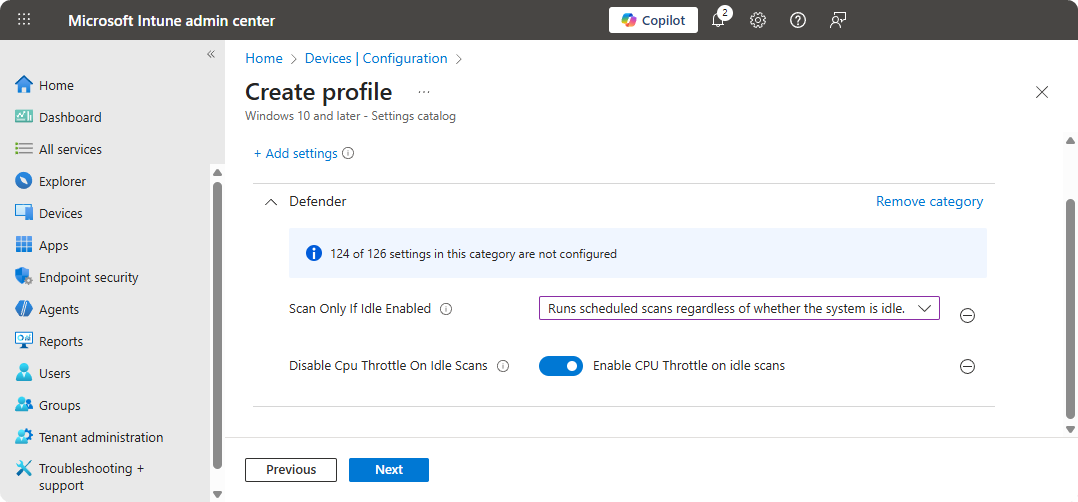
The ScanOnlyIfIdleEnabled and DisableCpuThrottleOnIdleScans options can be disabled by creating creating a configuration profile on Microsoft Intune.
-
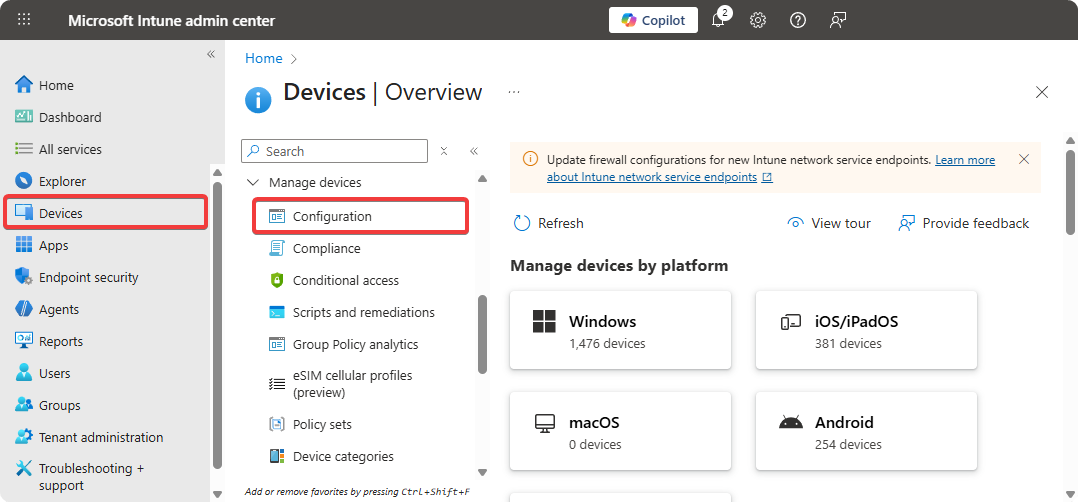
Go to Microsoft Intune → Devices → Configurations.
-
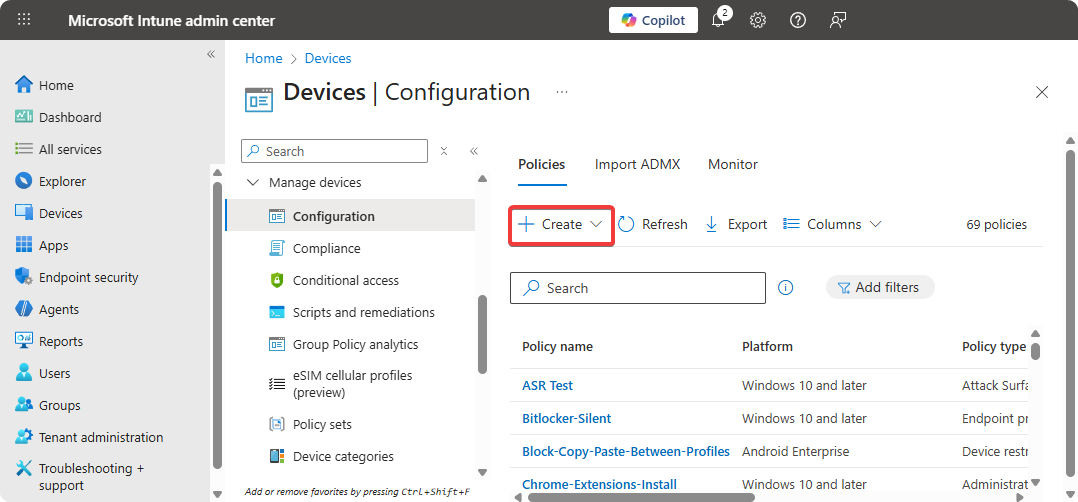
Create a new policy.
-
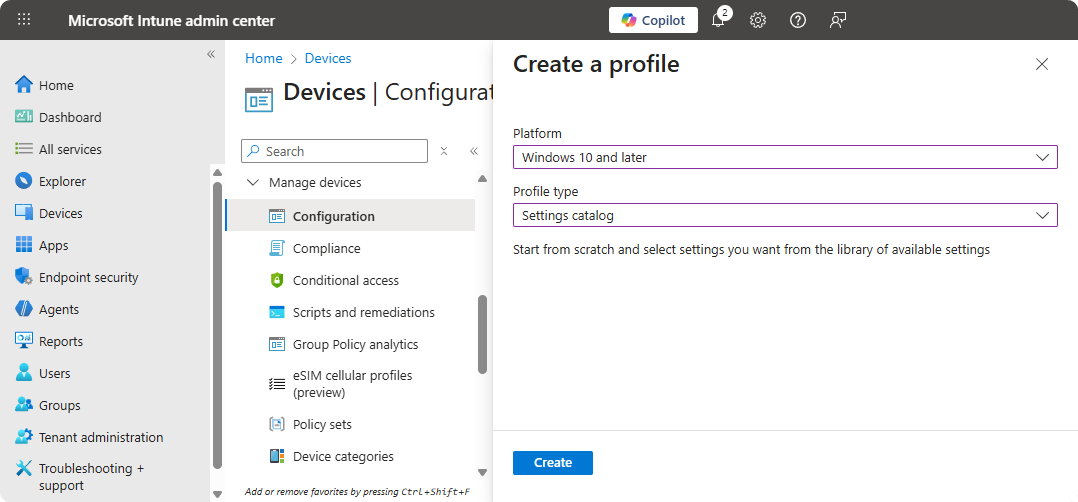
Select Platform as Windows 10 and later and Profile type as Setting Catalog and click on Create.
-
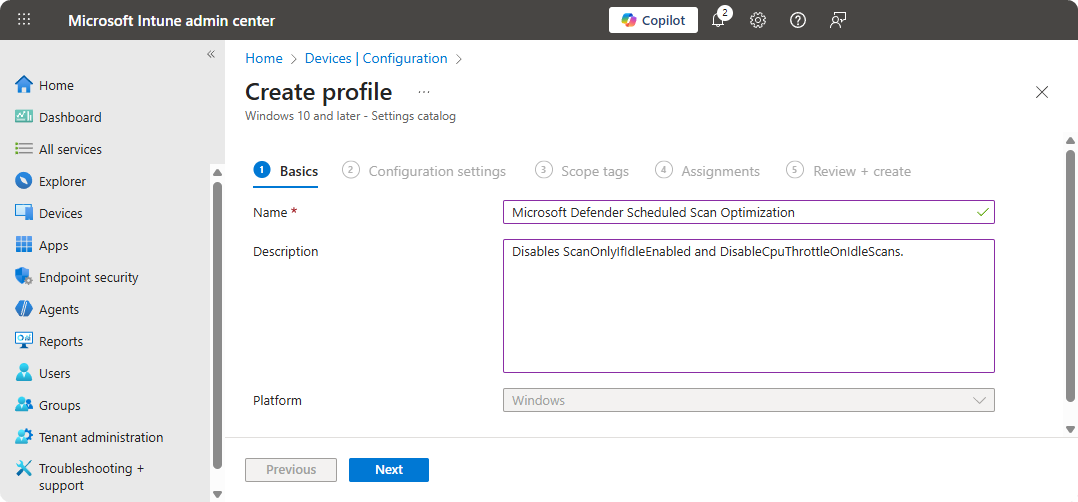
Provide a Name and Description.
-
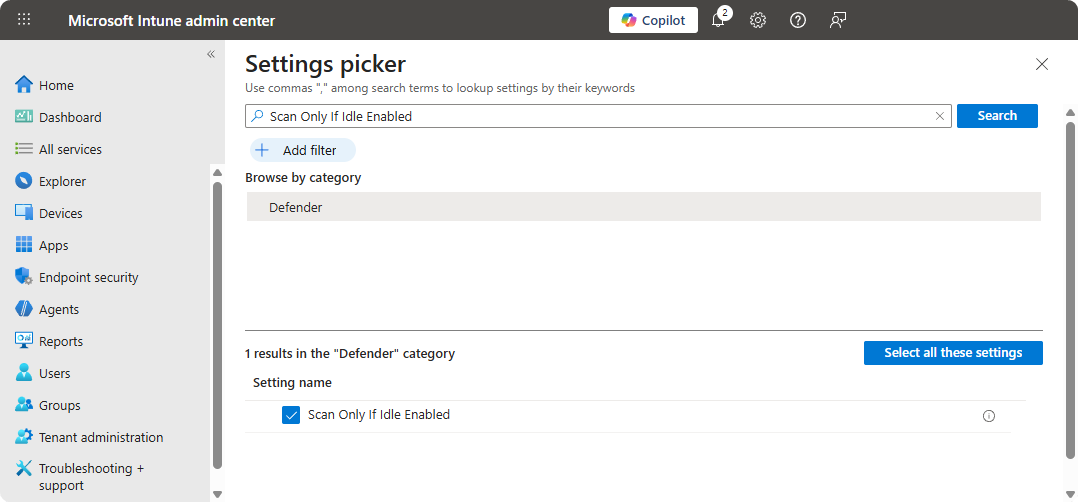
Search up Scan Only If Idle Enabled and select it.
-
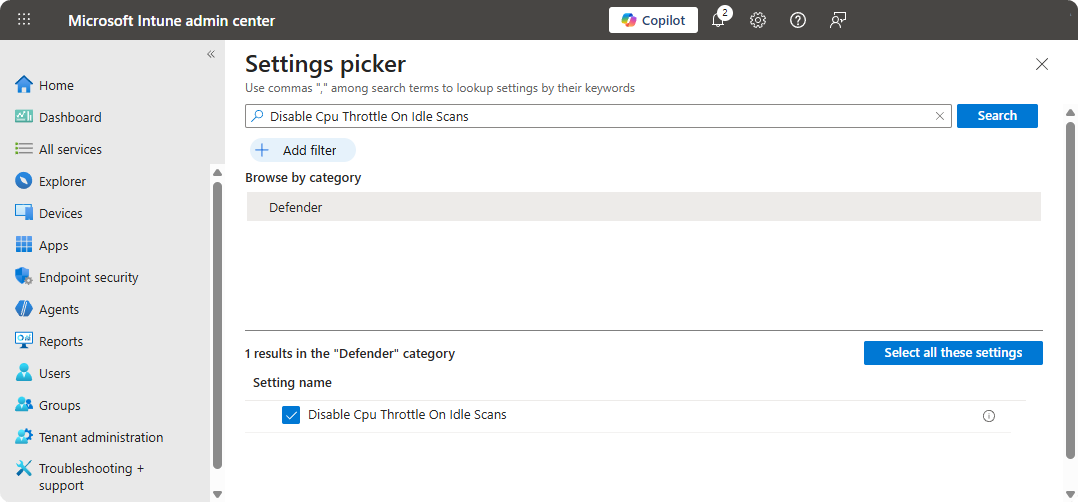
Search up Disable Cpu Throttle On Idle Scans and select it.
-
Use the following configurations.
-
Assign the configuration profile and create it. Use the following command after 1 hour to ensure the
ScanOnlyIfIdleEnabledandDisableCpuThrottleOnIdleScansisfalse.Get-MpPreference | Select ScanAvgCPULoadFactor, ScanOnlyIfIdleEnabled, DisableCpuThrottleOnIdleScans
Once the configuration profile is applied to the machines with High CPU Usage during scheduled scans these machines should no longer experience these performance issues from here on.
Conclusions
If your organization also uses scheduled scans with Microsoft Defender XDR it’s recommended to use a low value on AvgCPULoadFactor and use the feature Enable Low CPU Priority as it will help with ensuring users can work while scheduled scan is running in the background. If your users are experiencing performance issues it’s recommended to disable the option ScanOnlyIfIdleEnabled and DisableCpuThrottleOnIdleScans options as these can interfere with the AvgCPULoadFactor set on Microsoft Defender Antivirus Policy.