Introduction
Microsoft Teams comes with the ability to create multiple of channels where people can collaborate on different projects in the same group. When multiple of people has access to a Teams channel someone could accidentally delete it a channel which can lead to data and productivity loss.
In this article I’ll go through investigating and recovering a deleted Teams channel.
Auditing Teams Channel
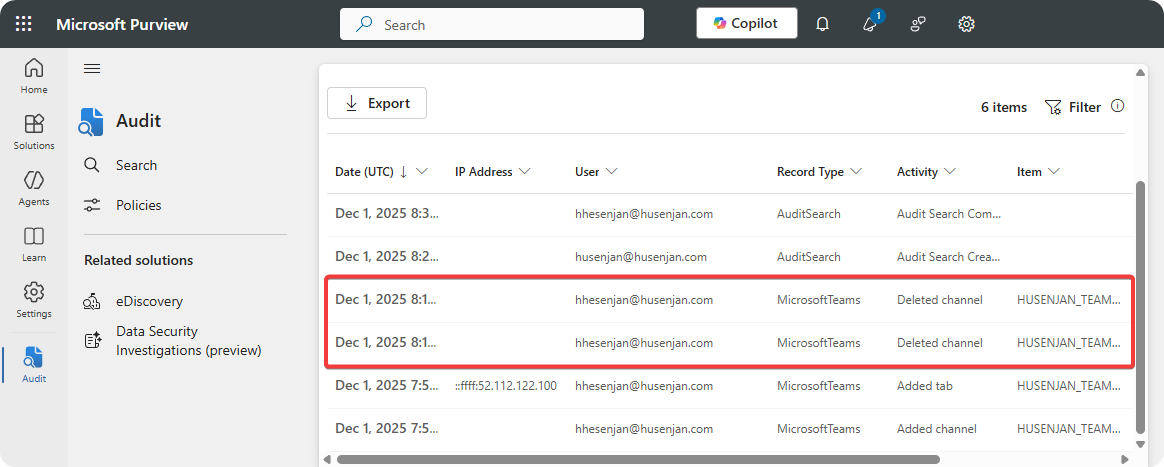
Microsoft Purview allows us to investigate all actions that were performed on a Teams channel such as deletion, modification, and other actions. We can use that to find the user who deleted the Teams channel.
-
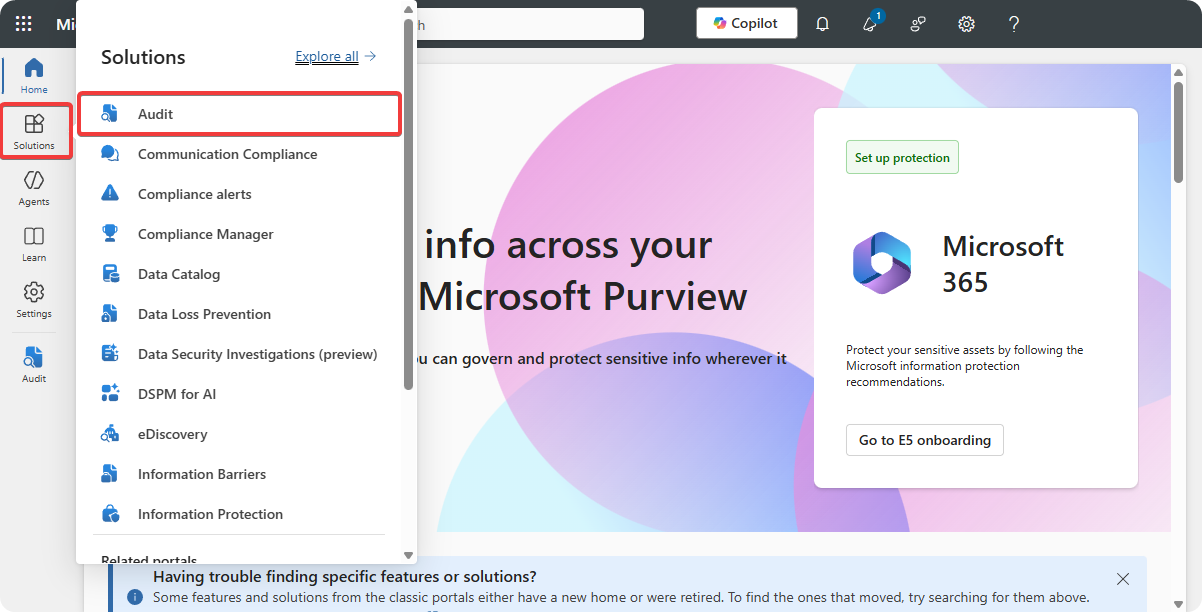
Go to Microsoft Purview Audit.
-
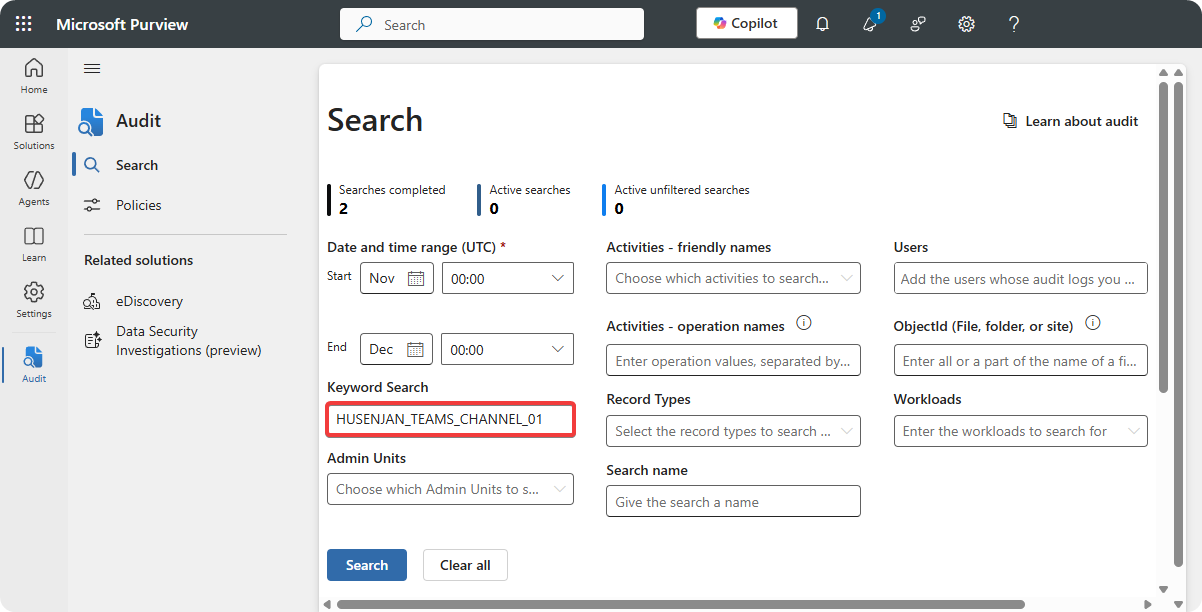
Enter Teams Channel name on Keywords Search.
-
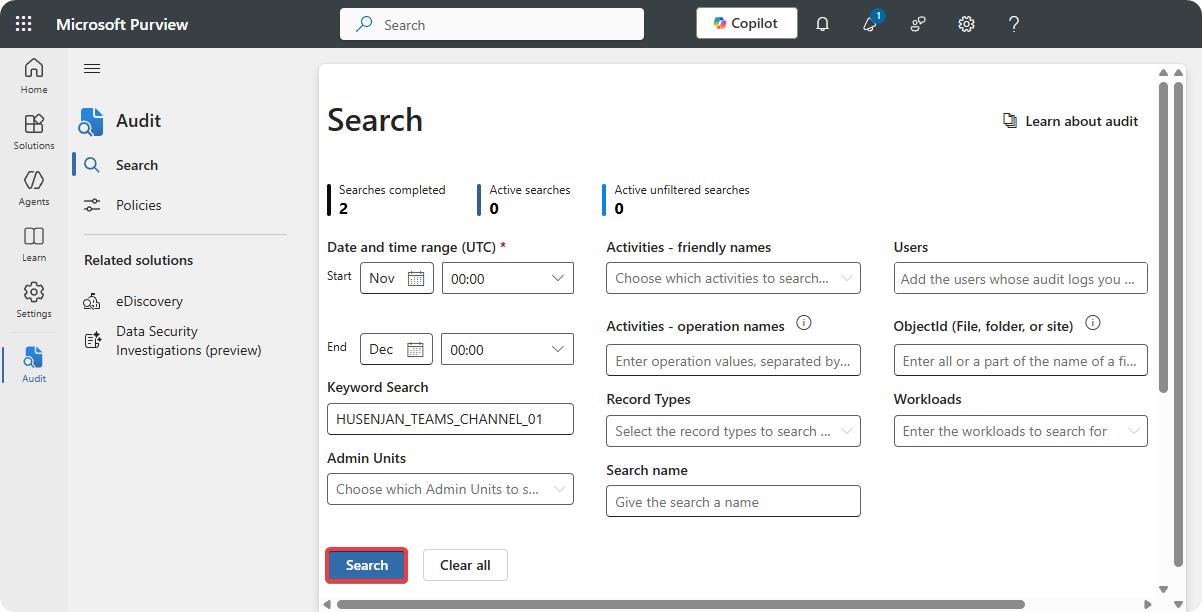
Click on Search and wait anywhere from 1 to 5 minutes.
-
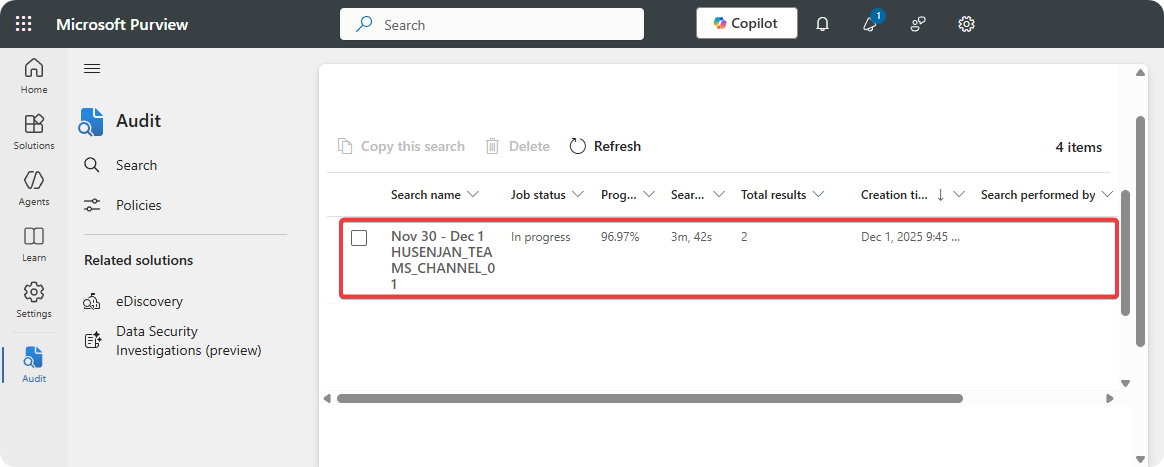
Scoll down and click on Search Name.
-
You can click on the log and it will display user, action performed time, and much more..
Restore Teams Channel
We can restore a Teams Channel as long it’s within the 30 days period with the following steps.
-
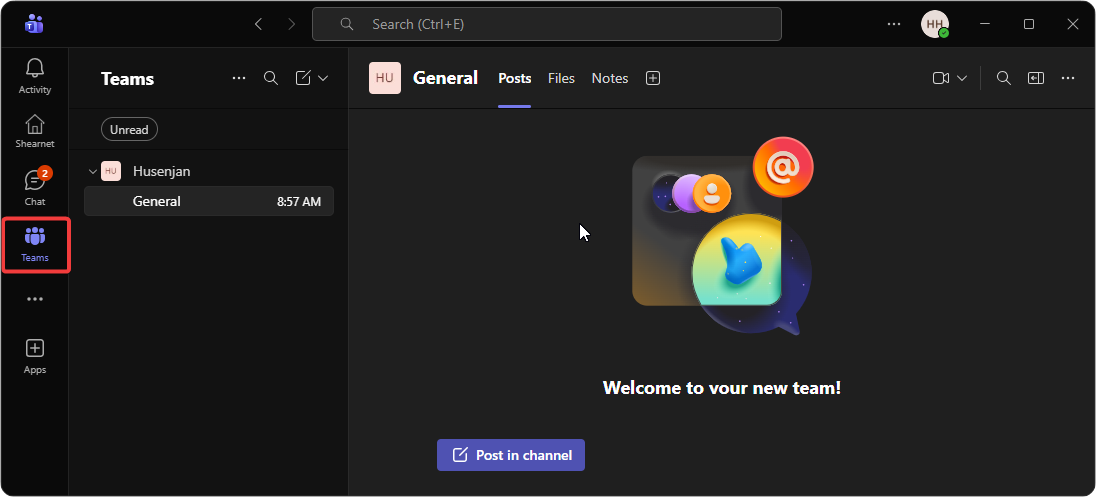
Open Microsoft Teams.
-
Click on Teams.
-
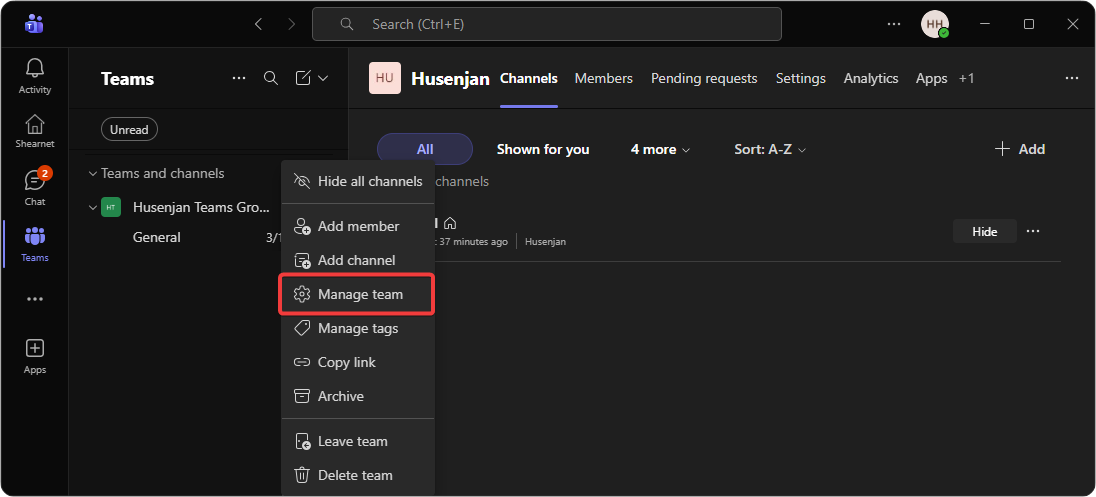
Right click on Teams group and select Manage Team.
-
Click on More… and click on Deleted.

-
Click on Restore.

Investigation
When a Microsoft Teams channel is deleted there should be an investigation on why the action occurred because it could lead to data and productivity loss. We should ask the following questions to ensure that the actions where accident and non-malicious.
- Who deleted the Teams channel?
- What date was the Teams channel deleted?
- What other other actions did the user perform?
- What did their sign-in logs look like when the deletion occurred?
- Is the user an contractor, employee, or affiliate?
It’s important to perform an investigation because the employee might have performed these actions to damage the organzation. It’s also important to collect as much data as possible about the incident so we are completely sure the action was an accident.
Prevention
A great way of preventing these incidents from occurring in the future is to implement an alerting system which detects when a Teams channel is deleted and sends these alerts to the group owners. If the action was unauthroized the group owner can quickly recover the Teams channel to prevent data and productivity loss.
Conclusion
When a Microsoft Teams channel is deleted recovering it is easy as long it’s within the 30 day period. However, if it exceeds the 30 day period the Microsoft Teams channel is completely gone and there is no way of recovering it so the company has to accept the data and productivity loss.