Information
Microsoft HTML Host Application (mshta.exe) is a legacy feature in Windows that runs HTML Application (HTA) files. These HTA files can consists of malicious VBScript that steals data or returns a reverse shell to the threat actor. This is why Microsoft recommends us to disable outbound connections for mshta.exe process. In this article I’ll go through disabling outbound connections for mshta.exe process.
Legacy Applications
I work in the offshore industry where small changes can create massive distruptions throughout the busienss. This is why I would highly recommend you to research your own environment before disabling outbound connection for the mshta.exe process. Here are some KQLS that could be useful to see whether mstha.exe is widely used in your organization:
DeviceNetworkEvents
| where Timestamp > ago(30d)
| where InitiatingProcessFileName =~ "mshta.exe"
| summarize Connections=count(), Devices=dcount(DeviceName),
            FirstSeen=min(Timestamp), LastSeen=max(Timestamp)
          by RemoteUrl, RemoteIP, RemotePort, RemoteIPType
| order by Connections desc
DeviceProcessEvents
| where Timestamp > ago(90d)
| where FileName =~ "mshta.exe"
| extend HtaPath = extract(@'([a-zA-Z]:\\[^"]+\.hta|\\\\[^"]+\.hta)', 1, tolower(ProcessCommandLine))
| where isnotempty(HtaPath)
| summarize Executions=count(), Devices=dcount(DeviceName) by HtaPath
| order by Devices descThese two queries helped me with understanding my own environment sicne I found out that a user is using a legacy application which requires the HTA files to be ran with outbound connections.
Implementation
-
Go to Microsoft Intune.
-
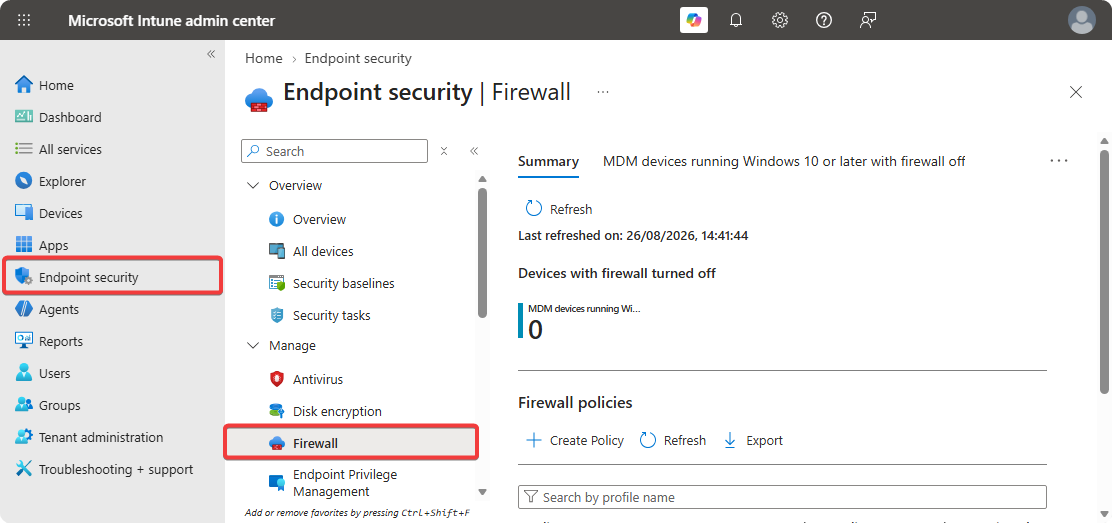
Click on Endpoint Security → Firewalls.
-
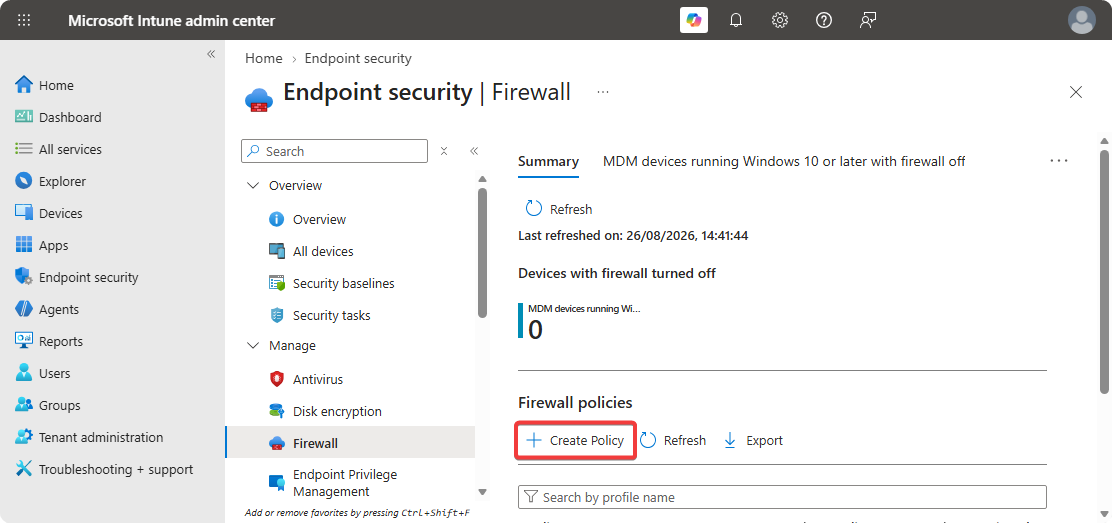
Click on Create Policy.
-
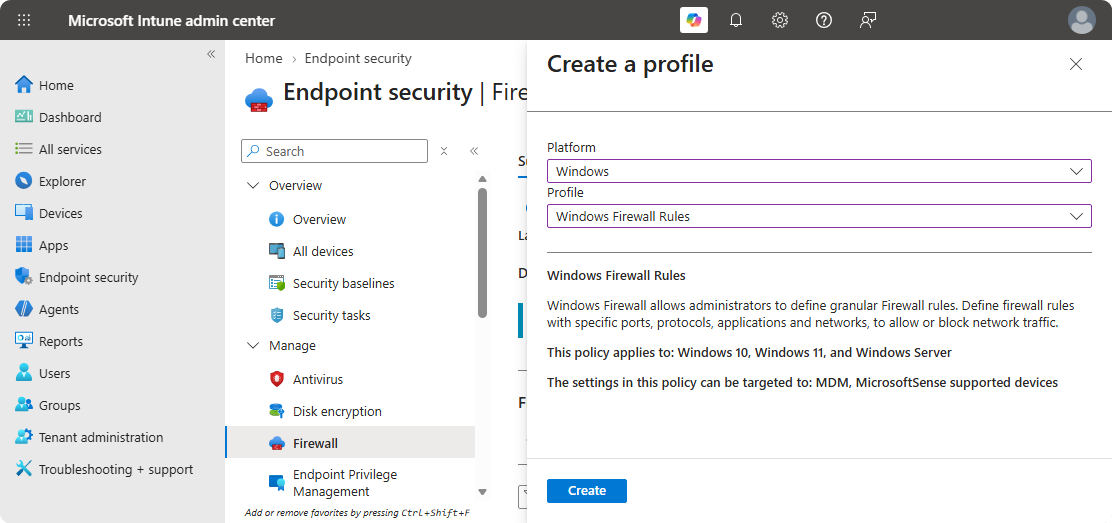
Select Platform as Windows and Profile as Windows Firewall Rules.
-
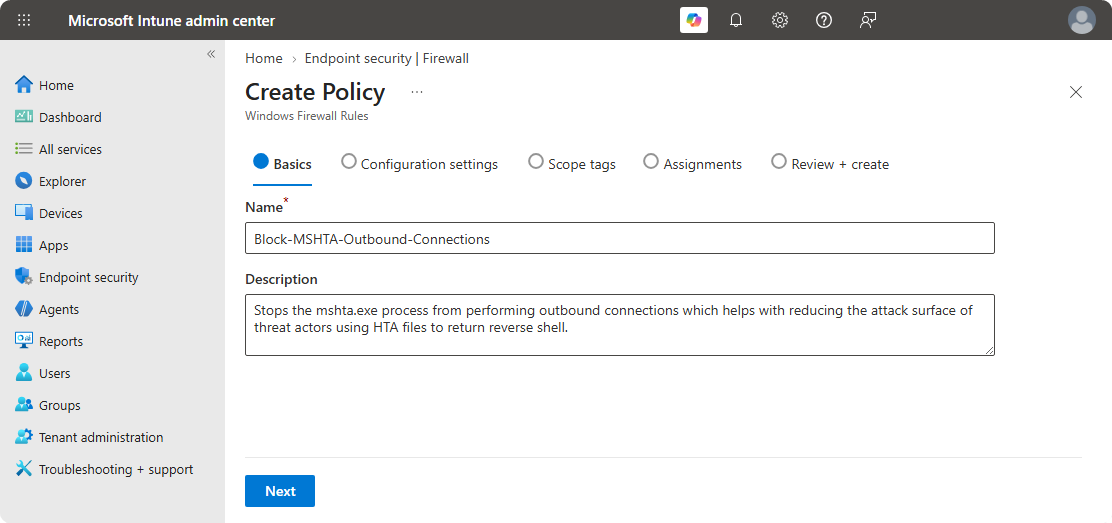
Enter Name and Description.
-
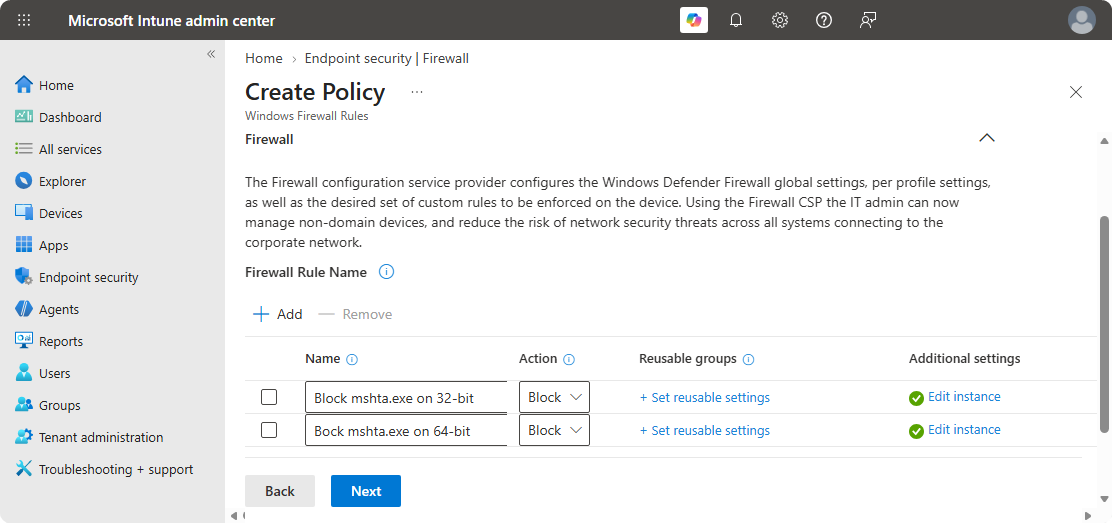
Create two firewall rules with the following naming conversions.
-
Use the following configurations on the different settings.
Block mshta.exe on 32-bit
- Enabled: Enabled
- Interface Types: All
- File Path:
%SystemRoot%\System32\mshta.exe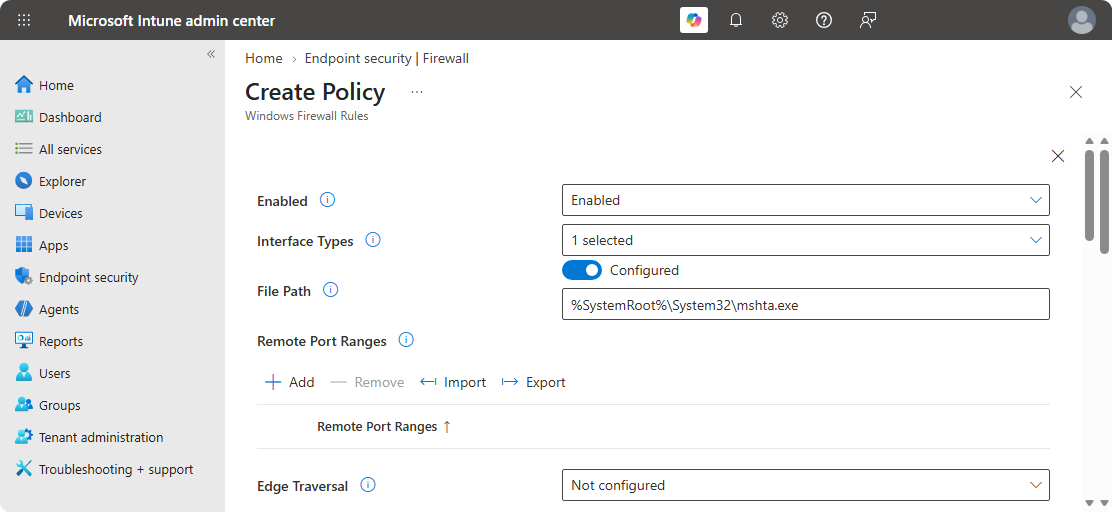
Block mshta.exe on 64-bit
- Enabled: Enabled
- Interface Types: All
- File Path:
%systemroot%\syswow64\mshta.exe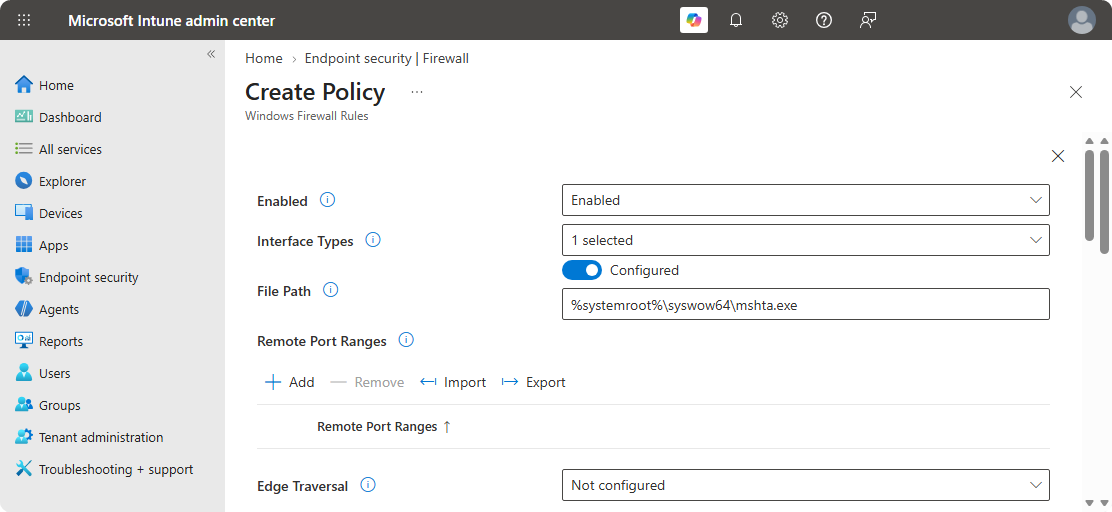
-
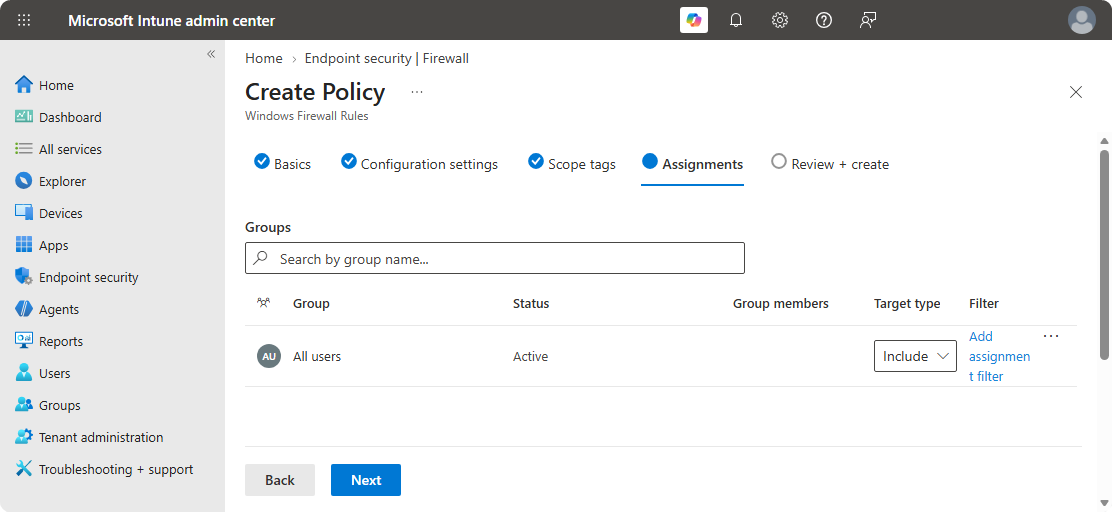
On the Assignment section use All Users.
-
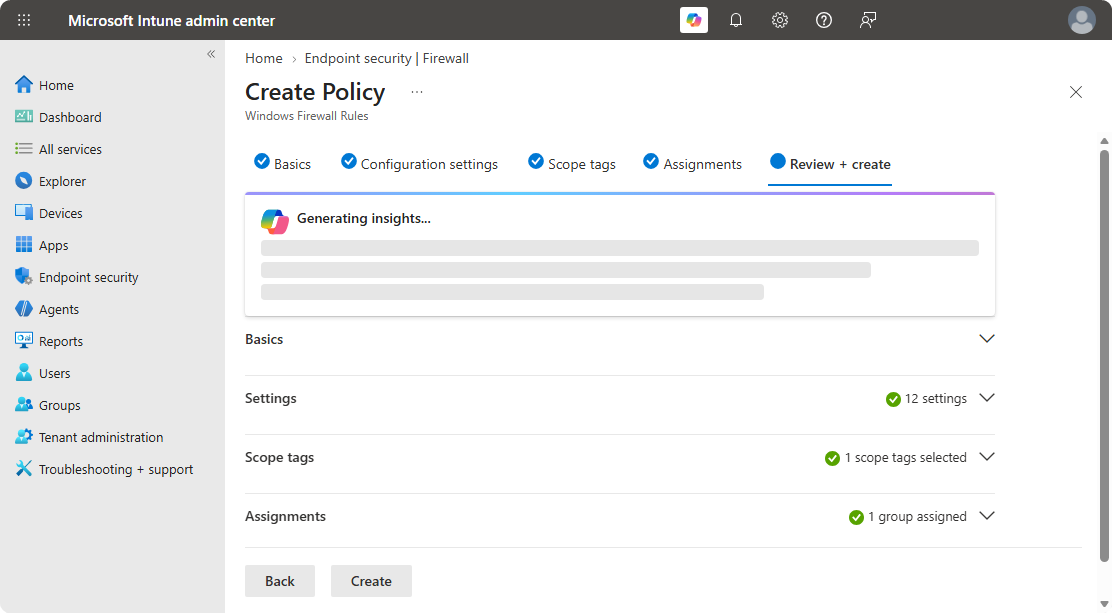
Review the Windows Firewall Configuration and Create It.
Conclusion
Microsoft HTML Application Host (mshta.exe) is a legacy feature that comes with latest Windows operating systems since many applications still uses it for some background tasks. If your organization is not using HTML Application File in any form, I would highly recommend blocking outbound connections since it’s commonly used by threat actors to execute malicious code which returns reverse shells to the threat actor command and control center.
Additionally, it’s a best practise to block features and things your organization isn’t using because anything that is left open can be abused by threat actors.