Introduction
Investigating security incidents can become overwhelming as there is a-lot of things to learn such as Windows Operating System, PowerShell Scripting, Kusto Query Language, and also understanding the different features and capabilities that comes with Microsoft Defender XDR.
Additionally, it’s also important to be confident with reading log files and create your own methodology for investigating security incidents. In this article I’ll go through all these to hopefully help others.
The 5 Pillars
When a security incident occurs in any XDR products I follow the following five pillars.
- Investigation: Once a security incident occurs I’ll try to collect as much data about the security incident such as SHA-256, Actions, Modifications, IP-Address, Email Address, and other information resources, users, and devices that has been affected by the security incident.
- Decision: Using all the data collected from the investigation phase I’ll decide whether to isolate computer, disable user account, or perform a full scan on the system.
- Prevention: At the prevention stage I’ll ensure that the SHA-256 and the IP-Address is added into Indication Of Compromise (IoCs) list. While also creating custom detection rule to detect the SHA-256 and IP-address to quickly isolate devices that are affected.
- Recovery: This stage consists of re-imaging the laptop and re-enabling the user account so they can start working again.
- Documentation: I’ll create a documentation about the security incident with all the data collected from the incident including timeline. Additionally, I’ll include a lesson learnt section to see where we can do better.
Nowadays an enterprise has over hundreds to thousands of applications that the organization uses therefore it’s important as a security analysts to understand our environment.
Artifical Intelligence
Artificial Intelligence (AI) is beneficial for security analysts as it can help us with searching through our notes, and documents to find the information’s that we are searching after. As an example you remember investigating an application with name AWSConnector.exe and created notes for it and instead of manually going through your notes you can easily find it with artifical intelligence.
Use Artificial Intelligence (AI) to increase your productivity because it’s never going away now. The people who uses AI will move forward while the people who are not using it will fall behind…
Investigation Phase
Advanced Hunting
Advanced Hunting in Microsoft Defender XDR allows us to quickly fetch data from multiple of tables such as SignIn, DeviceEvents, DeviceFileEvents, and much more to correlate data of a security incident. Additionally, it can also help us with finding other assets that has been affected by the security incidents.
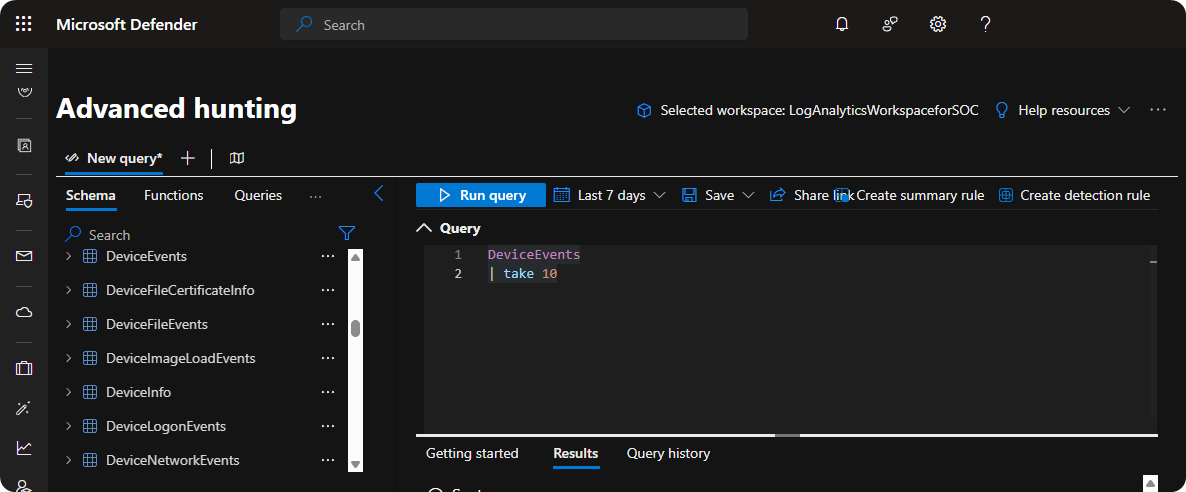
All security analysts should be confident with using Advanced Hunting inside Microsoft Defender XDR because it allows you to quickly detect and respond to threats.
VirusTotal
VirusTotal is a SaaS product that is widely used for scanning executable programs and other file types. It will scan the uploaded file against multiple of extended detection and response (XDR) systems to see if any of them detects the file as a malicious file.
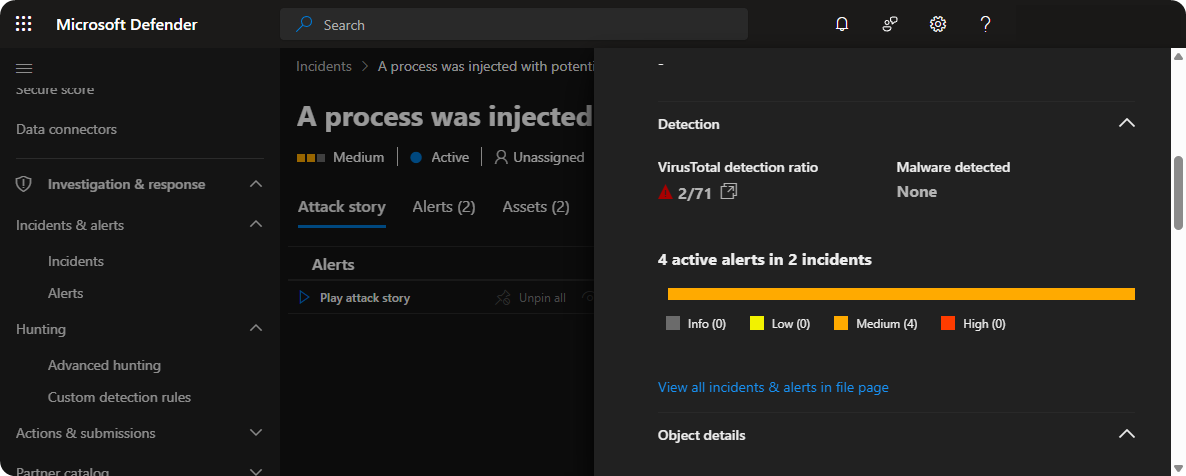
Additionally, we can also obtain information’s such as Signature, Compiler, Dynamic Link Library Imports, and IP-Address Connection of the file. Using these informations we can use Advanced Hunting to detect and respond to threats.
Collect Investigation Package
Microsoft Defender XDR also comes with Collect Investigation Package which will collect logs of startup processes, running processes, registry keys, network connections, and smb sessions. We can use these informations to investigate the endpoint further.
Collect Investigation Package
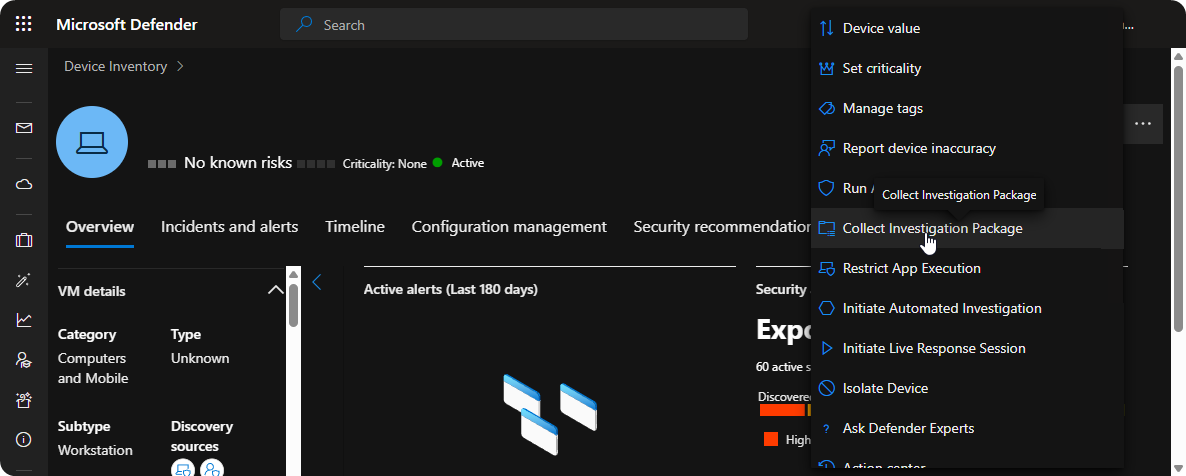
Viewing Collect Invesigation Package
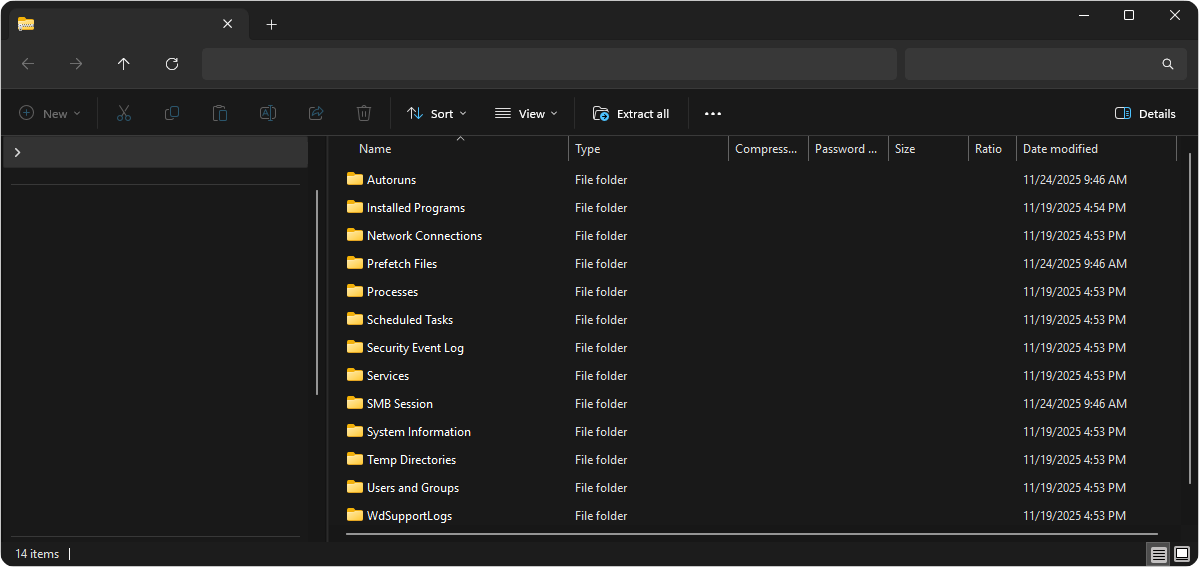
With all the data obtained through Collect Investigation Package we can craft KQL to detect other affected systems. Additionally, we can also craft scripts to automatically remove the threat from affected systems.
Decission Phase
Antivirus Scan
When Microsoft Defender XDR detects malicious executable with low critically we shouldd always run a full antivirus scan on the system to ensure it’s safe instead of isolating it.
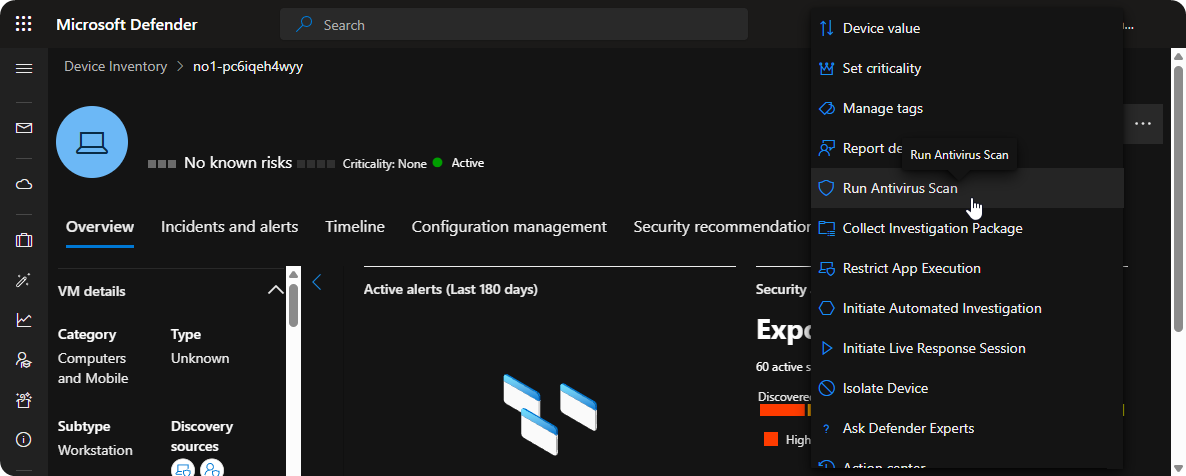
As a security analyst it’s important to analyze the data that you have collected through the investigation phase and choose the correct option between running anti-virus scan, isolating, disabling user accounts.
Isolation
Using the data from the investigation phase when we are completely sure that the endpoint is compromised we should isolate the system to ensure that threat actor cannot lateral move through our environment.
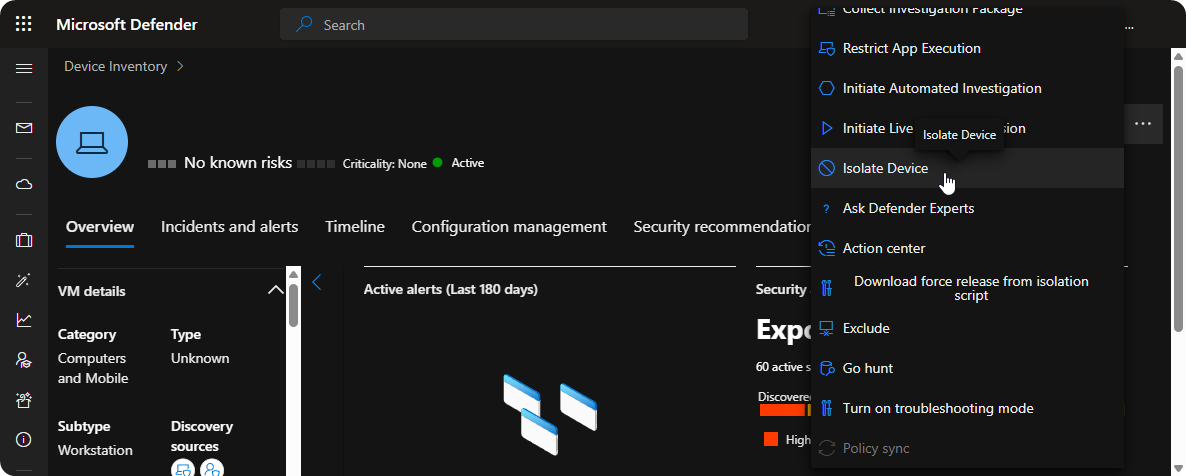
When we do isolate a system it’s important to communicate with the user through phone or teams call so they understand the situation otherwise it might send the wrong message to the user which can lead to distress.
Disable User Account
When it’s confirmed that the system is compromised we should also disable the user account as the threat actor could use the stored password to send malicious emails and laterally move through the environment.
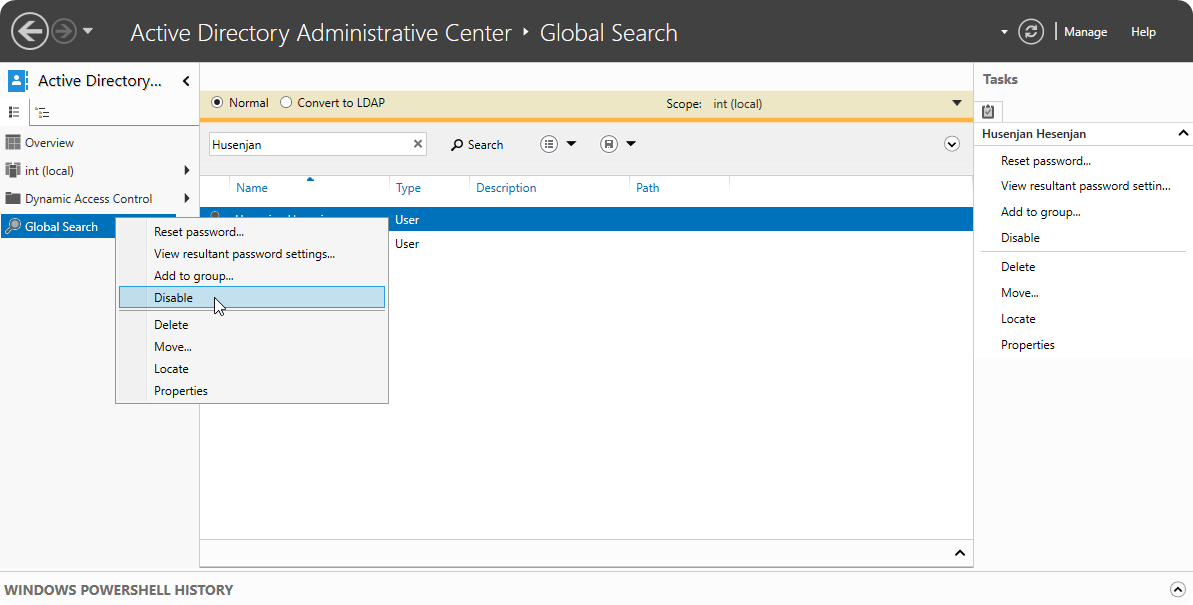
As mentioned in Isolation, we should always communicate with the user through teams or phone call so they understand the situation otherwise it might send the wrong message to the user which can lead to distress.
Prevention Phase
IoCs
When we are completely sure the SHA-256 signature and IP-address of the executable program is malicious we should add it to Indication Of Compromise (IoCs) lists to block the executable program and IP-address.
- Go to Settings → Endpoints
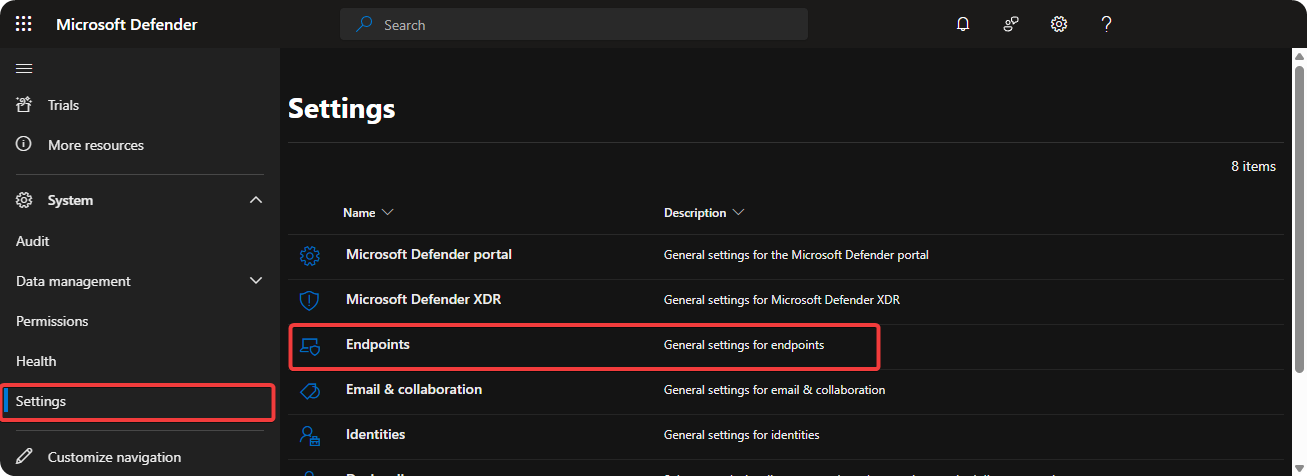
- Select Indicators
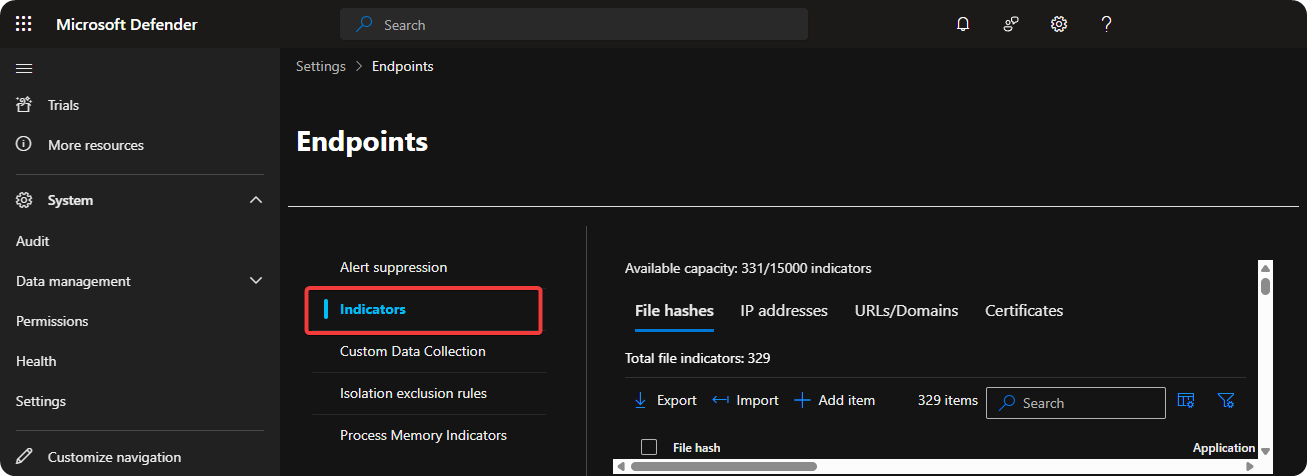
Using the Microsoft Defender XDR IoCs we are able to allow, warn, and block executable programs, IP-addresses, URLs, and Certificates.
Custom Detection Rule
When we have crafted our KQL query in Advanced Hunting to detect threats within our environment we can use detection rules to create alerts when it’s detected on new devices. Additionally, we can also perform actions such as isolation and disable user accounts when it’s detected again.
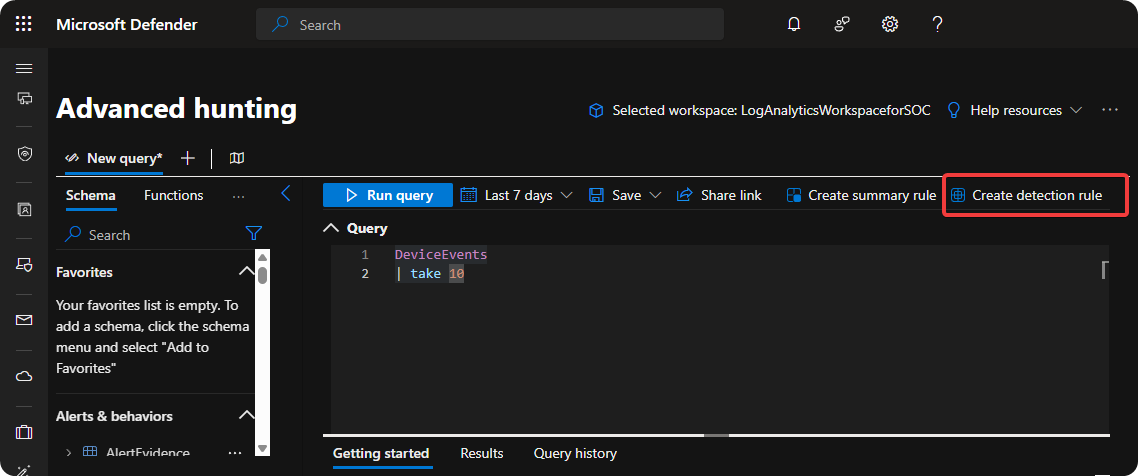
When the severity of threat is high it’s highly recommended to use custom detection rules to isolate endpoints, disable user accounts, and running antivirus scan. Instead of acting manually which can take minutes to hours we can act quickly within seconds after threat is detected.
Recovery Phase
This phase consists of reimaging the endpoint and re-enabling the user account and communicating with the user so they are not stressed or affraid of losing their job because security incidents could happen to anyone including us who works within IT.
Documentation Phase
At this stage I’ll create a document including only relevant information from the different pillars such as affected users and endpoints. I’ll also include actions performed to stop the threat actor and actions performed to prevent it in the future and lesson leant from the situation.
Conclusion
Microsoft Defender XDR is an extremely powerful XDR system but the security architect and security analysts using the system has to be well trained in order for the system to be effective becuase Microsoft XDR is a whole suite containing IT Asset Management, Cloud Apps Management, Email Threat Management, and Threat Analysis which can become overwhelming for a-lot of engineers.