Introduction
We are currently implementing a new system in the organization and the employees using these systems made a request to implement automatic email sorting for shared mailbox where all emails with PDFs are moved to a different folder than emails without PDF documents. Unfortunately, this is not possible with default Outlook rules becuase it doesn’t allow us to check of specific file type.
However, after resarching for a bit I found out that Power Automate allows us to sort emails using file type so I purchased a Power Automate license and made the following integration for shared mailbox.
Automating with Power Automate
-
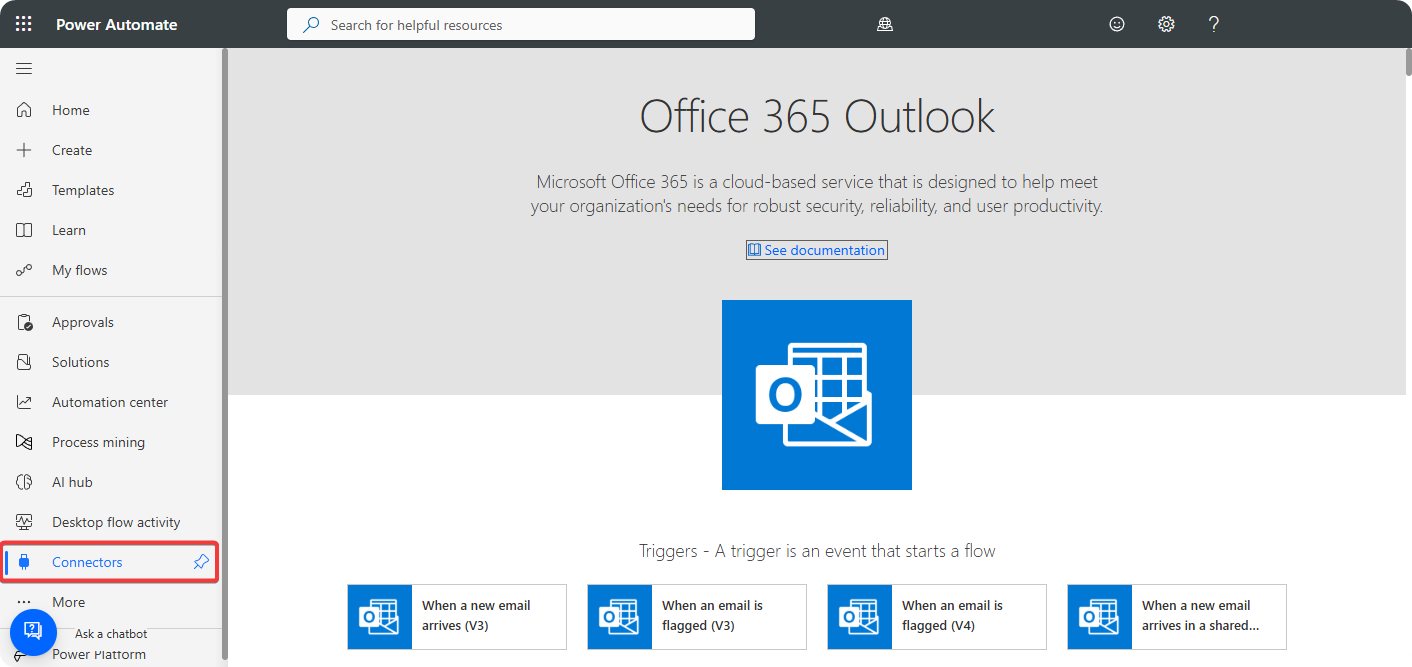
Go to Power Automate → Connectors → Office 365 Outlook.
-
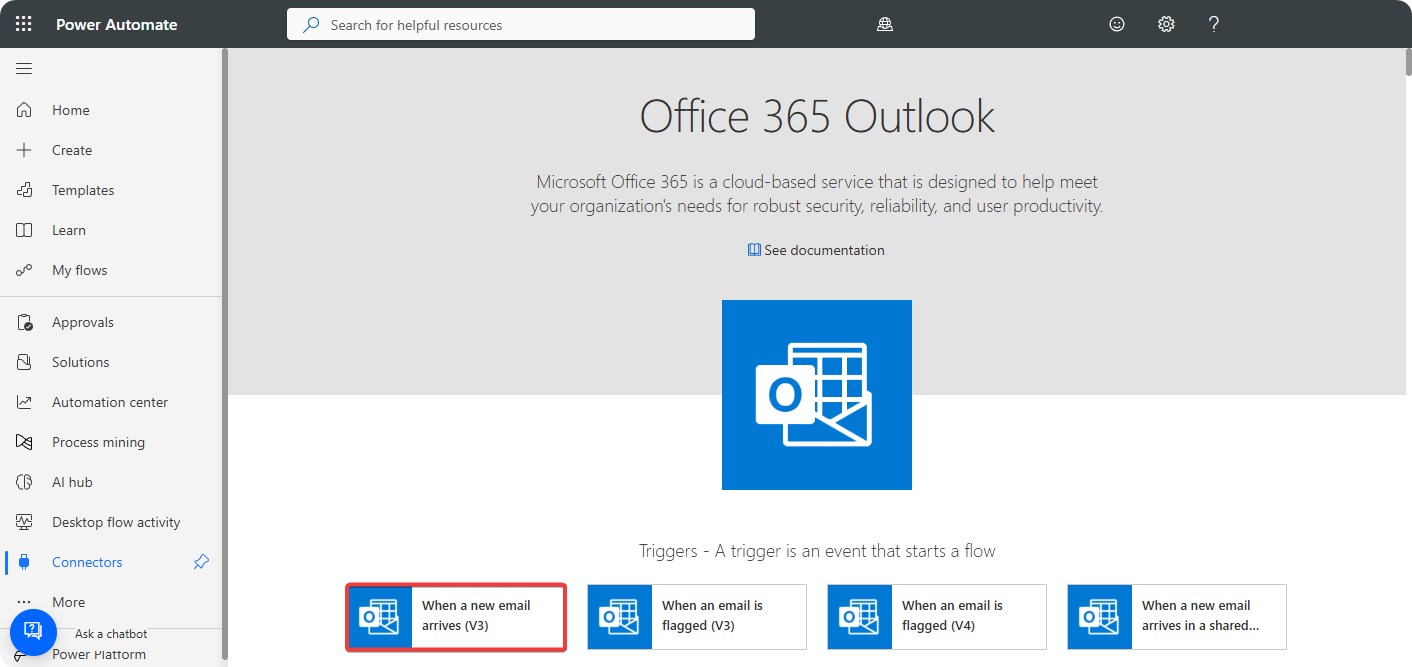
Click on When I receive new email arrives.
-
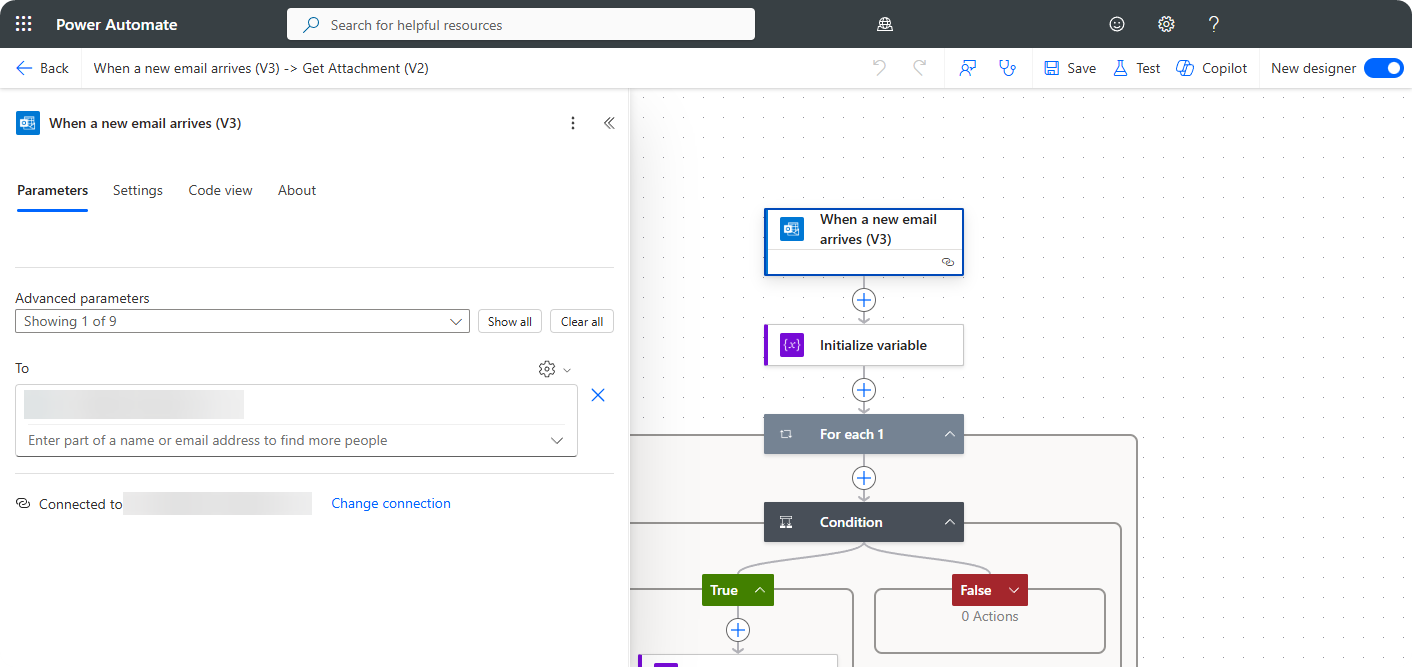
Setup connector on a account.
-
Initialize
hasPDFvariable with valuefalse.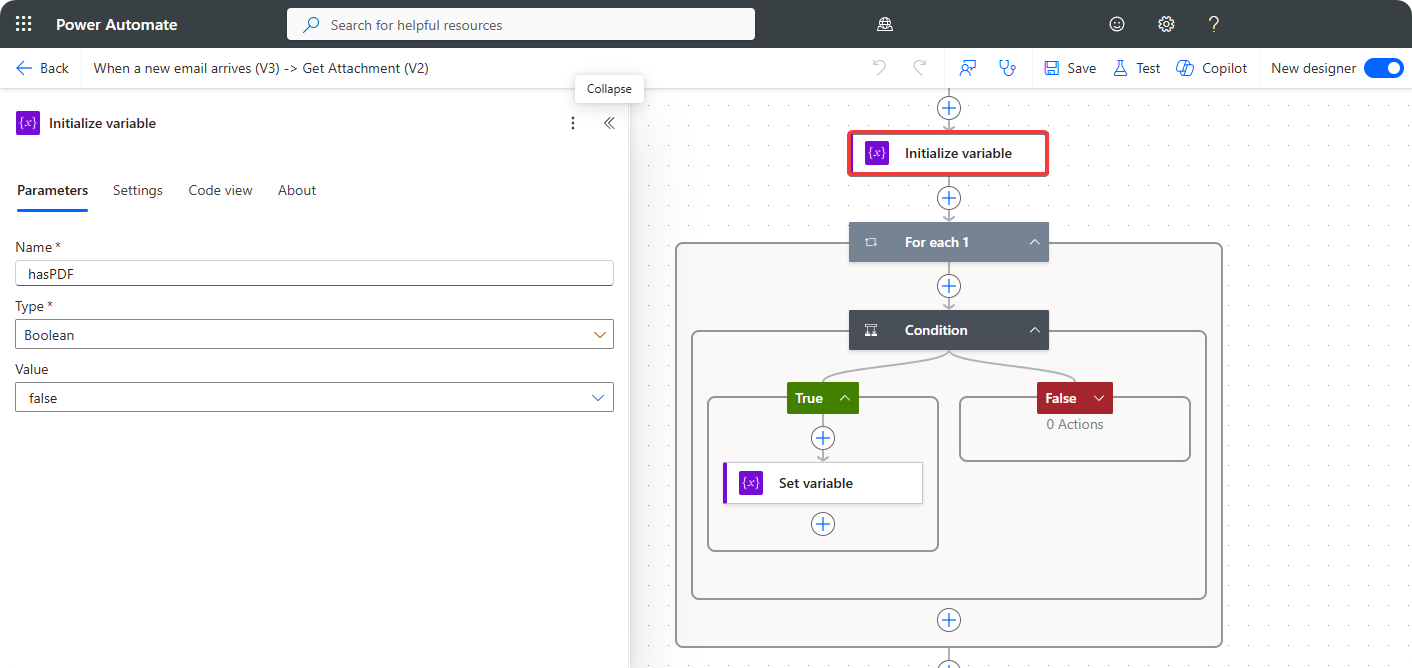
-
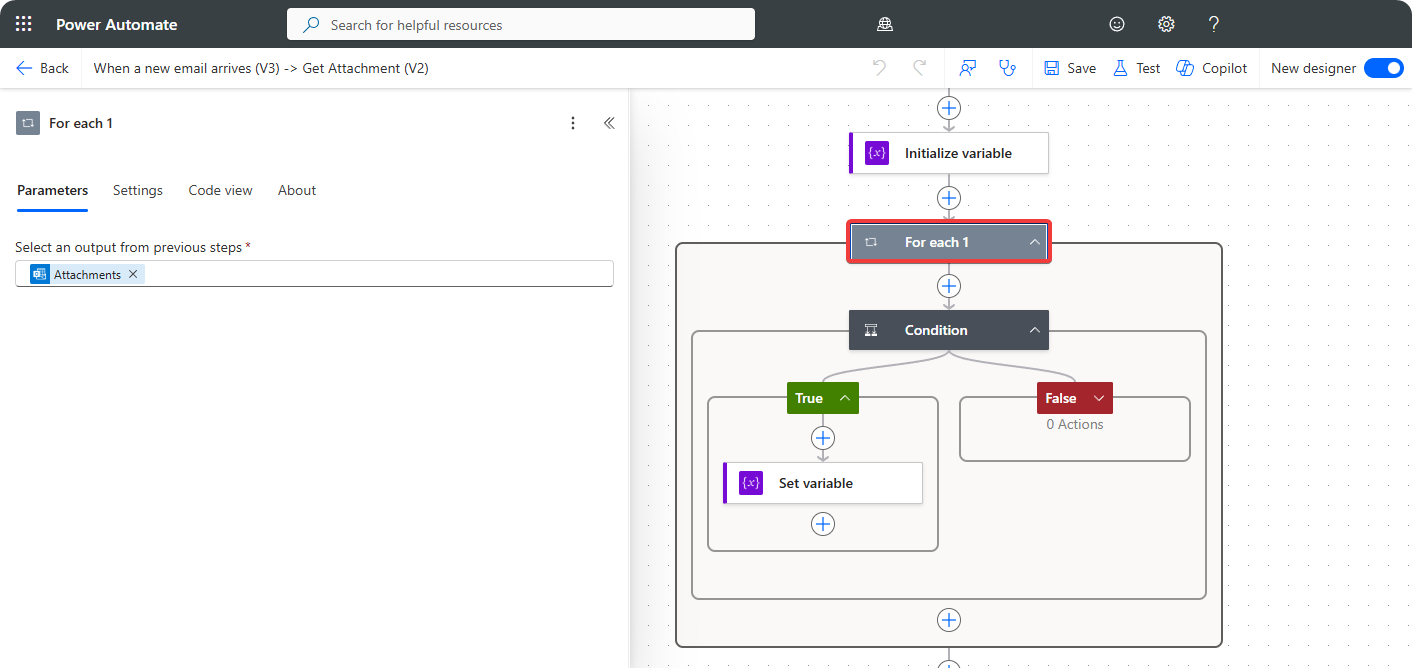
Create For Each and include Attachment from Outlook connector.
-
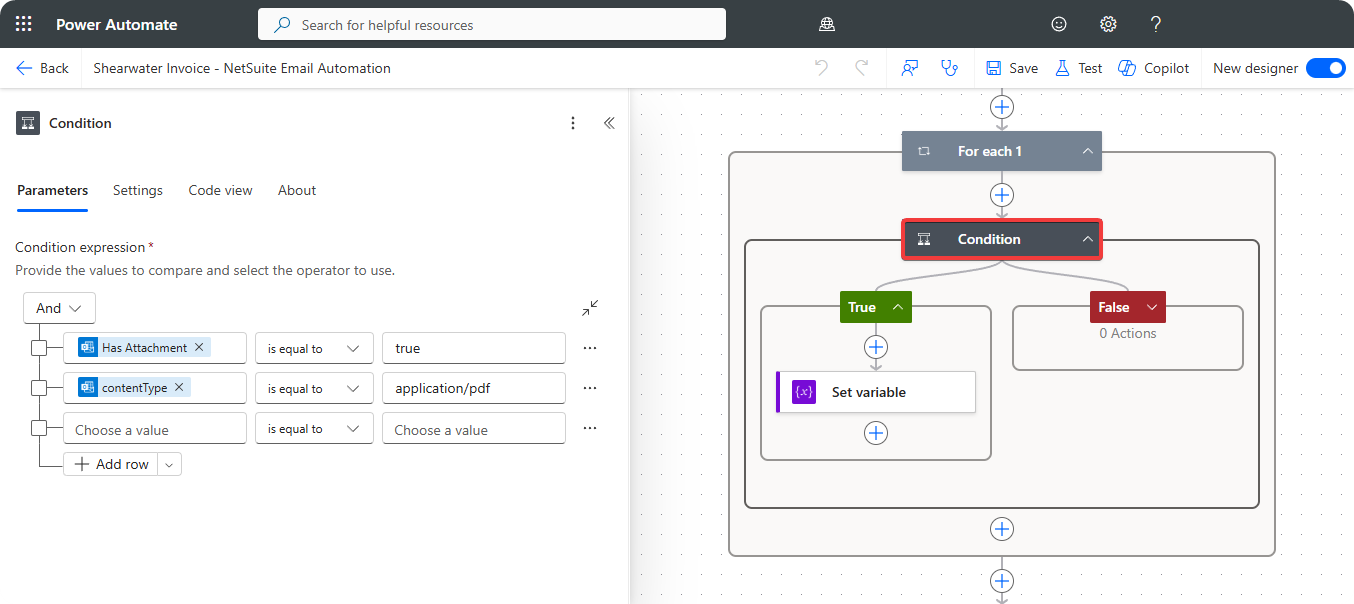
Inside Condition use the parameters Has Attachments and Attachment Type with the following configuration.
-
Use Set variable to set
hasPDFvariable totrue.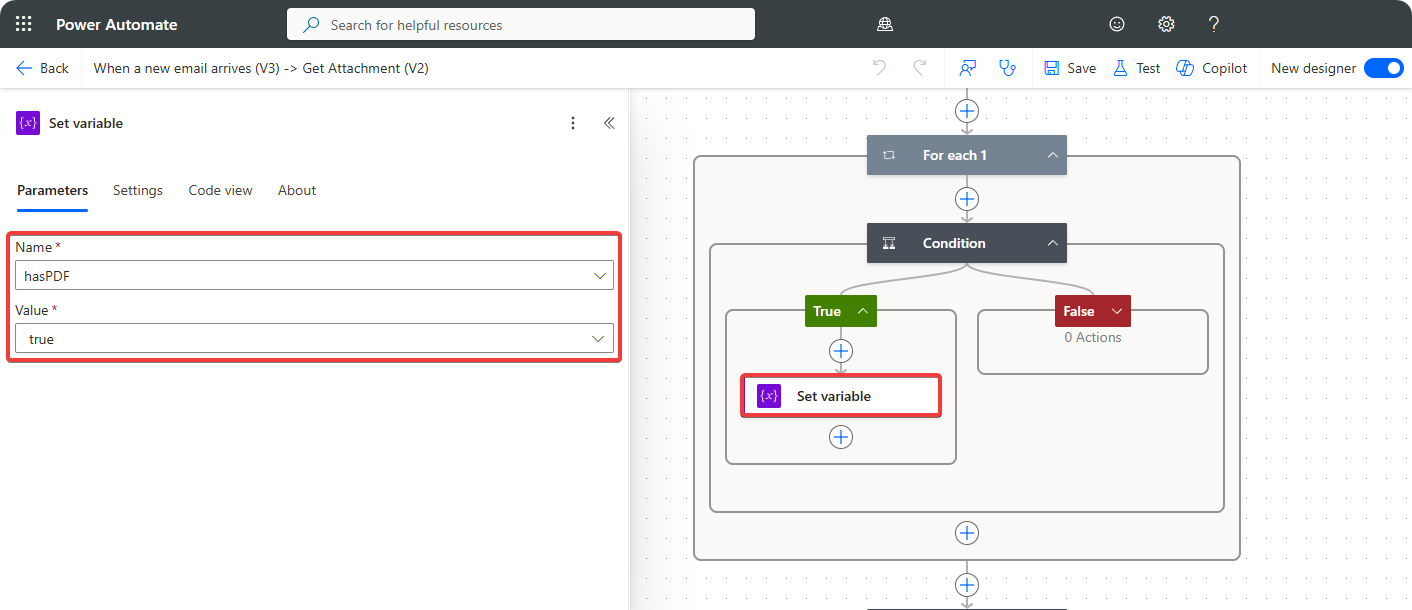
-
Create another Condition to check if
hasPDFistrue.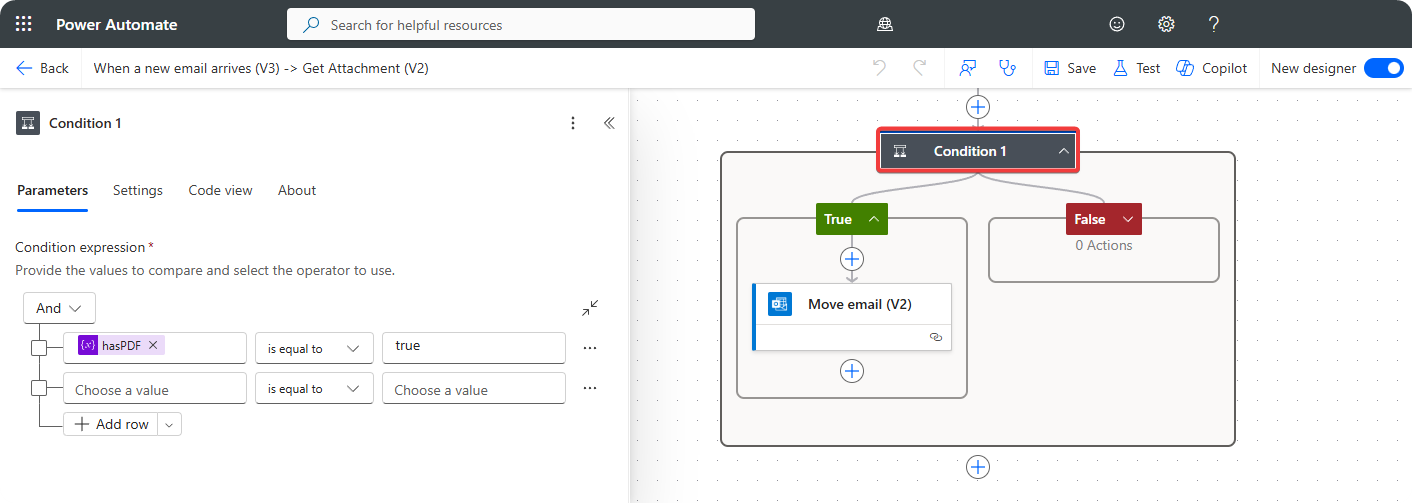
-
Create Move email (v2) object to move email to different folder using Message Id from Outlook connector.
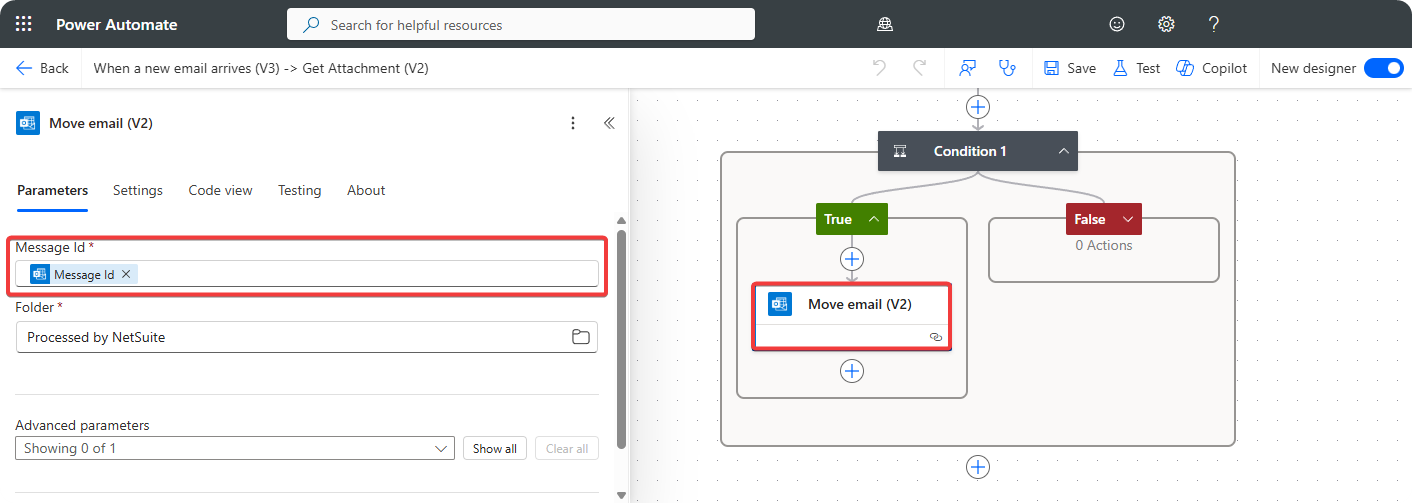
The when I receive new email arrives feature in Power Automate allows us to do the following on the account connected to Outlook connector.
- When an email comes into mailbox a boolean variable is created with name
hasPDFand the value isfalse. - The while loop will enumerate through all the attachment and when PDF document is found the
hasPDFvariable is set totrue. - The last condition checks if
hasPDFvariable istrueand then moves the email toProcessed by Power Automatefolder.
With this implementation each time a email comes into the mailbox it will automatically move the emails with PDF attached to them into a different folder than emails without.
Conclusion
Power Automate is low-code platform designed to automate manual tasks with employees performs manually. In this situation it came in good use because all emails with PDF attchments will be moved to different folder than the emails without PDF documents. This implementation allows employees to focus on more important things than spending time shorting emails.