Introduction
Microsoft Defender SmartScreen is desinged to protect endpoints from malicious websites, applications, and files by displaying an early warning before execution. It comes with anti-phishing, anti-malware, reputation-based url, and app protection to detect malicious applications.
Implementation
-
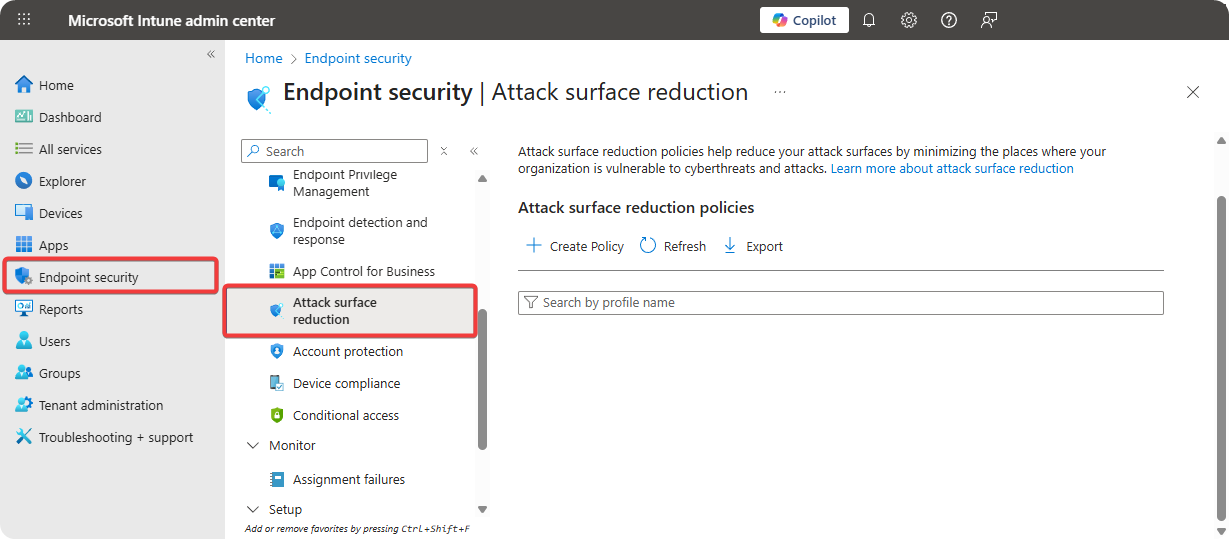
Go to Microsoft Intune → Endpoint Protection → Attack Surface Reduction.
-
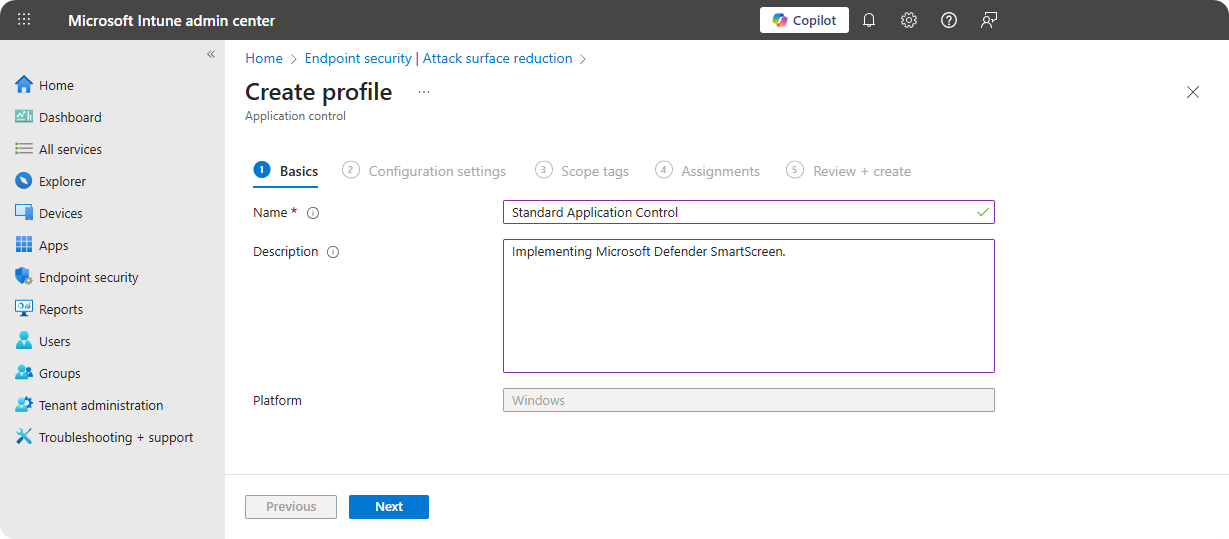
Enter Name and Description.
-
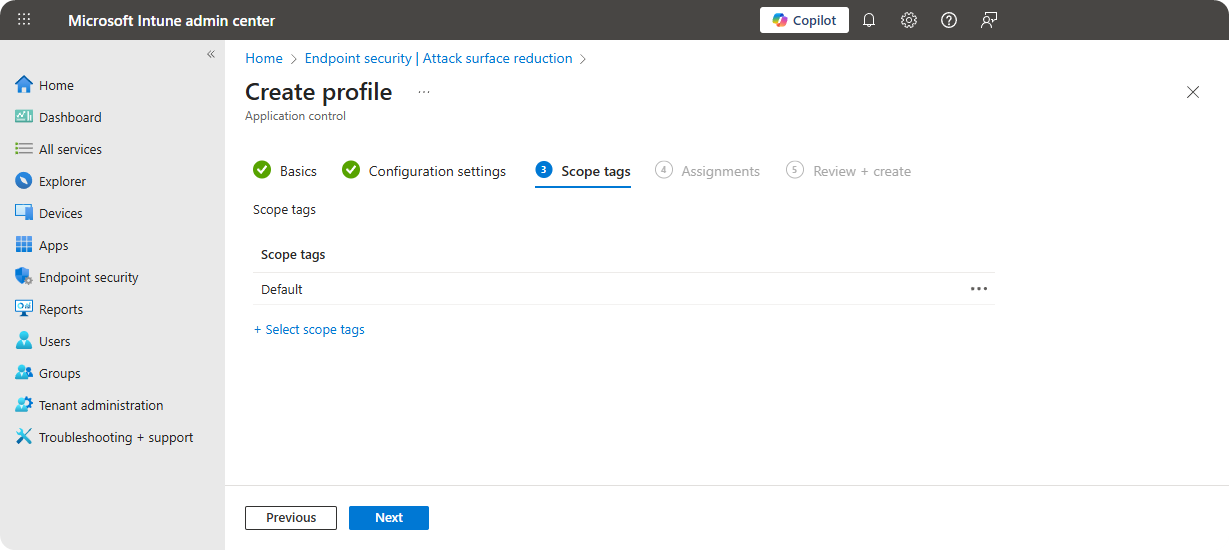
Select Scope Tags.
-
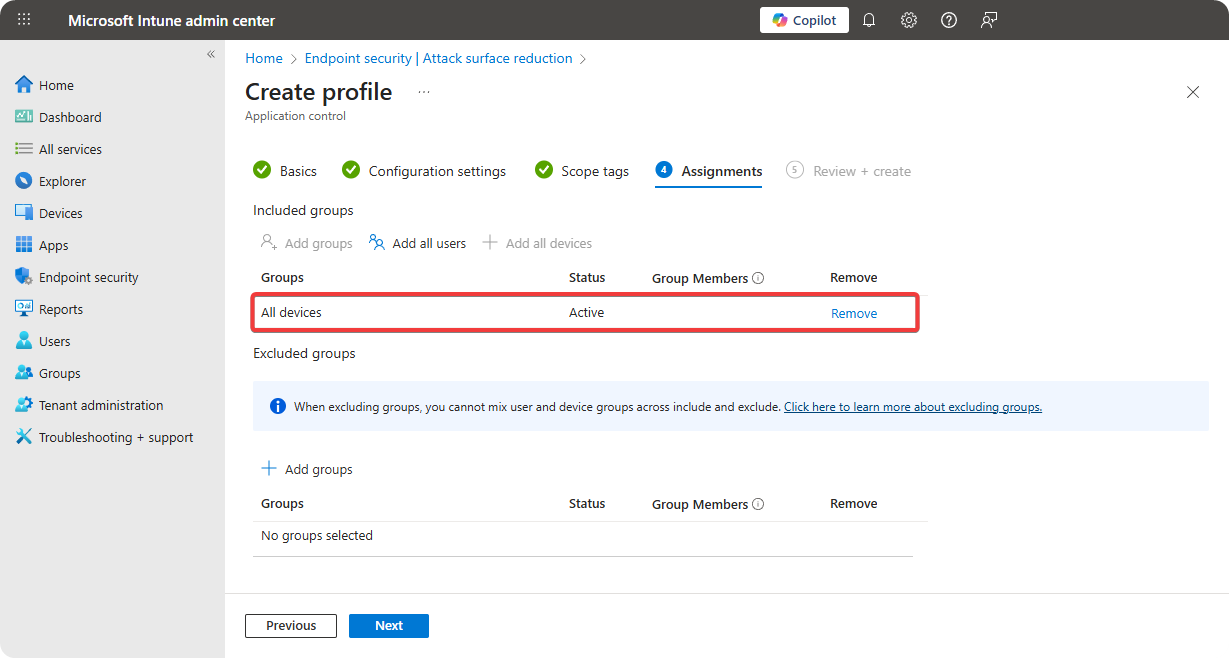
Select All Devices.
-
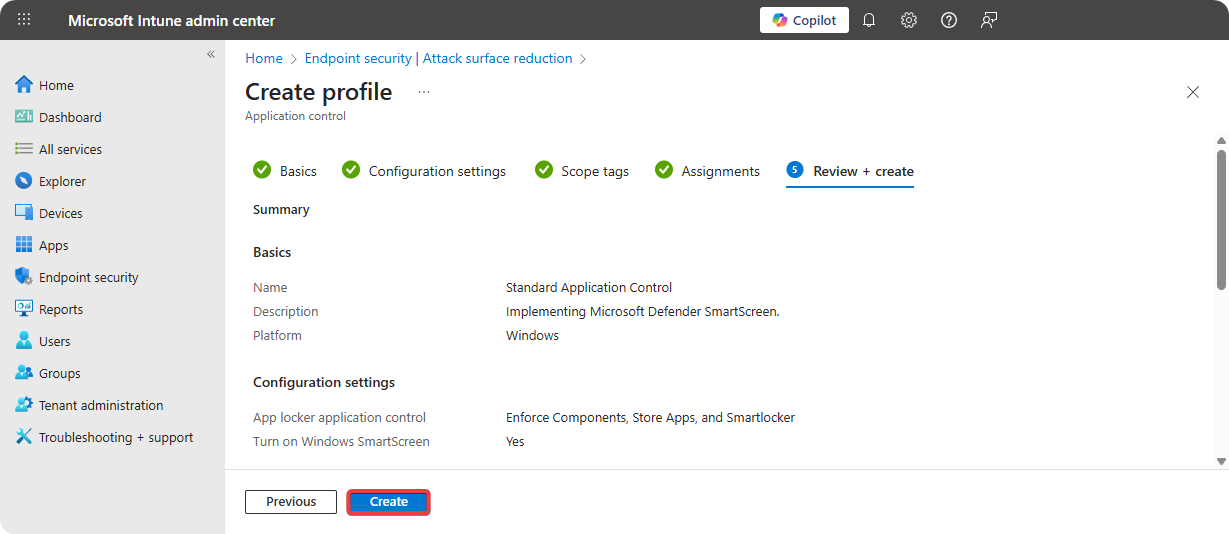
Review Configuration and click on Create.
IMPORTANT
Once the Application Control Policy is applied on the endpoints it will force the endpoints to reboot within 10 minutes otherwise it will automatically reboot the system.
Conclusion
Microsoft Defender SmartScreen is exceptional for warning about malicious websites, applications, and files. All organizations should enable Microsoft Defender SmartScreen to warn their users and protect organizational assets from threat actors.