Introduction
Watchlists in Microsoft Sentinel is commonly used for storing a list of data which can be retrieved by security analysts to correlate data. For example, you can create a list of executives, termninated employees, and service accounts and retrieve information such as UserPrincipalName, Business Email, and etc…
Creating Watchlist
-
Go to Microsoft Sentinel → Watchlist.
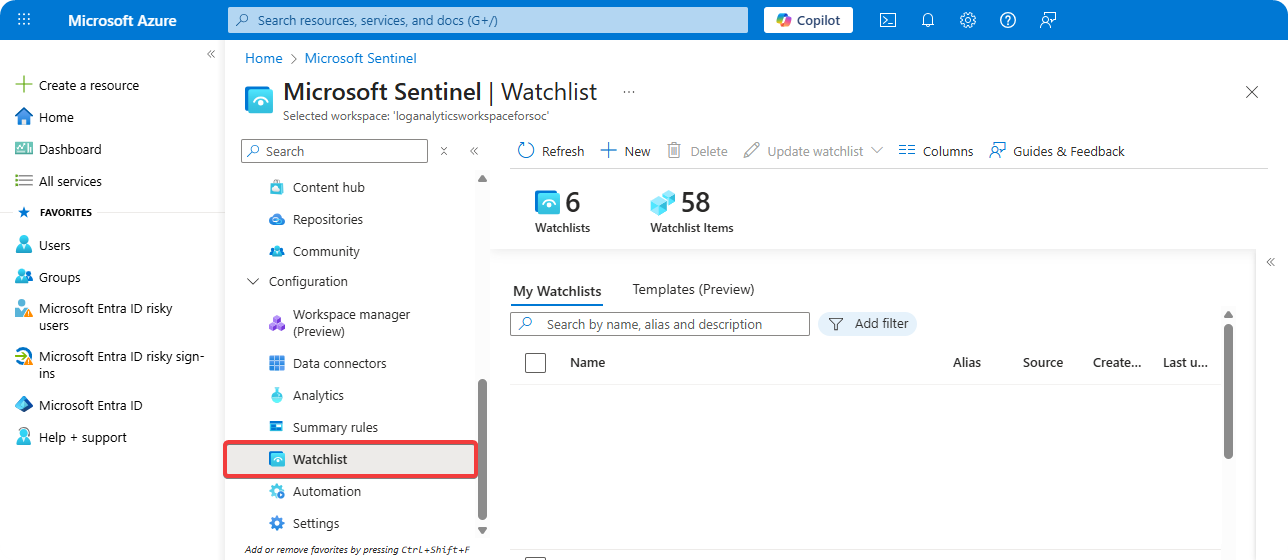
-
Click on New.
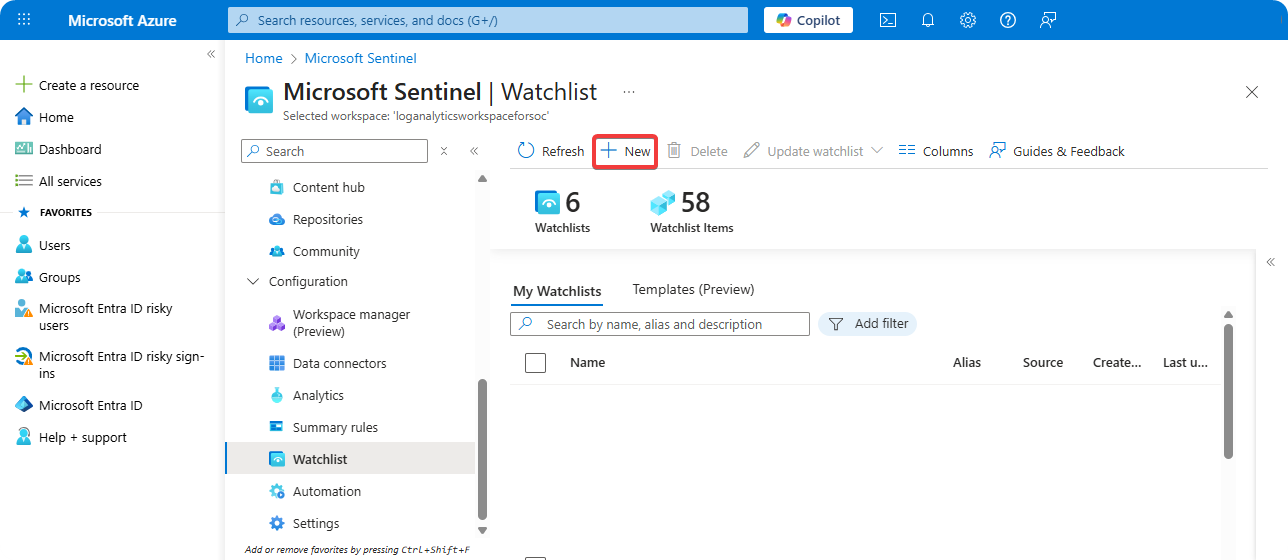
-
Enter Name, Description, and Alias.
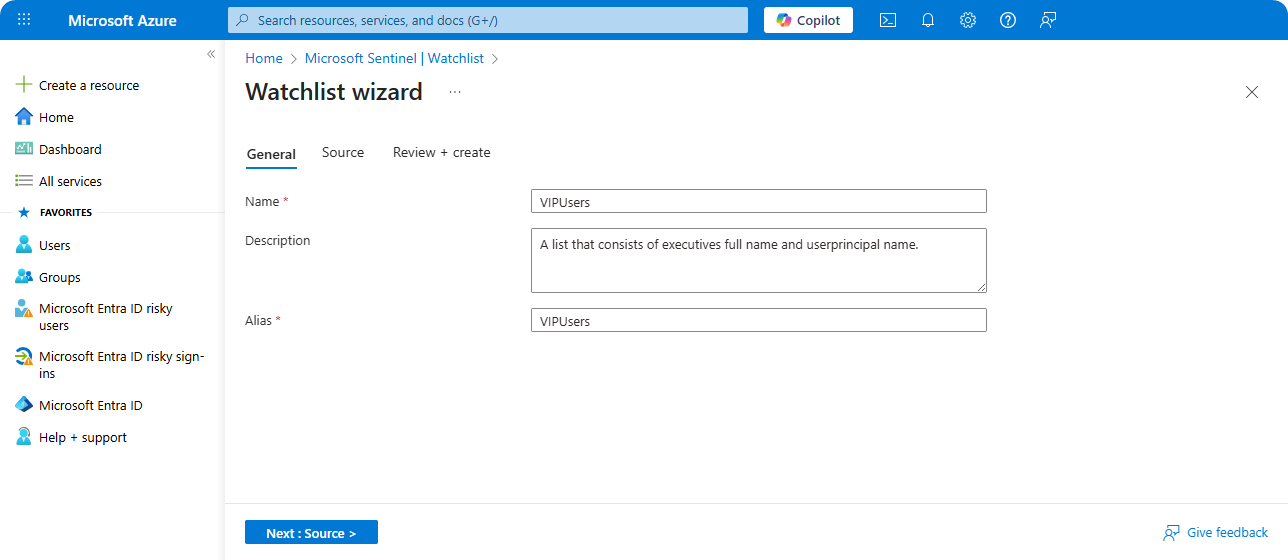
-
Upload
data.tsvcontains all data about users.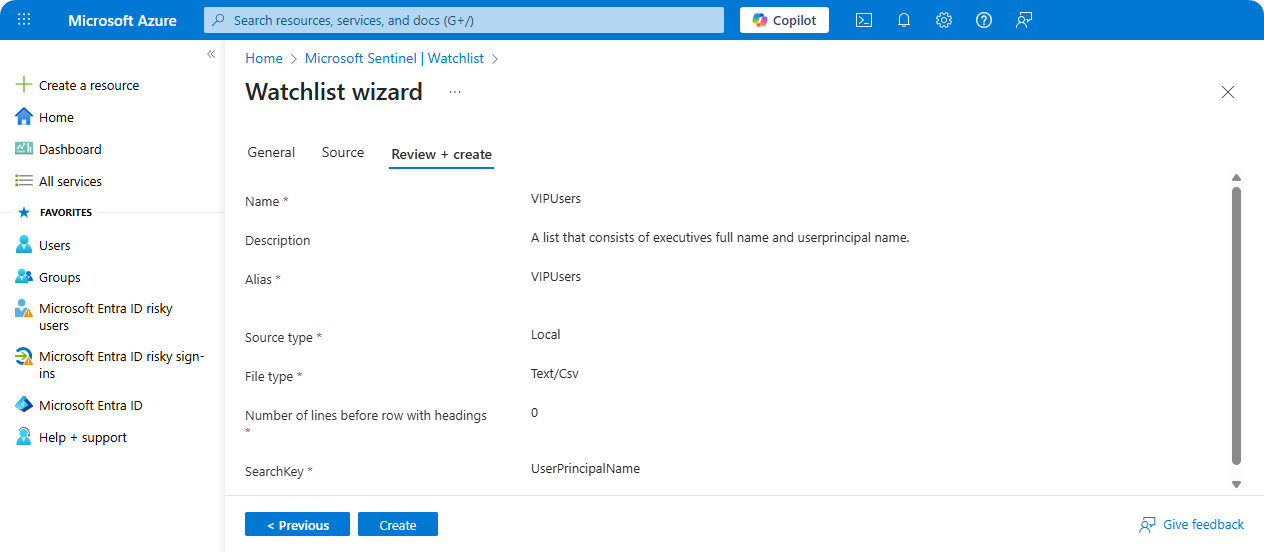
-
Review Configuration and click on Create.
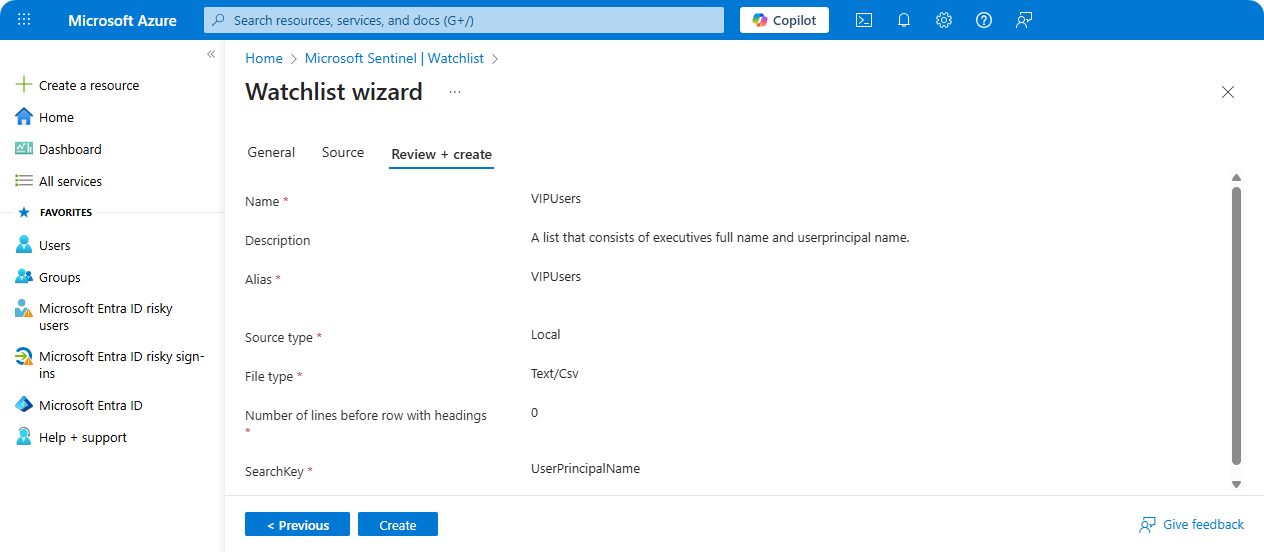
Using Watchlist
Once the watchlist is created, we can retrieve data through _GetWatchlist() function with the project operator to only return specific row.
let cEventID = dynamic([4625]);
let iAccounts = dynamic(["NT AUTHORITY\\ANONYMOUS LOGON", "MSOL"]);
let domainAdmins = (_GetWatchlist("VIPUsers") | project UserPrincipalName);
SecurityEvent

| where TimeGenerated > ago(1d)
| where EventID in (cEventID)
| where not(Account has_any (iAccounts))
| where TargetUserName in (domainAdmins)
| summarize count() by TargetUserName
| render barchart
Conclusion
Watchlists are great for retrieving values which are frequently used as that allows us to quickly collerate data. It’s recommended to setup watchlists for executive and domain administrator users as that will enable us to quickly investigate a incident on these accounts once it occurs.