Introduction
Attack Surface Reduction (ASR) is designed to limit the attack surface for Windows endpoints. While it’s effective at blocking common attack techniques which are used by ransomwares and malwares, they may interfere with legitimate enterprise tools. In this article I’ll go through the best practices to implement Attack Surface Reduction into your environment without creating any distruption to business.
Implementation
Microsoft recommends implementing the Attack Surface Reduction (ASR) policy in auditing mode before enabling as they can create distruption throughout the business. Here’s a overview of implementing Attack Surface Reduction in Auditing Mode:
-
Go to Microsoft Intune → Endpoint Security → Attack Surface Reduction.
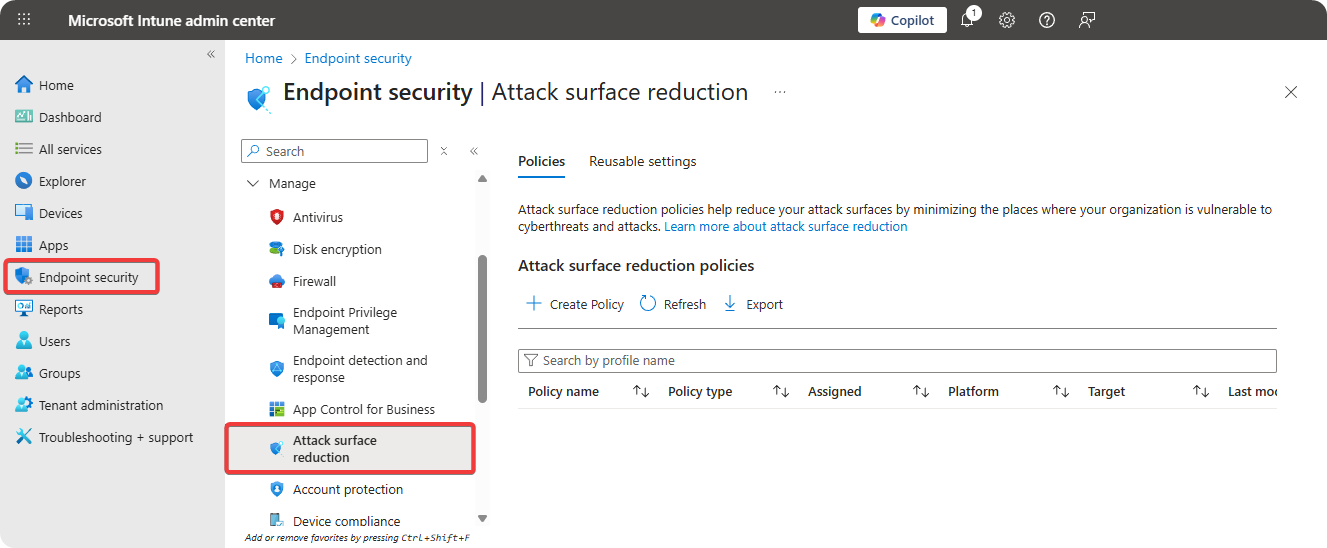
-
Click on Create → Select Windows → Select Attack Surface Reduction
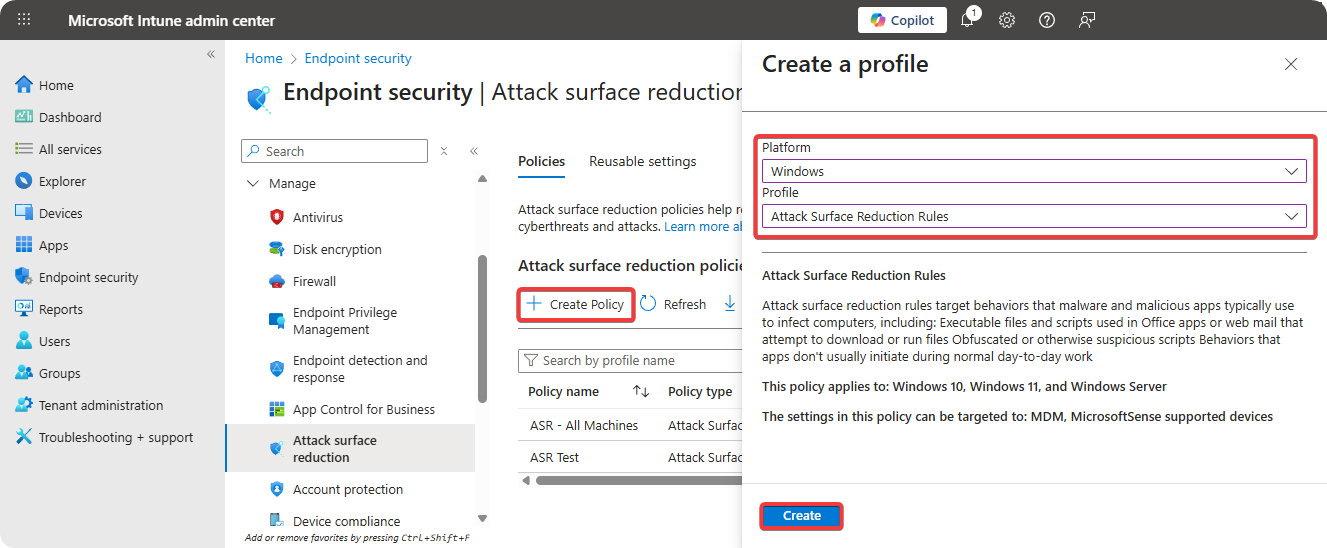
-
Enter Name and Description for Attack Surface Reduction policy.
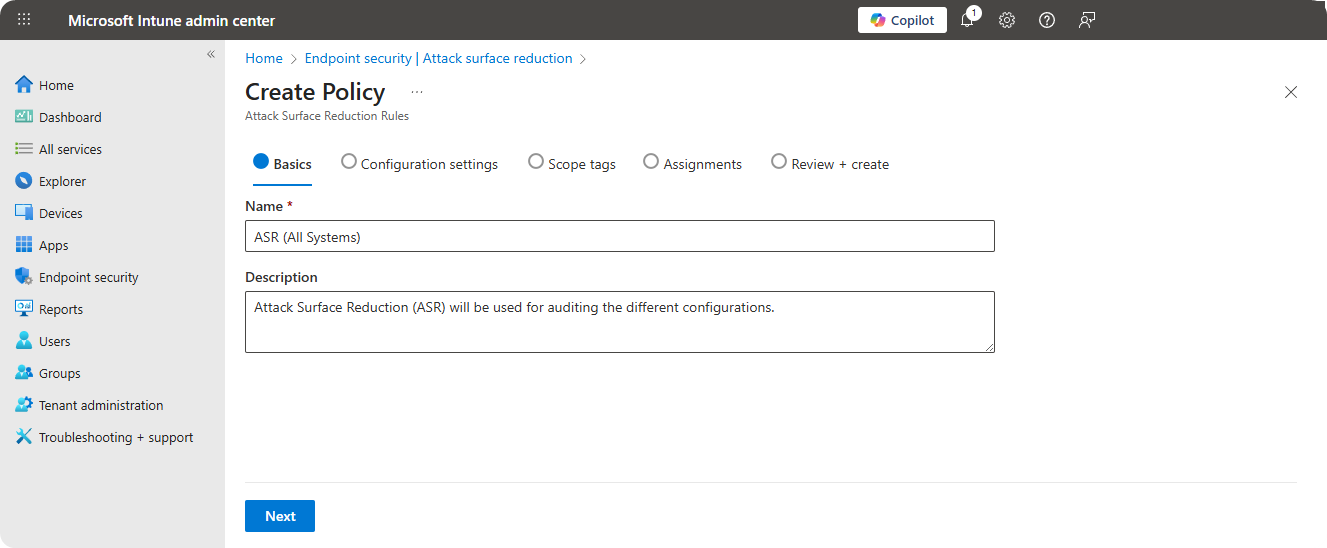
-
Select all features to enable in audit mode.
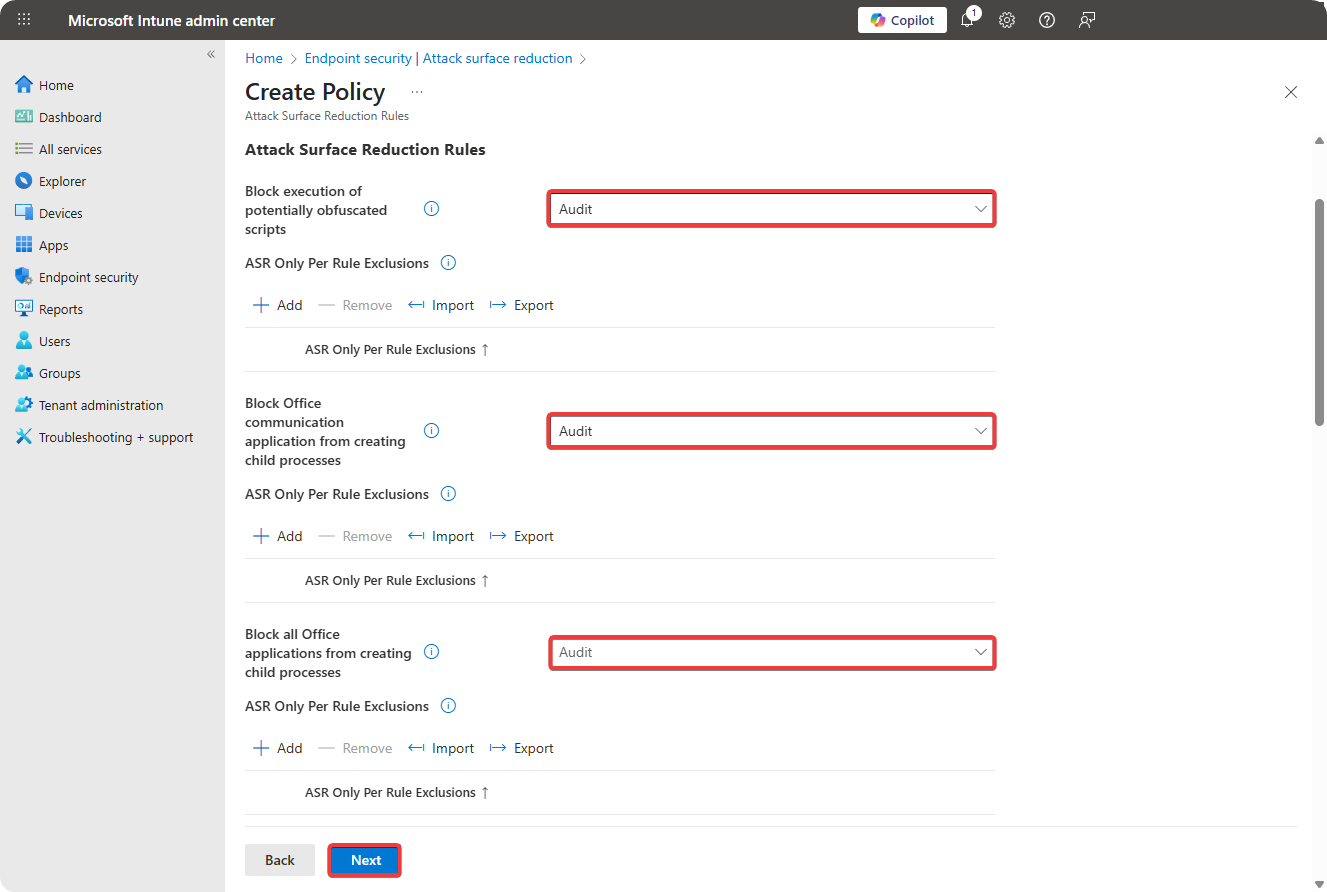
-
Select Scope Tag.
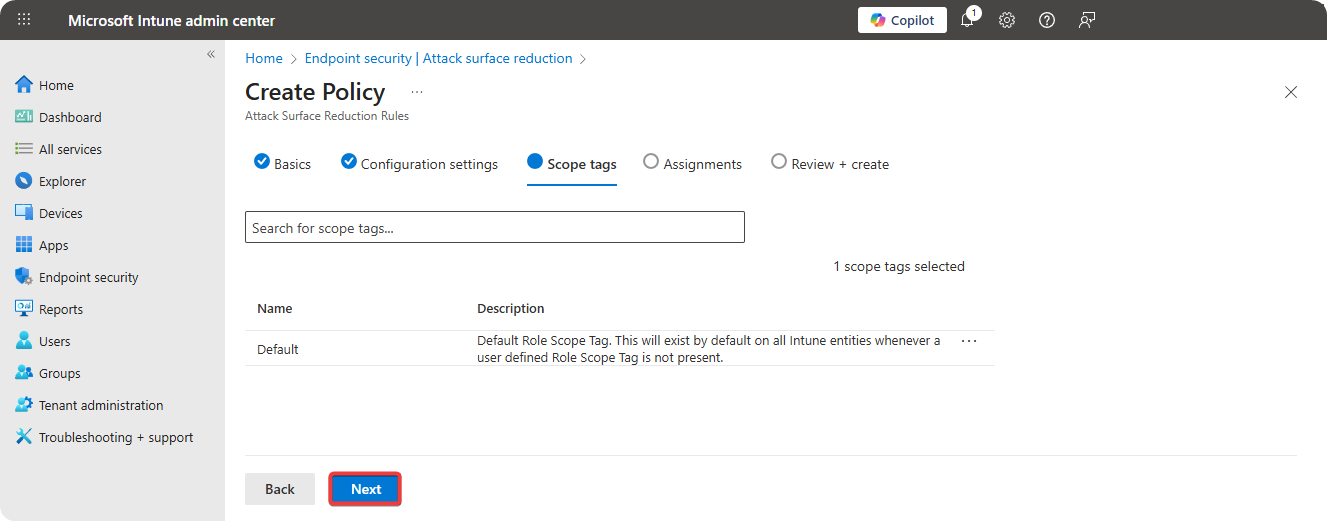
-
Select All Devices/Group to onboard to ASR policy.
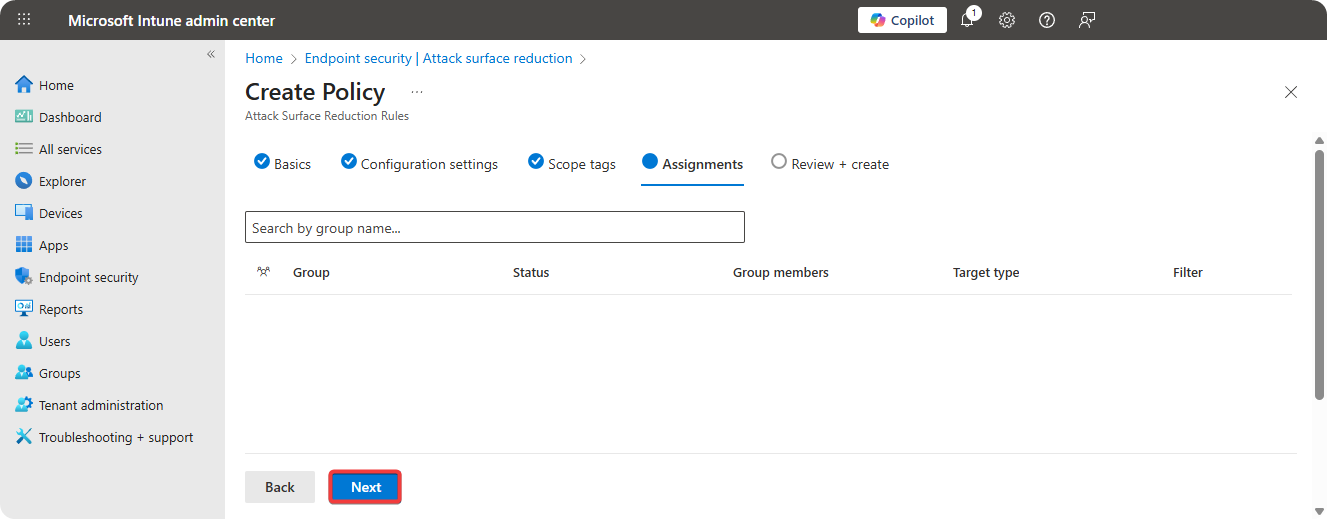
-
Review Configuration and click on Create.
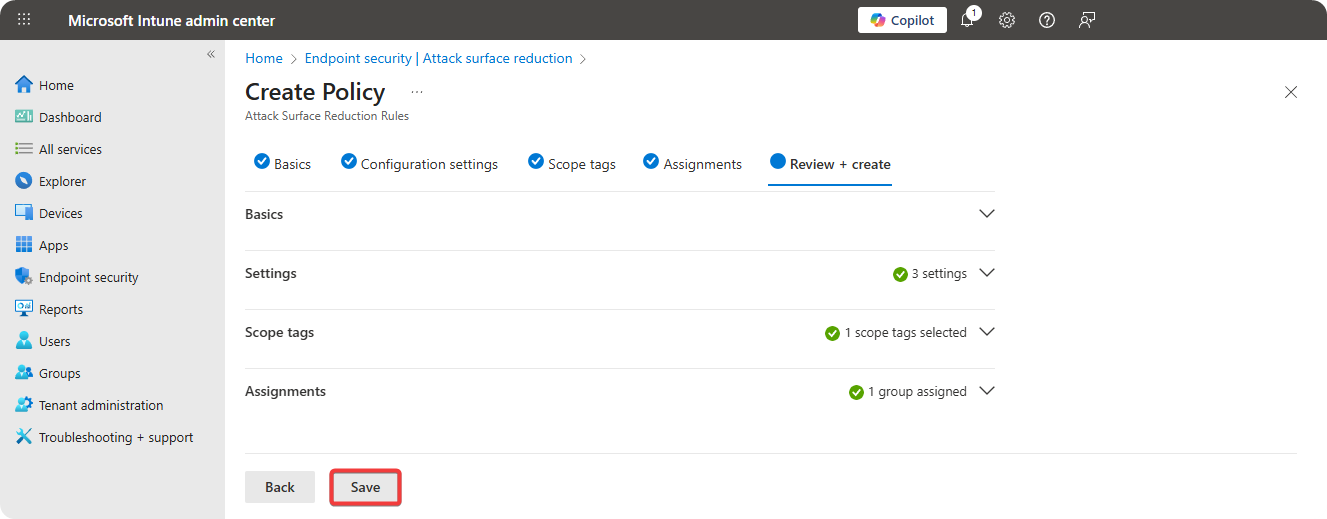
Auditing
When the Attack Surface Reduction policy is created, it’s recommended to start auditing the programs that could be affected by Attack Surface Reduction rules.
-
Go to Microsoft Defender 365 → Reports → Attack Surface Reduction.
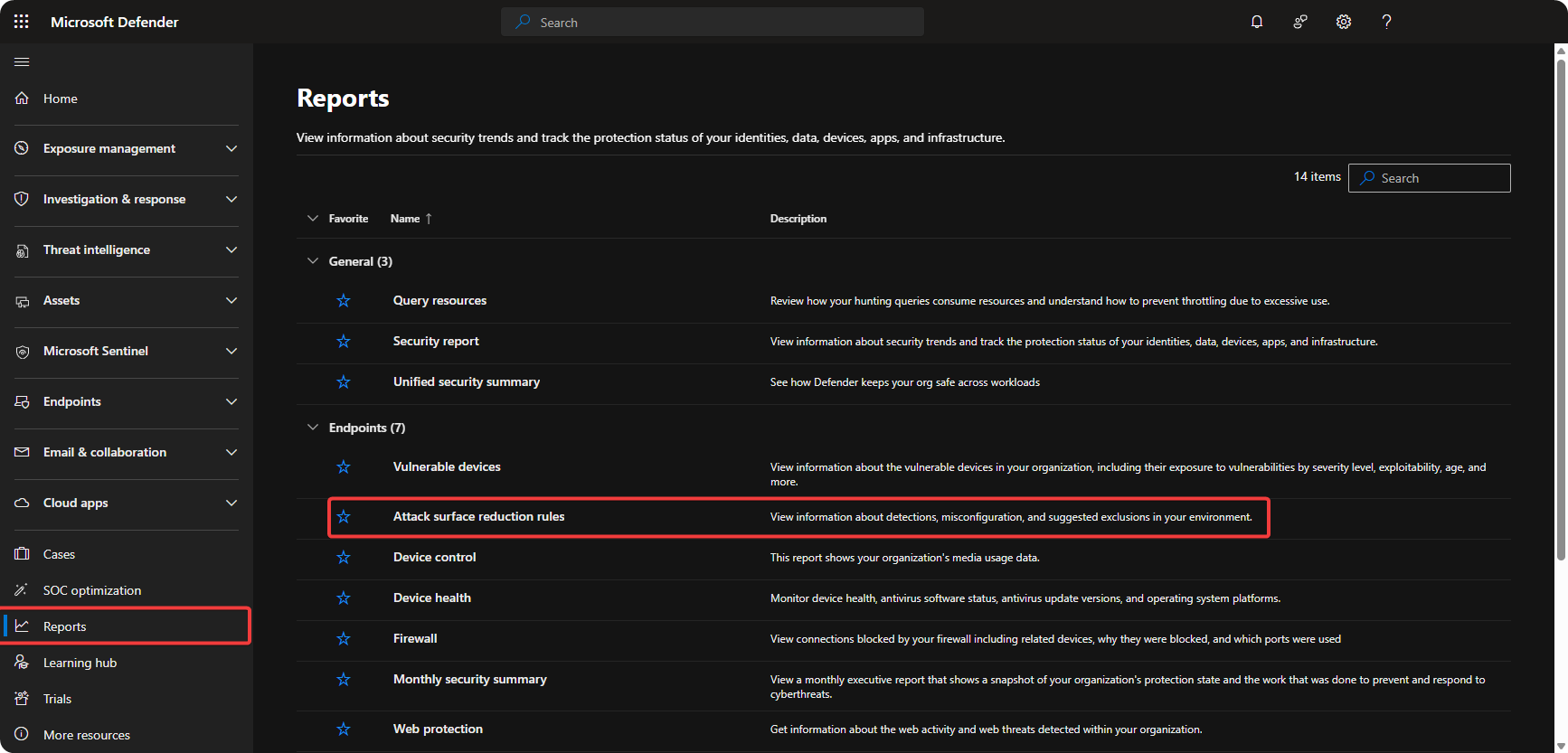
-
Monitor
Blocked/Aditedfield to monitor actions ASR would perform.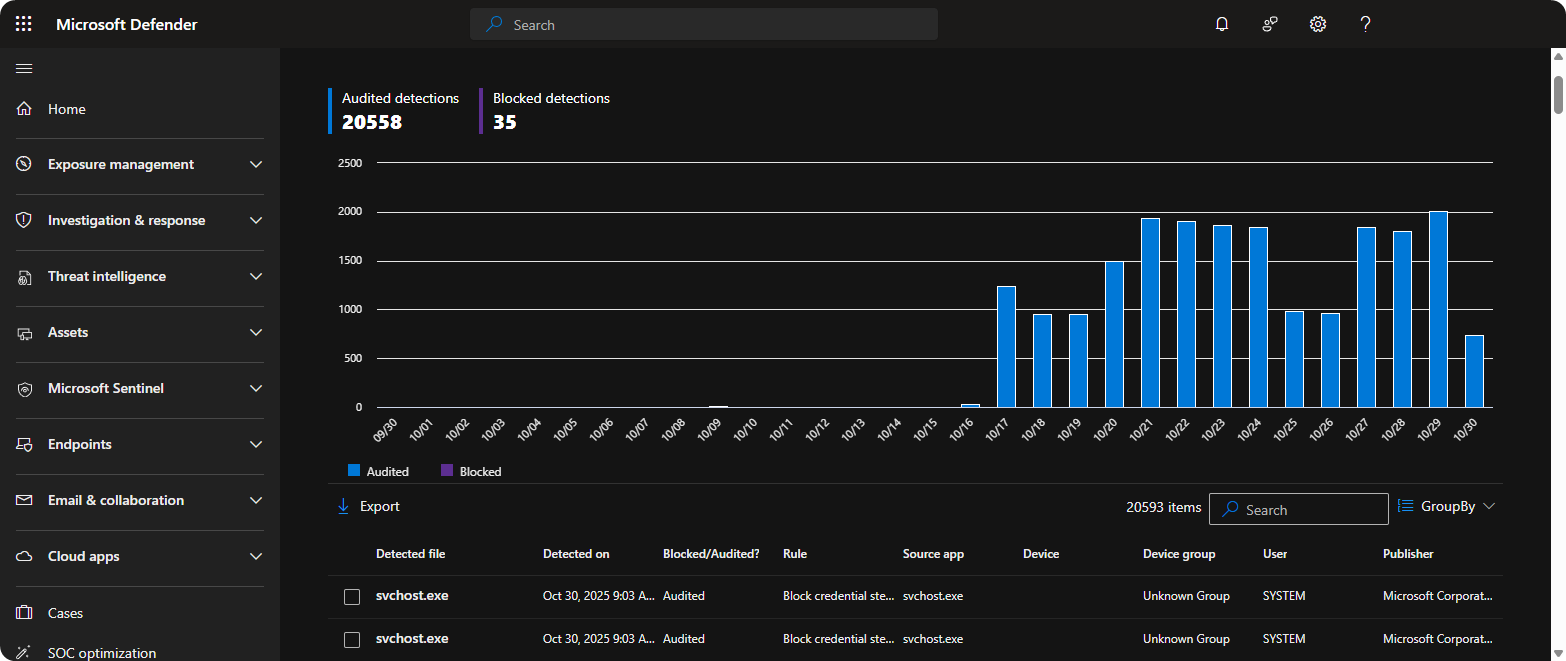
Conclusion
Attack Surface Reduction is great for protecting the organization from common attack techniques. However, it could end up blocking legitimate enterprise applications therefore it’s recommended to enable it in auditing mode and slowly enable the different features.