Introduction
Advanced Hunting in Microsoft Defender XDR allows us to create Custom Detection Rules using Kusto Query Language (KQL) to create alerts and incidents inside of Microsoft Defender Portal. Today, I decided to create a custom detection rule to create an alert when a change occurs on a highly privileged account. In this article I’ll go through the step-by-step guide to implement custom detection rules.
Implementation
The SecurityEvent table contains event logs from Active Directory. The Event ID 4738 occurs when a user account is updated and Event ID 4723 occurs when a password reset has happened on a account. Using all these information’s we can craft the following KQL:
SecurityEvent
| where TargetUserName  in  ("husenjan-admin", "john-admin")
| where Account !has "MSOL"
| where Account != "NT AUTHORITY\\ANONYMOUS LOGON"
| where EventID in (4738, 4723)
| summarize arg_max(TimeGenerated, *) by EventRecordId
| sort by TimeGenerated desc
| where TimeGenerated > ago(2h)
The query is getting all the events that has occurred on users husenjan-admin and john-admin. It’s then filtering out the data where the actions where performed by MSOL and NT AUTHORITY\ANONYMOUS LOGON because these are expected behaviors. It’s then getting all log data which has event id of 4723 and 4738. Now since we are familiar with KQL query let’s implement custom detection rule through Microsoft Defender Portal.
-
Go to Microsoft Defender → Investigation and Response → Advanced Hunting.
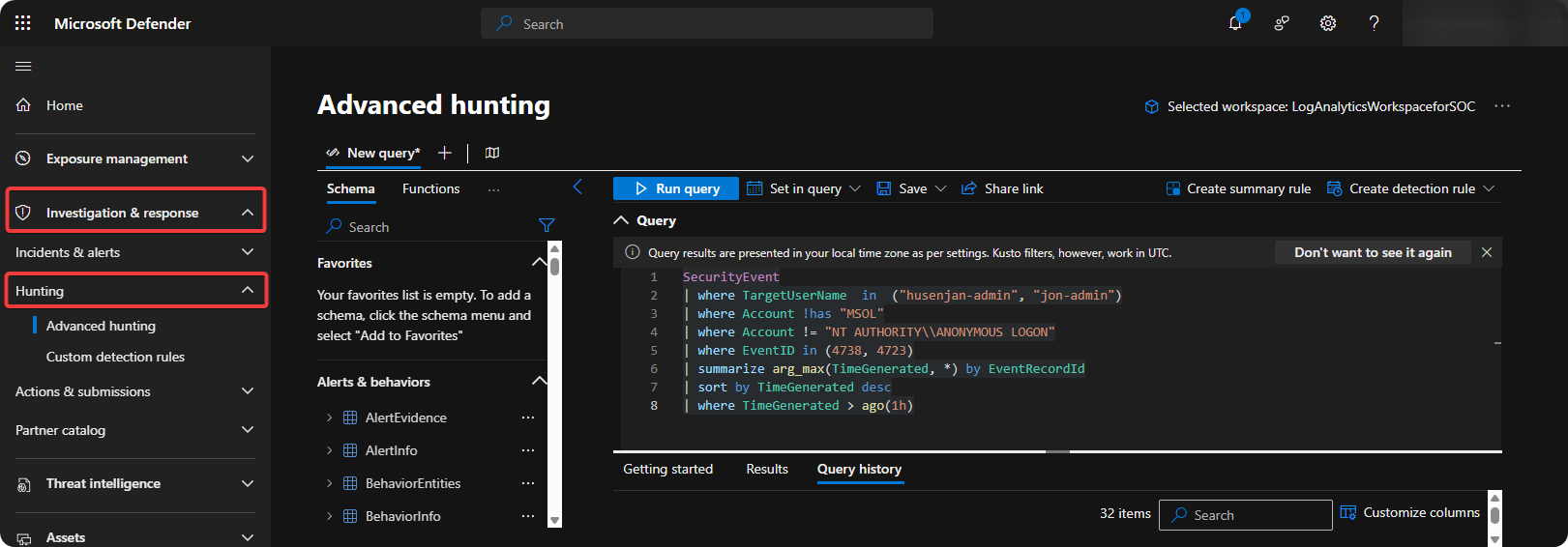
-
Write KQL Query and click on Create Detection Rule → Create Custom Detection Rule.
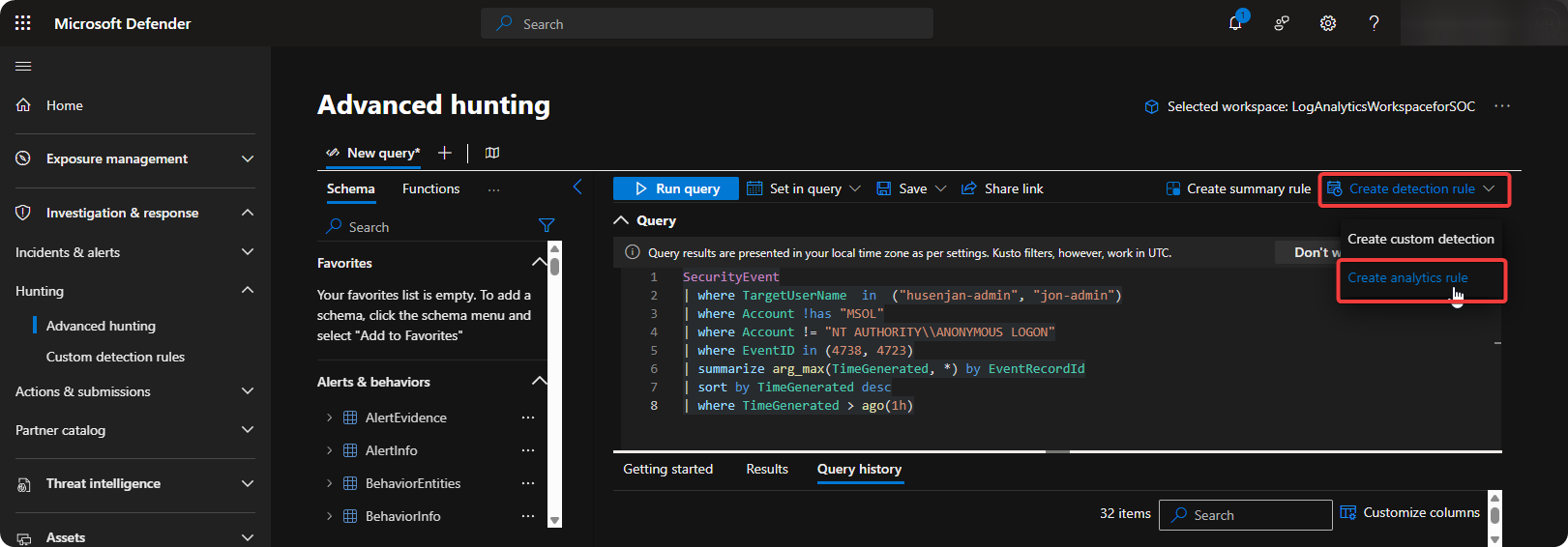
-
Enter Detection Name, Rule Description and choose frequency to execute each 15 minutes.
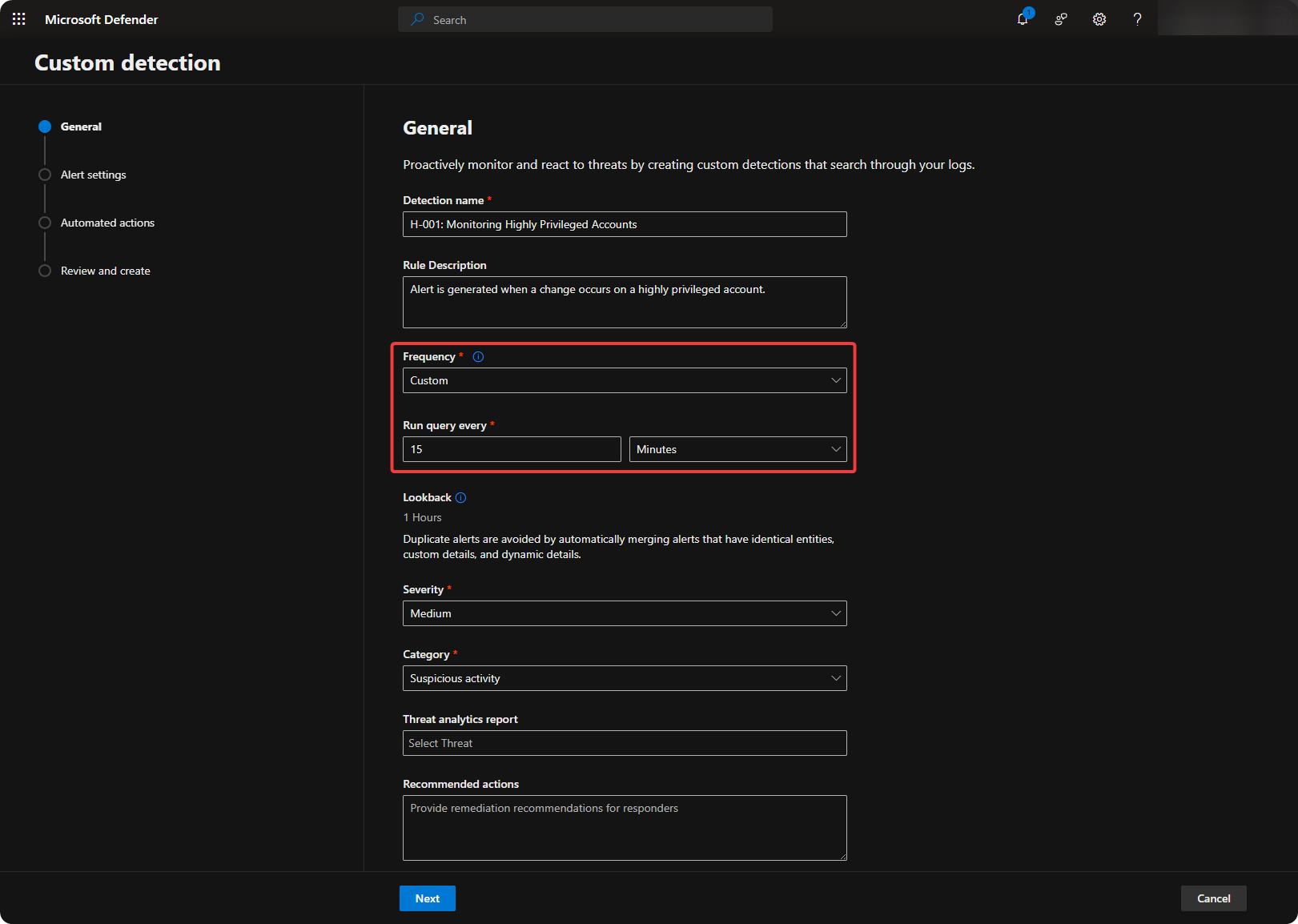
-
Enter Alert Title and Description using
{{TargetUserName}}and{{SubjectUserName}}to see who performed the action.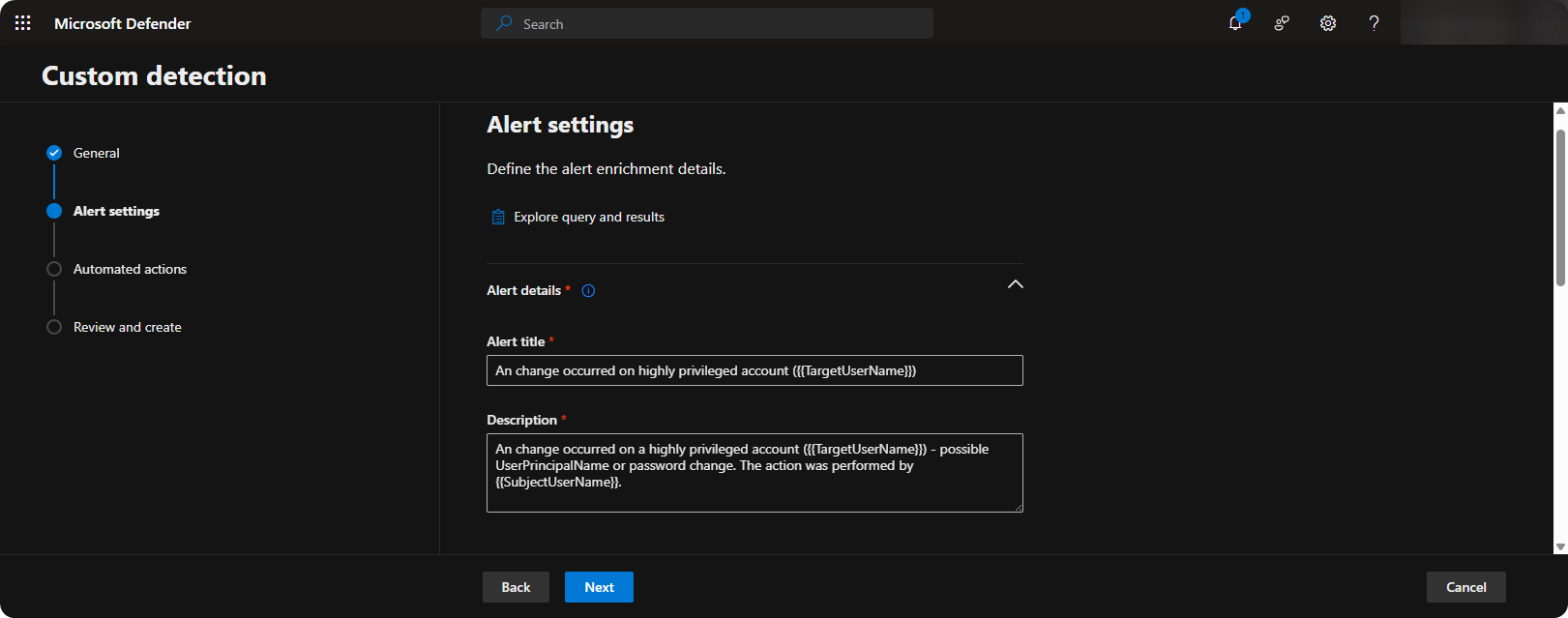
-
Scroll down, and create Entities using
{{TargetSid}}and{{SubjectUserSid}}to reference accounts inside the alert.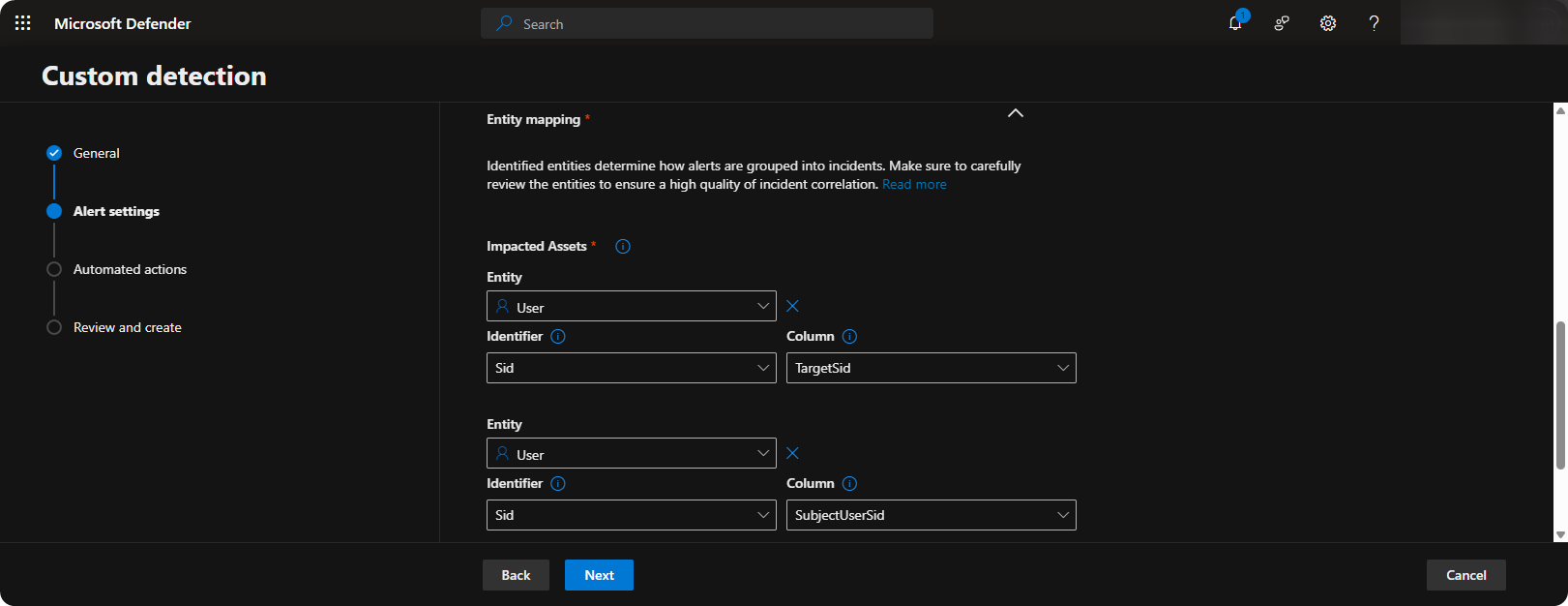
-
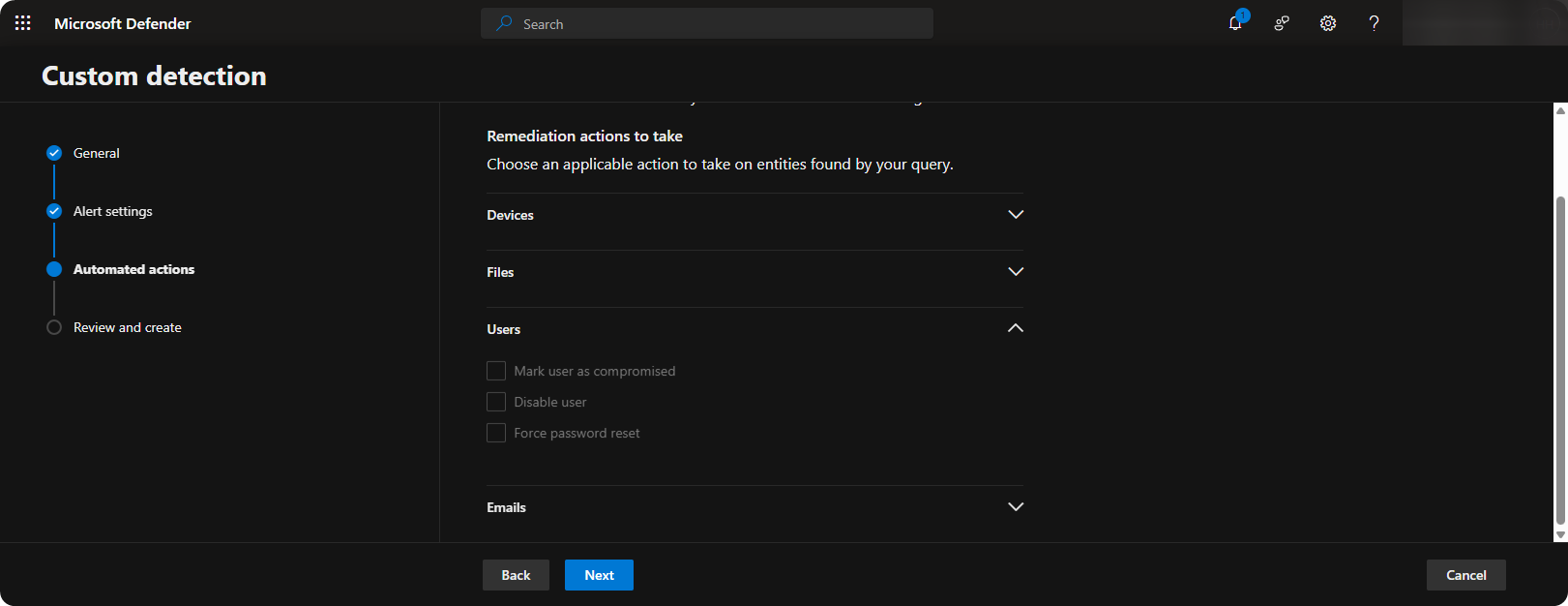
Choose specific actions to perform once alert is triggered.
-
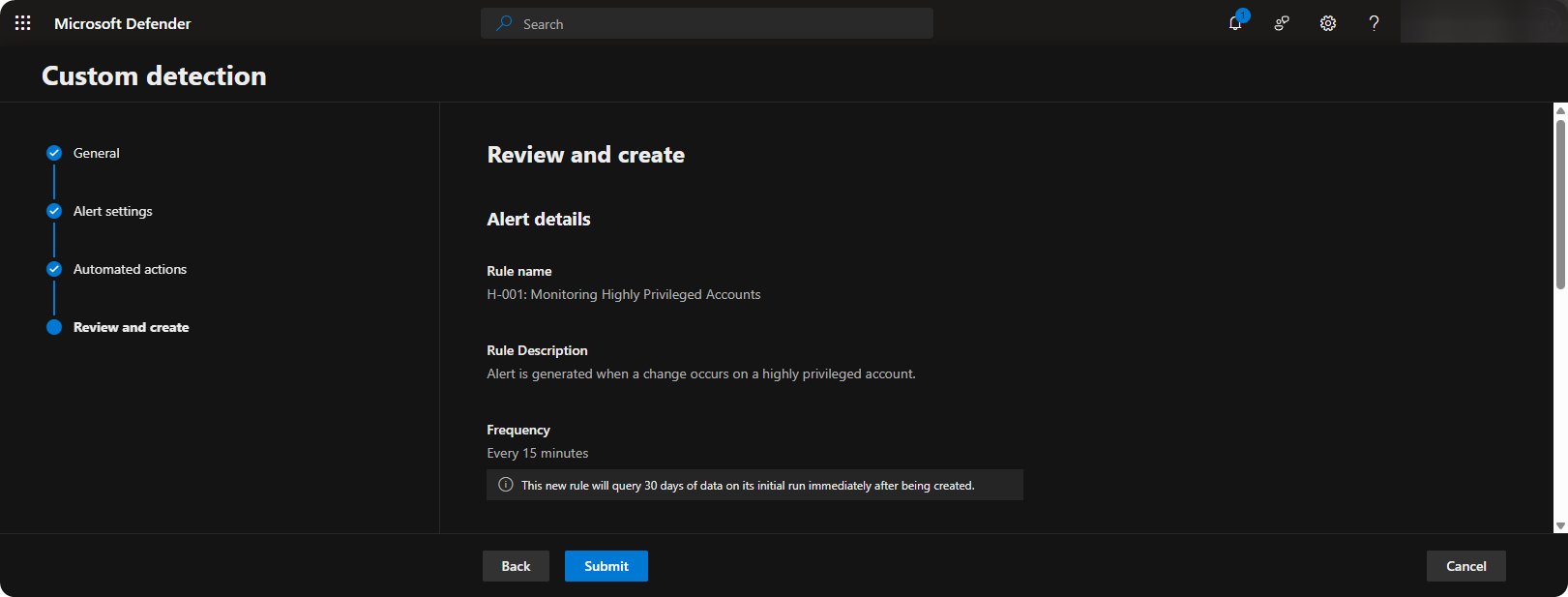
Review Configuration and click on Create.
-
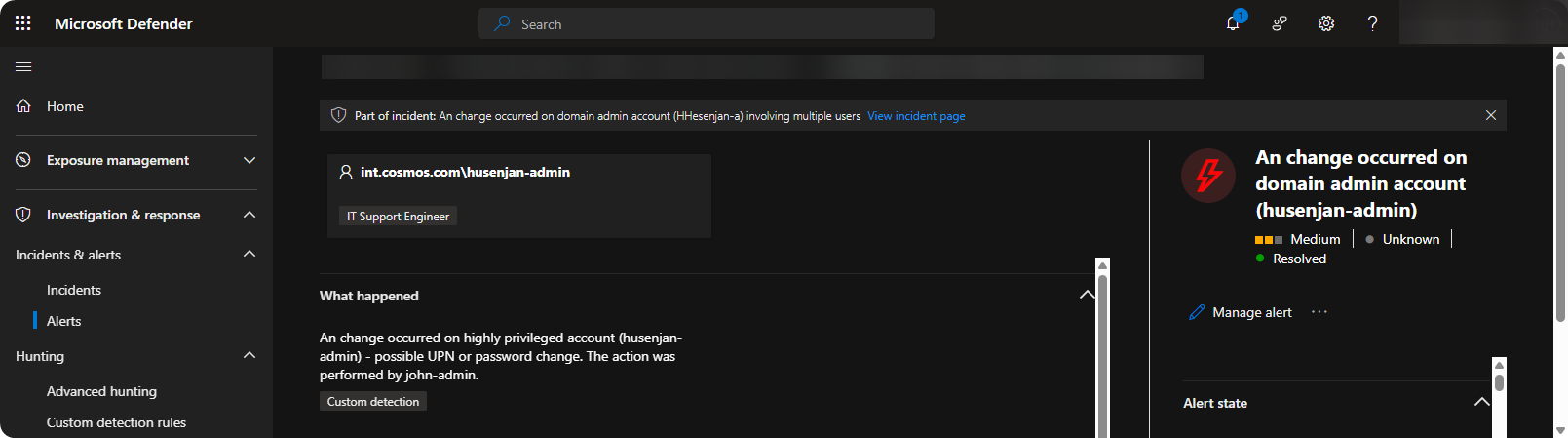
When the custom detection rule is triggered the following alert will occur.
Conclusion
Advanced Hunting in Microsoft Defender XDR is exceptional as it comes with the ability to create Custom Detection Rules to identify threats early on. When an incident occurs in the future we can create custom detection rules to respond early on when it occurs next time. It’s also important to note that we can create custom detection rules for tables such as DeviceEvents, DeviceProcessEvents, BehaviorAnalytics, and much more.