Introduction
We recently experienced a incident where a company administrator changed the userPrincipalName of someone important in the organization. This lead to a investigation where we needed to find out who made the changes and the reasoning behind it to ensure that organization is secure.
Mitigation
Once it was confirmed that the userPrincipalName of the account was changed the following actions were performed on the account.
- Account was disabled through Active Directory
- Monitoring all sign-ins occurred in Microsoft Entra and Active Directory
- Contacting third-party SOC team to investigate further
After completing all these actions, we recieved a response from the SOC team and they said there were no indication that someone changed the userPrincipalName of the account.
Windows Events
What is great about Cortex XDR is that all events from endpoints and servers are logged which enables us to find all events that occurred in the last 30 days. Here are overview of Windows Event IDs that are useful in a investi-gation:
- Event ID 4624 - An account was successfully logged on
- Event ID 4625 - A failed login attempt occurred
- Event ID 4625 - A failed login attempt occurred
- Event ID 4725 - An attempt was made to reset an accounts password
- Event ID 4726 - A user account was deleted
- Event ID 4738 - A user account was updated
- Event ID 4743 - A computer account was deleted
A great website for finding more Event IDs is UltimateWindowsSecurity where all the events are described in details which I highly recommend checking out.
Ingvestigation
Instead of being dependent on the third party SOC team responses. We can investigate who changed the userPrincipalName by doing the following steps on Cortex XDR.
Go to Incident Response → Investigation → Query Builder.
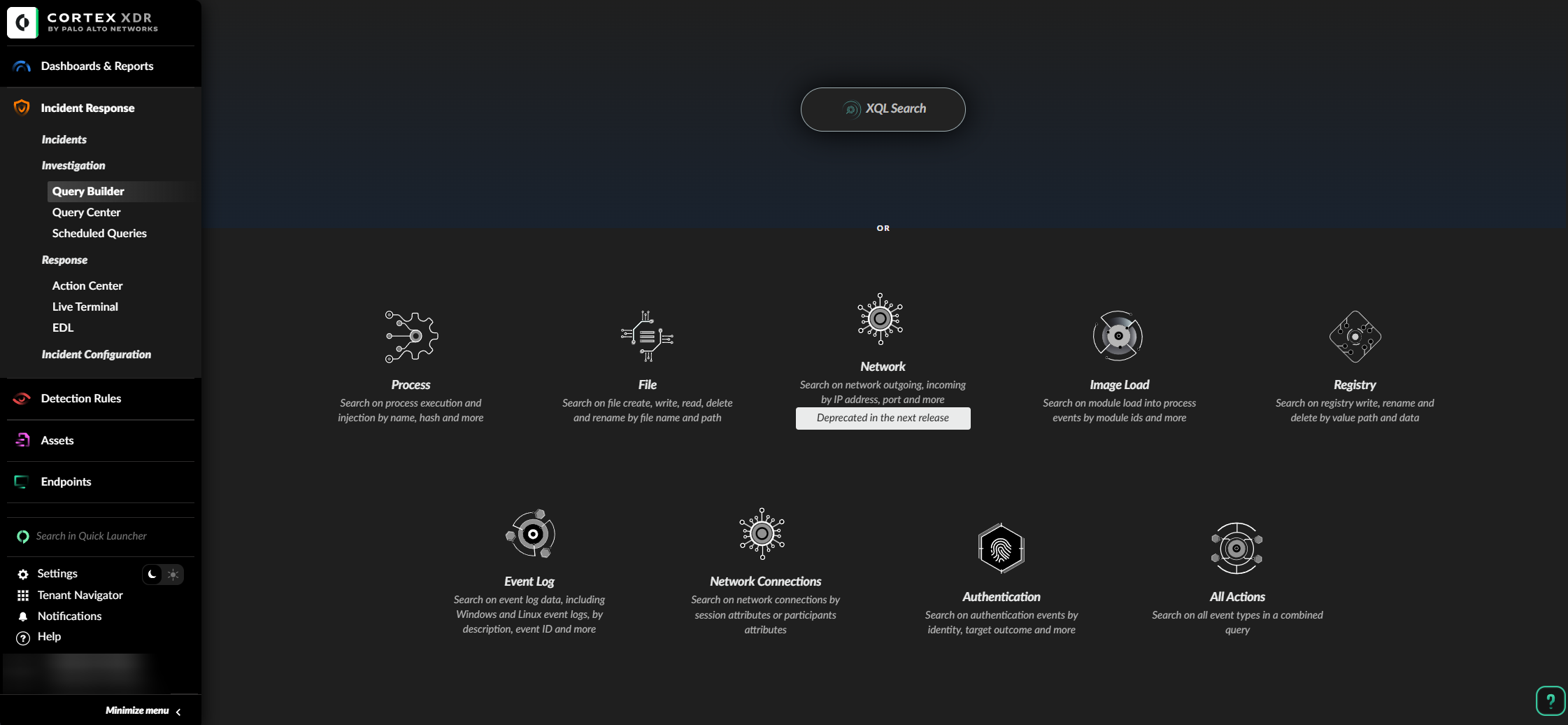
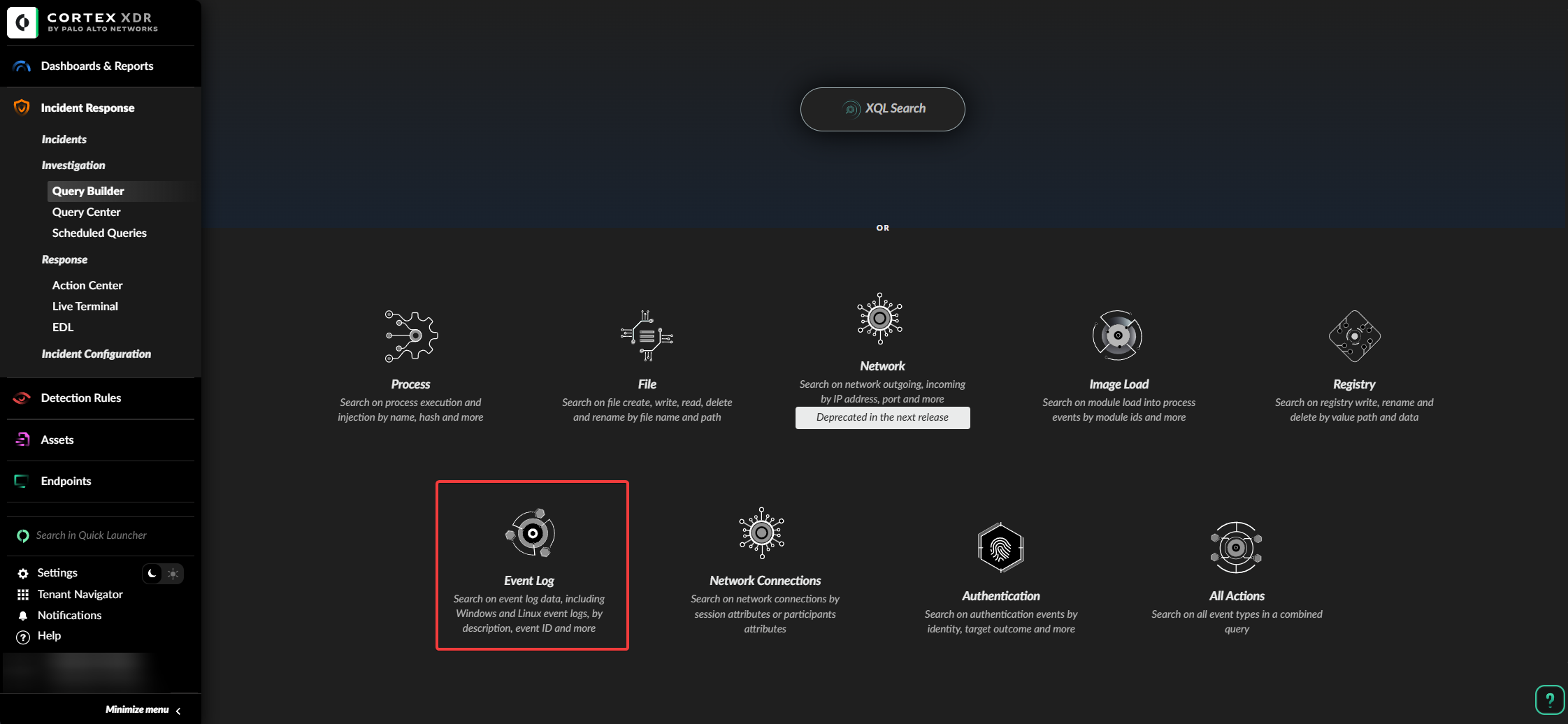
Inside Query Builder select Event Log.
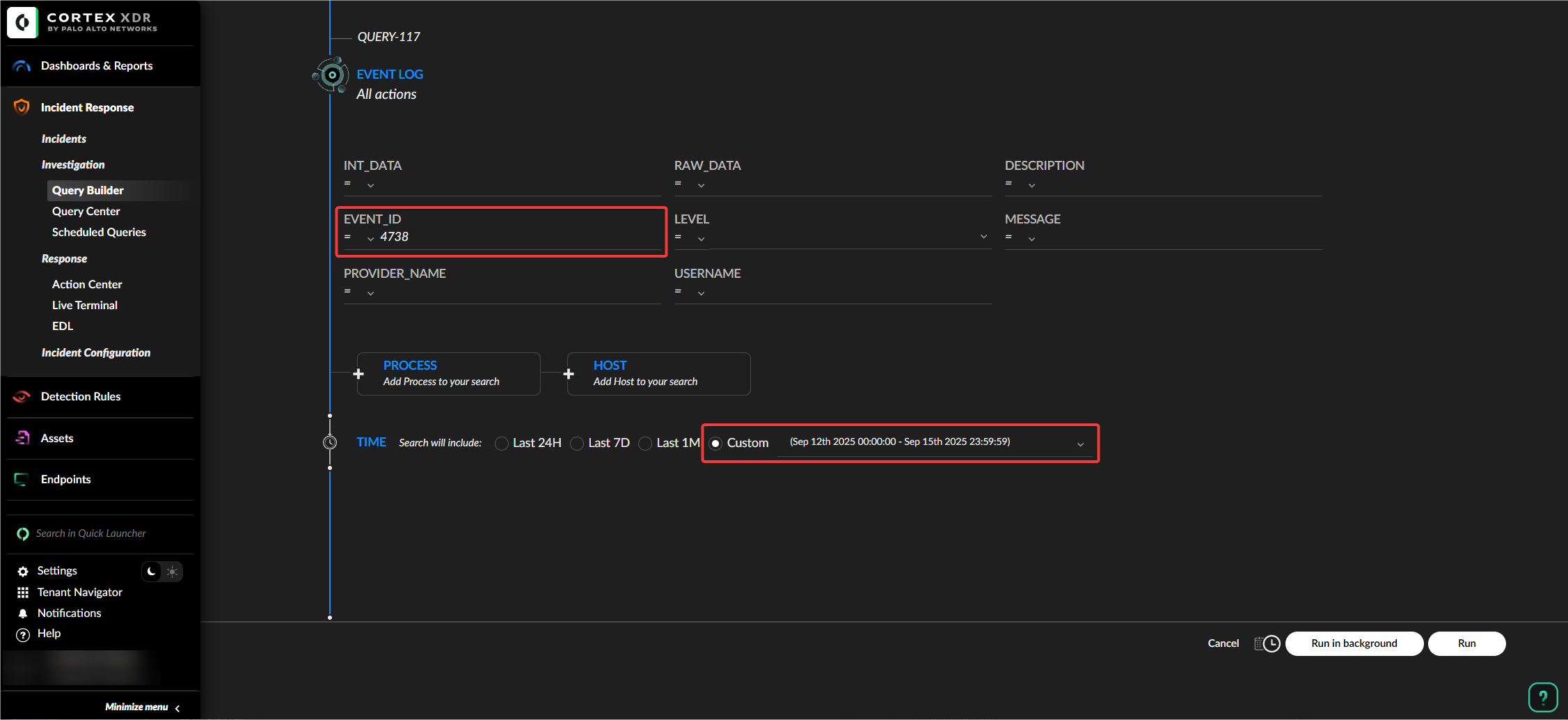
In Event_ID enter the number 4738 and select the date the incident occurred on the account.
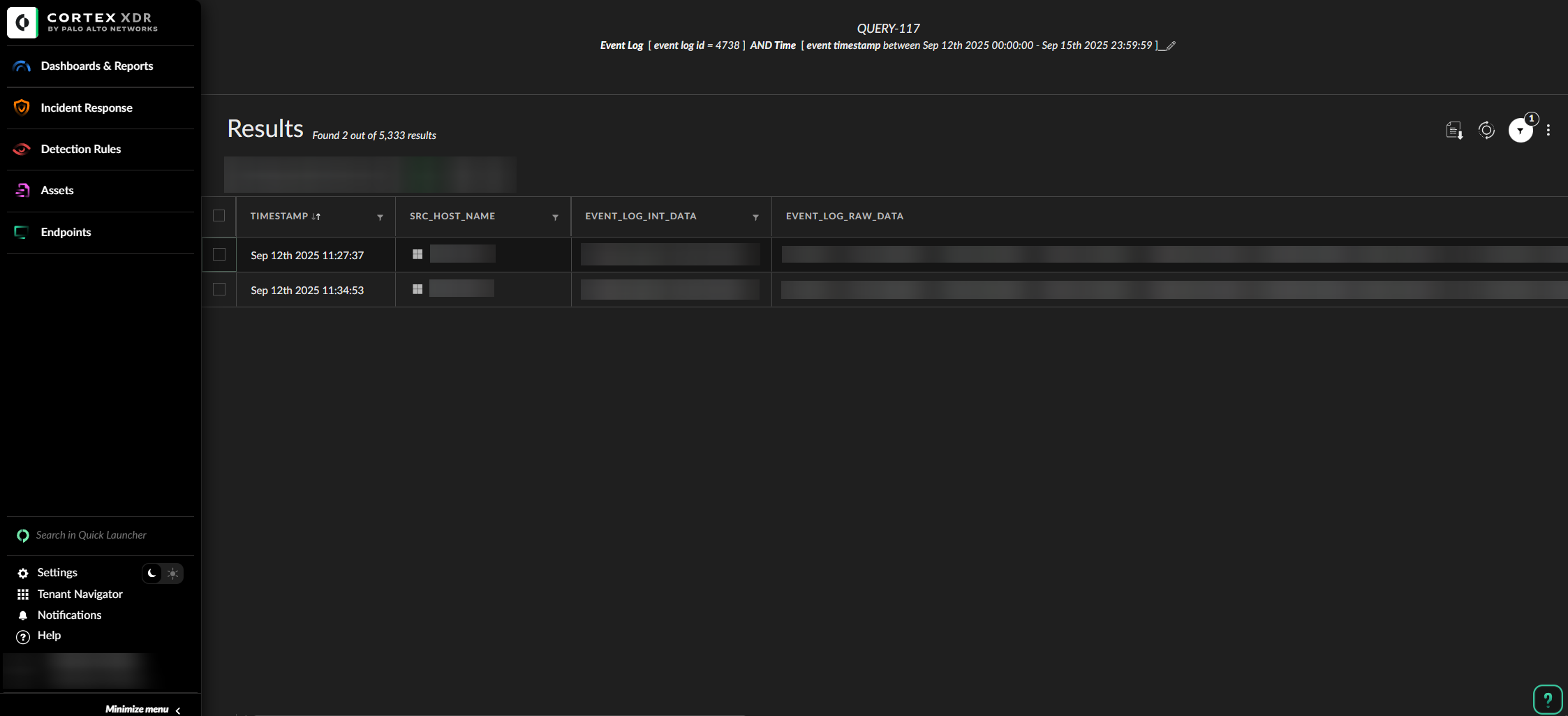
Cortex XDR will display all the endpoints and servers the Event ID 4738 occurred.
We can further investigate the event by opening it on Cortex XDR.
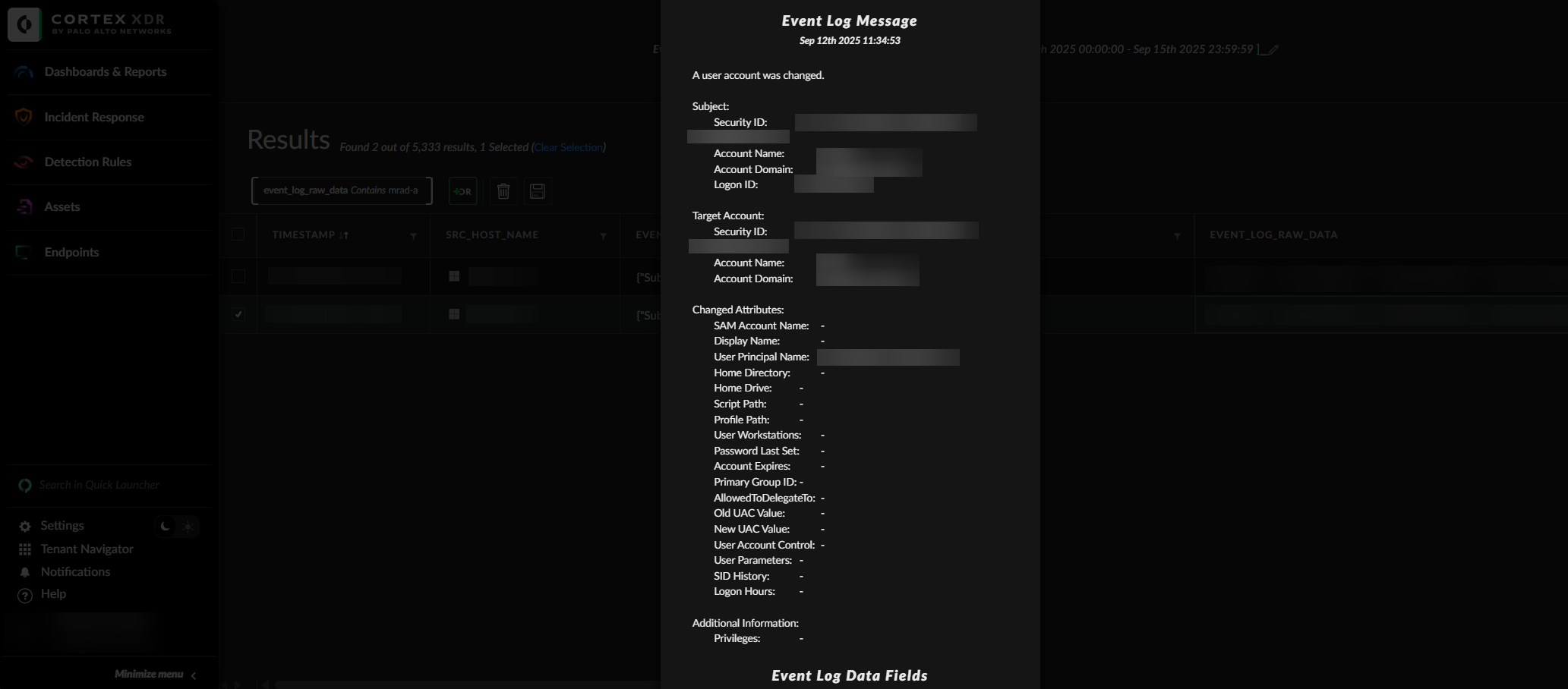
After finding the user who changed the userPrincipalName of the account we can further investigate the account that made these changes by going through events such as 4624 and 4625 to see if someone was performing a brute-force attack on the account.
We can also go one step further by going through the Microsoft Entra ID logs such as risky users, risky logins, and login events to ensure that these accounts are secure.
Remediation
The remediation steps that has been taken to prvent this incident is by implementing correlation rules which consistently monitors important accounts in the organization.
dataset = xdr_data
| filter event_type = ENUM.EVENT_LOG
| filter action_evtlog_event_id  in (4724, 4738) and action_evtlog_data_fields->TargetUserName in ("jdoe", "edoe")
| alter actioned_by = action_evtlog_data_fields->SubjectUserName
| fields action_evtlog_event_id, actioned_by, action_evtlog_message, action_evtlog_description, action_evtlog_data_fields
All the XQL Query does is it fetches all event logs and searches for event ids such as 4724 and 4738. If these actions has been performed on accounts such as jdoe and edoe it will create a alert.
Lesson Learnt
We should remove domain admins from all IT admin. Jokes aside there are many lessons to be learnt from this incident such as:
- Never blindly trust a third party SOC team.
- Always have a local company administrator go through the logs.
- Cortex XDR is source of truth.
Usually, Cortex XDR automatically creates a alert when a incident occurs but in this case it didn’t happen therefore I had to dig deeper into Windows events and Cortex XDR which was a great experience. I strongly believe Cortex XDR is one of the greatest tools out there for preventing cybersecurity incidents.